

Comparing the best Construction Management Software of 2026 includes 1. Procore 2. Buildertrend 3. CoConstruct 4. Autodesk Build 5. Fieldwire 6. Contractor Foreman 7. Houzz Pro 8. Sage 300 Construction and Real Estate 9. Viewpoint Vista 10. CMiC.
TL;DR
- Best overall for mid-to-large GCs: Procore, the industry standard with 4,221 G2 reviews at 4.6/5 and unlimited users on every plan.
- Best for residential builders and remodelers: Buildertrend, built for home construction with client portals, selections tracking, and unlimited projects from $499/mo.
- Best budget pick for small contractors: Contractor Foreman, 376 G2 reviews at 4.5/5 starting at $49/mo with a 100-day money-back guarantee.
- Best for field execution and task management: Fieldwire by Hilti, free tier available, 530 G2 reviews at 4.5/5, purpose-built for superintendents and foremen.
- Best for custom home builders: CoConstruct, selection and specification management that residential competitors cannot match, starting at $99/mo.
Ten construction management platforms ranked on project controls, field execution, cost management, and RFI workflows. The real pricing behind custom quotes, the tools that scale past 50 concurrent projects, and the pick for your crew size, project type, and annual construction volume.
What is construction management software?
Construction management software helps general contractors, builders, and construction managers run projects from preconstruction through closeout, handling scheduling, cost tracking, RFIs, submittals, daily logs, and field reporting from one platform.
Tools like Procore, Buildertrend, Fieldwire, and Contractor Foreman differ on project type focus (commercial vs residential), pricing model (per-user vs flat-rate vs ACV-based), and depth of financial controls.
Best Construction Management Software comparison: features, pricing and verdicts
| Tool | Best for | Starting price | Free trial | External rating |
|---|---|---|---|---|
Best overall for mid-to-large general contractors running commercial and institutional projects | Custom quote | Free demo | G2 4.6/5 (4,221 reviews) | |
Best all-in-one platform for residential builders and remodelers | $499/mo | Free demo | G2 4.2/5 (229 reviews) | |
Best for custom home builders who need selection and specification management depth | $99/mo | Free demo | G2 4.1/5 (21 reviews) | |
Best for BIM-integrated workflows on large commercial and infrastructure projects | $399/mo | Free trial available | G2 4.4/5 (5,270 reviews) | |
Best field execution tool for superintendents and foremen who need task management on the jobsite | Free | Free tier available | G2 4.5/5 (530 reviews) | |
Best budget construction management platform with enterprise features at SMB pricing | $49/mo | 30-day free trial + 100-day money-back guarantee | G2 4.5/5 (376 reviews) | |
Best for design-build firms and remodelers who need lead generation alongside project management | $55/mo | Free version available | G2 4.0/5 (~90 reviews) | |
Best construction accounting and job costing ERP for established mid-to-large contractors | From $3,000/license | Demo only | G2 3.8/5 (41 reviews) | |
Best construction ERP for large contractors needing deep accounting, payroll, and HR on one platform | Custom quote | Demo only | G2 4.0/5 (137 reviews) | |
Best unified ERP and project management platform for ENR Top 400 general contractors | Custom quote | Demo only | G2 3.3/5 (42 reviews) |
How we chose these tools
This comparison draws on documented product capabilities, recurring themes across G2 and Capterra review samples, vendor pricing pages verified in August 2026, and published product documentation. G2 ratings and review counts were read from live G2 pages in August 2026. Pricing was verified from each vendor pricing page or third-party pricing databases on the same date. The assessment covers general contractors, specialty contractors, residential builders, and construction management firms operating primarily in the US market. Pure estimating-only or accounting-only tools are out of scope.
Read the full CEOPickz.com testing methodology, the scoring criteria, weights, and the data we collect for every tool.
Detailed reviews
Procore
Best overall for mid-to-large general contractors running commercial and institutional projectsWhat's great
- G2 category Leader for construction management in 2026 with 4,221 reviews at 4.6/5, the largest review base of any construction platform by a wide margin
- Unlimited users on every plan means no per-seat cost anxiety; subcontractors, owners, architects, and field crews all get full access without incremental licensing fees
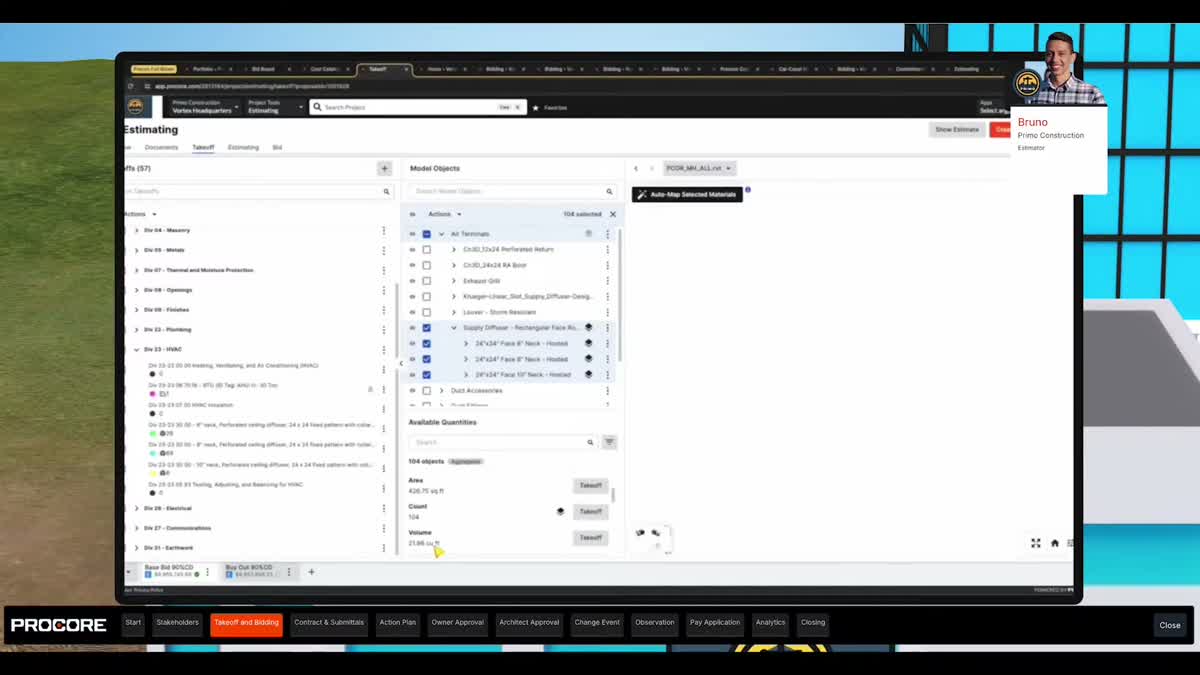
- Deep project management coverage across preconstruction (bidding, estimating, qualifications), project execution (RFIs, submittals, drawings, daily logs, scheduling), and financial controls (budgets, change orders, commitments, invoicing) in one connected platform
Watch-outs
- Pricing is based on Annual Construction Volume (ACV), not users or projects; small contractors doing under $5M/year in volume often find the minimum contract ($10K-$15K/year) hard to justify against the feature depth they actually use
- Annual price increases of 5-14% are documented in buyer reports; the 114% Net Revenue Retention rate from Procore's own financials confirms existing customers pay more each renewal cycle
- Implementation consulting ($10K-$30K for mid-size deployments) and the training overhead to get field crews comfortable with the platform add real cost beyond the subscription
Pricing breakdown
| Plan | Price | Best for |
|---|---|---|
| Preconstruction | Custom (ACV-based) | Bidding |
| Project Management | Custom (ACV-based) | RFIs |
| Financial Management | Custom (ACV-based) | Budgets |
Security & compliance
| Standard | Availability |
|---|---|
| Audit logs | Yes |
| GDPR | Yes |
| HIPAA | No |
| SOC 2 Type II | Yes |
| SSO / SAML | ✓ all tiers |
Procore compliance summary: Audit logs is yes, GDPR is yes, HIPAA is no, SOC 2 Type II is yes, and SSO / SAML is ✓ all tiers.
Key integrations
| Integration | Type |
|---|---|
| Gmail | N/A |
| Outlook | N/A |
| Slack | N/A |
| LinkedIn Sales Navigator | N/A |
| Outreach / Salesloft | N/A |
Procore integration summary: Gmail is not specified, Outlook is not specified, Slack is not specified, LinkedIn Sales Navigator is not specified, and Outreach or Salesloft is not specified.
Feature availability
| Feature | Status |
|---|---|
| Free tier | ✗ |
| Daily logs | ✓ |
| Mobile app | ✓ |
| Rfi management | ✓ |
| Unlimited users | ✓ |
Procore feature availability summary: Free tier (✗), Daily logs (✓), Mobile app (✓), Rfi management (✓), and Unlimited users (✓).
Loading reviews…
What's great
- Purpose-built for residential construction with selections tracking, client portal, warranty management, and homeowner-facing communication tools that commercial platforms like Procore do not prioritize
- Unlimited users and unlimited projects on all plans; flat monthly fee regardless of how many subs, crew members, or homeowner clients access the system
- Strong client portal that lets homeowners view schedules, approve selections, sign change orders, and make payments directly, reducing the phone-call overhead that eats residential builder margins
Watch-outs
- Starting price of $499/mo on Essential (previously lower) puts it above budget for solo contractors and very small remodeling shops; the jump to Advanced ($799/mo) and Complete ($1,099/mo) is steep
- 4.2/5 on G2 across 229 reviews is the lowest satisfaction score among the mid-tier tools in this comparison; recurring complaints include occasional slowness and a learning curve on the scheduling module
- Onboarding fees of $400-$1,500 depending on plan tier add to the first-year cost; the platform investment is real before the first project goes live
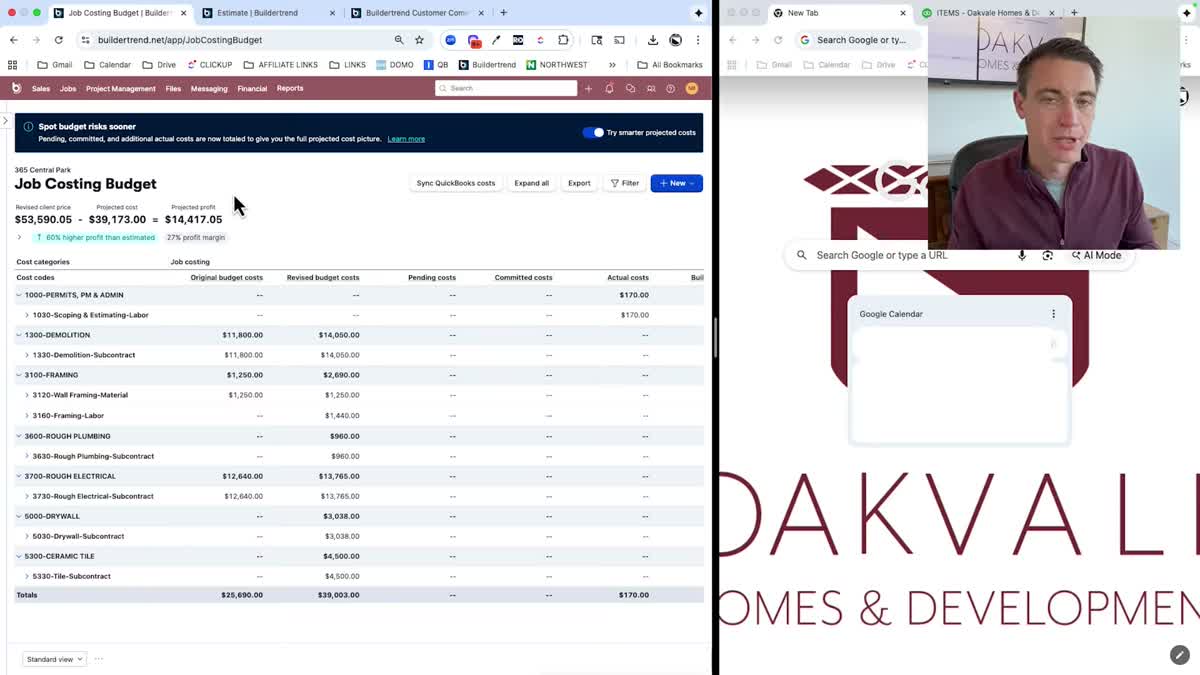
Pricing breakdown
| Plan | Price | Best for |
|---|---|---|
| Essential | $499/mo | Small builders needing scheduling |
| Advanced | $799/mo | Growing builders adding financial tools and proposals |
| Complete | $1,099/mo | Established builders needing full cost control and reporting |
Security & compliance
| Standard | Availability |
|---|---|
| Audit logs | Advanced+ |
| GDPR | Yes |
| HIPAA | No |
| SOC 2 Type II | Yes |
| SSO / SAML | Advanced+ |
Buildertrend compliance summary: Audit logs is advanced+, GDPR is yes, HIPAA is no, SOC 2 Type II is yes, and SSO / SAML is advanced+.
Key integrations
| Integration | Type |
|---|---|
| Gmail | N/A |
| Outlook | N/A |
| Slack | N/A |
| LinkedIn Sales Navigator | N/A |
| Outreach / Salesloft | N/A |
Buildertrend integration summary: Gmail is not specified, Outlook is not specified, Slack is not specified, LinkedIn Sales Navigator is not specified, and Outreach or Salesloft is not specified.
Feature availability
| Feature | Status |
|---|---|
| Free tier | ✗ |
| Daily logs | ✓ |
| Mobile app | ✓ |
| Rfi management | ✓ |
| Unlimited users | ✓ |
Buildertrend feature availability summary: Free tier (✗), Daily logs (✓), Mobile app (✓), Rfi management (✓), and Unlimited users (✓).
Loading reviews…
What's great
- Selection and specification management is the deepest in any residential construction platform; custom home builders managing hundreds of allowances, selections, and change orders per project find this feature alone justifies the subscription
- Dedicated implementation coach, free estimate and scheduling templates, unlimited storage, and unlimited users included in both tiers; white-glove onboarding on the Plus plan
- Built specifically for the custom home and remodeling workflow where client communication volume is 10x higher than production building; the client portal handles selection approvals, change order sign-offs, and progress photo sharing
Watch-outs
- Only 21 G2 reviews at 4.1/5; the review base is thin compared to Procore (4,221) or Fieldwire (530), which makes the rating less statistically reliable
- Introductory pricing of $99/mo (Standard) and $399/mo (Plus) jumps to $349/mo and $599/mo after the first two months; the pricing escalation catches buyers who budget based on the intro rate
- Not designed for commercial construction at all; no RFI management, no submittal logs, no multi-prime contractor workflows; strictly residential and remodeling
Pricing breakdown
| Plan | Price | Best for |
|---|---|---|
| Standard | $99/mo intro, $349/mo ongoing | Custom builders needing selections |
| Plus | $399/mo intro, $599/mo ongoing | Builders needing estimating |
Security & compliance
| Standard | Availability |
|---|---|
| Audit logs | No |
| GDPR | Yes |
| HIPAA | No |
| SOC 2 Type II | Yes |
| SSO / SAML | No |
CoConstruct compliance summary: Audit logs is no, GDPR is yes, HIPAA is no, SOC 2 Type II is yes, and SSO / SAML is no.
Key integrations
| Integration | Type |
|---|---|
| Gmail | N/A |
| Outlook | N/A |
| Slack | N/A |
| LinkedIn Sales Navigator | N/A |
| Outreach / Salesloft | N/A |
CoConstruct integration summary: Gmail is not specified, Outlook is not specified, Slack is not specified, LinkedIn Sales Navigator is not specified, and Outreach or Salesloft is not specified.
Feature availability
| Feature | Status |
|---|---|
| Free tier | ✗ |
| Daily logs | ✓ |
| Mobile app | ✓ |
| Rfi management | ✗ |
| Unlimited users | ✓ |
CoConstruct feature availability summary: Free tier (✗), Daily logs (✓), Mobile app (✓), Rfi management (✗), and Unlimited users (✓).
Loading reviews…
What's great
- 5,270 G2 reviews at 4.4/5 across the Autodesk Construction Cloud ecosystem; the largest user community in construction technology, with deep forums, training resources, and Autodesk University content
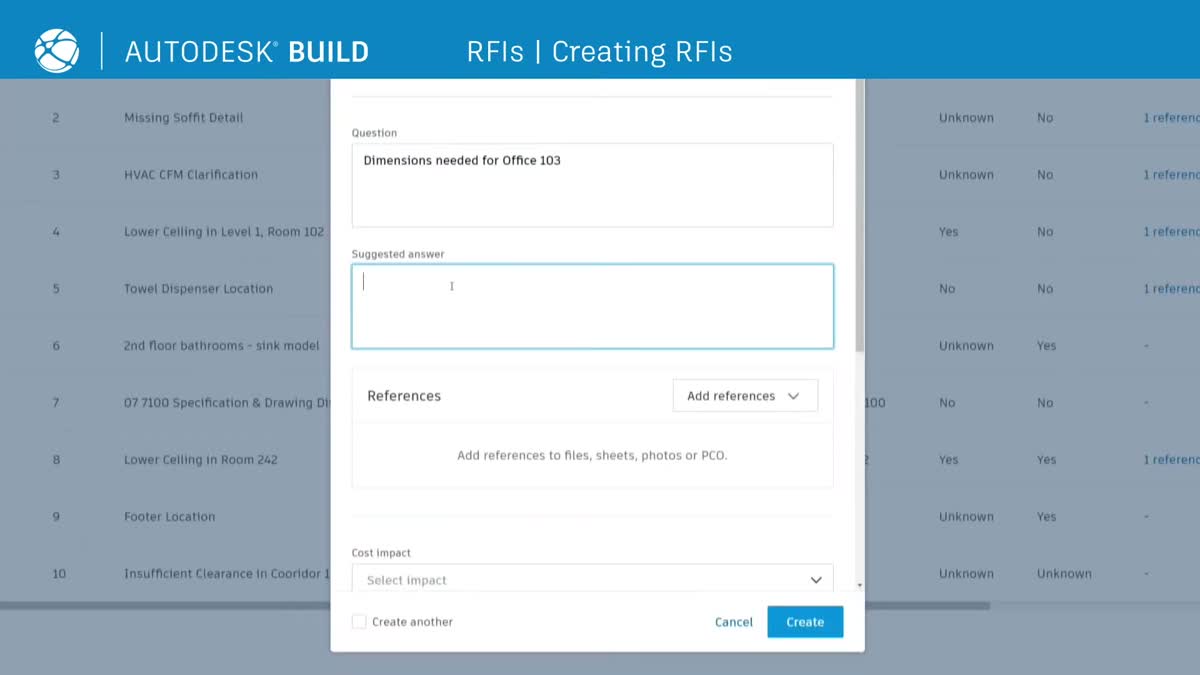
- Native BIM integration with Revit, Navisworks, and the broader Autodesk ecosystem; model coordination, clash detection, and design-to-field workflows that no competitor matches in depth
- Unified platform combining the legacy strengths of PlanGrid (field execution, drawing management) and BIM 360 (model coordination, design collaboration) into a single construction cloud
Watch-outs
- Per-user pricing at $399+/mo means costs scale linearly with team size; a 20-person project team costs $8,000/mo minimum, which is where Procore's unlimited-user model becomes more economical
- The transition from PlanGrid and BIM 360 to Autodesk Build has been rocky; G2 reviewers in 2025-2026 cite feature gaps, workflow changes, and a learning curve during the migration
- Field tool design receives consistent criticism for being engineer-focused rather than construction-worker-friendly; the UI complexity gap between office and field users is wider than Procore or Fieldwire
Pricing breakdown
| Plan | Price | Best for |
|---|---|---|
| Build | From $399/mo per user | Project management |
| Build + Design Collaboration | From $500/mo per user | Design review |
| ACC Premium | Custom quote | Enterprise with quantification |
Security & compliance
| Standard | Availability |
|---|---|
| Audit logs | Yes |
| GDPR | Yes |
| HIPAA | No |
| SOC 2 Type II | Yes |
| SSO / SAML | Yes |
Autodesk Build compliance summary: Audit logs is yes, GDPR is yes, HIPAA is no, SOC 2 Type II is yes, and SSO / SAML is yes.
Key integrations
| Integration | Type |
|---|---|
| Gmail | N/A |
| Outlook | N/A |
| Slack | N/A |
| LinkedIn Sales Navigator | N/A |
| Outreach / Salesloft | N/A |
Autodesk Build integration summary: Gmail is not specified, Outlook is not specified, Slack is not specified, LinkedIn Sales Navigator is not specified, and Outreach or Salesloft is not specified.
Feature availability
| Feature | Status |
|---|---|
| Free tier | ✗ |
| Daily logs | ✓ |
| Mobile app | ✓ |
| Rfi management | ✓ |
| Unlimited users | ✗ (per-user) |
Autodesk Build feature availability summary: Free tier (✗), Daily logs (✓), Mobile app (✓), Rfi management (✓), and Unlimited users (✗ (per-user)).
Loading reviews…
Fieldwire
Best field execution tool for superintendents and foremen who need task management on the jobsiteWhat's great
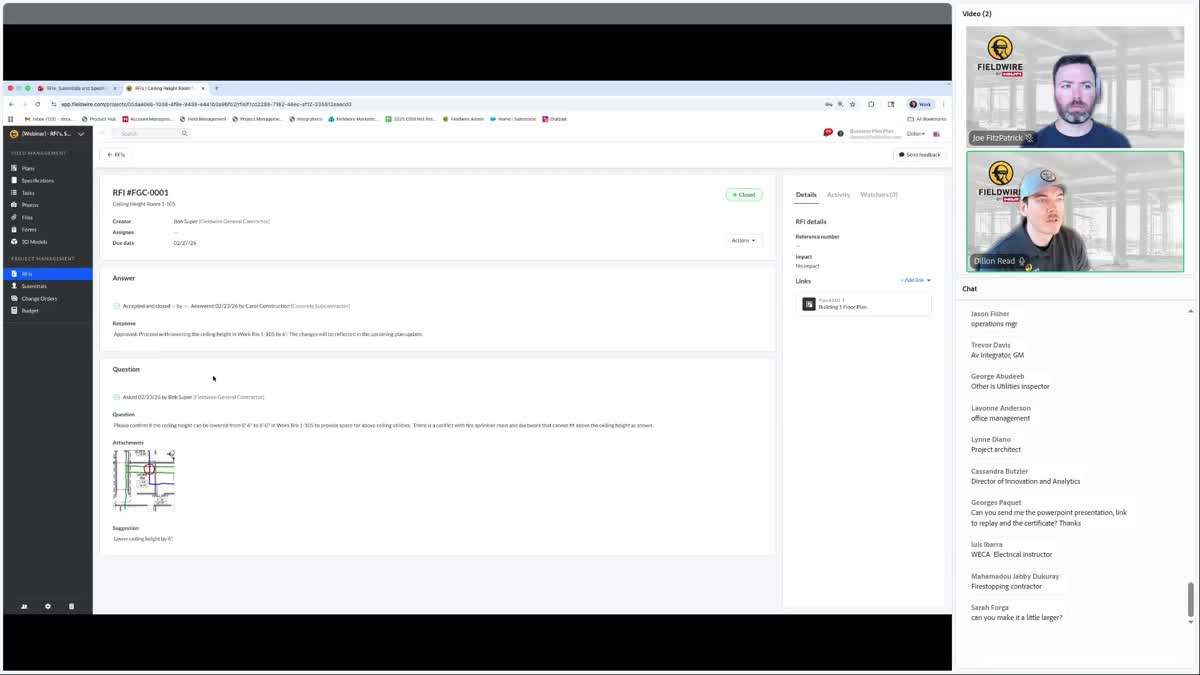
- Free Basic tier supports up to 3 projects with core features (plan viewing, task management, photo documentation), giving small contractors a genuine zero-cost starting point that competitors do not offer
- 530 G2 reviews at 4.5/5 with 73% 5-star ratings; the satisfaction signal is strong and consistent, particularly from field-level users (superintendents, foremen, subcontractors) who cite ease of use as the top differentiator
- Acquired by Hilti in 2021, giving Fieldwire the backing of a $6B+ construction tools company; product investment has accelerated post-acquisition without the pricing disruption that often follows
Watch-outs
- Per-user pricing on Pro ($39/user/mo annual), Business ($59/user/mo), and Business Plus ($89/user/mo) means costs scale with team size; a 15-person crew on Business is $885/mo, making Procore's unlimited-user model cheaper at scale
- Focused on field execution and task management; does not cover preconstruction, estimating, financial controls, or the full project lifecycle that Procore and Buildertrend handle
- Reporting and analytics are lighter than Procore or Autodesk Build; field data capture is strong, but turning that data into project-level dashboards and owner reports requires exporting
Pricing breakdown
| Plan | Price | Best for |
|---|---|---|
| Basic | Free (up to 3 projects) | Small crews needing plan viewing and task management |
| Pro | $39/user/mo (annual) | Growing teams with unlimited projects and reporting |
| Business | $59/user/mo (annual) | Mid-size contractors needing BIM viewing and custom reports |
| Business Plus | $89/user/mo (annual) | Large teams needing advanced analytics and integrations |
Security & compliance
| Standard | Availability |
|---|---|
| Audit logs | Business+ |
| GDPR | Yes |
| HIPAA | No |
| SOC 2 Type II | Yes |
| SSO / SAML | Business+ |
Fieldwire compliance summary: Audit logs is business+, GDPR is yes, HIPAA is no, SOC 2 Type II is yes, and SSO / SAML is business+.
Key integrations
| Integration | Type |
|---|---|
| Gmail | N/A |
| Outlook | N/A |
| Slack | N/A |
| LinkedIn Sales Navigator | N/A |
| Outreach / Salesloft | N/A |
Fieldwire integration summary: Gmail is not specified, Outlook is not specified, Slack is not specified, LinkedIn Sales Navigator is not specified, and Outreach or Salesloft is not specified.
Feature availability
| Feature | Status |
|---|---|
| Free tier | ✓ (3 projects) |
| Daily logs | ✓ |
| Mobile app | ✓ |
| Rfi management | ✓ (Pro+) |
| Unlimited users | ✗ (per-user) |
Fieldwire feature availability summary: Free tier (✓ (3 projects)), Daily logs (✓), Mobile app (✓), Rfi management (✓ (Pro+)), and Unlimited users (✗ (per-user)).
Loading reviews…
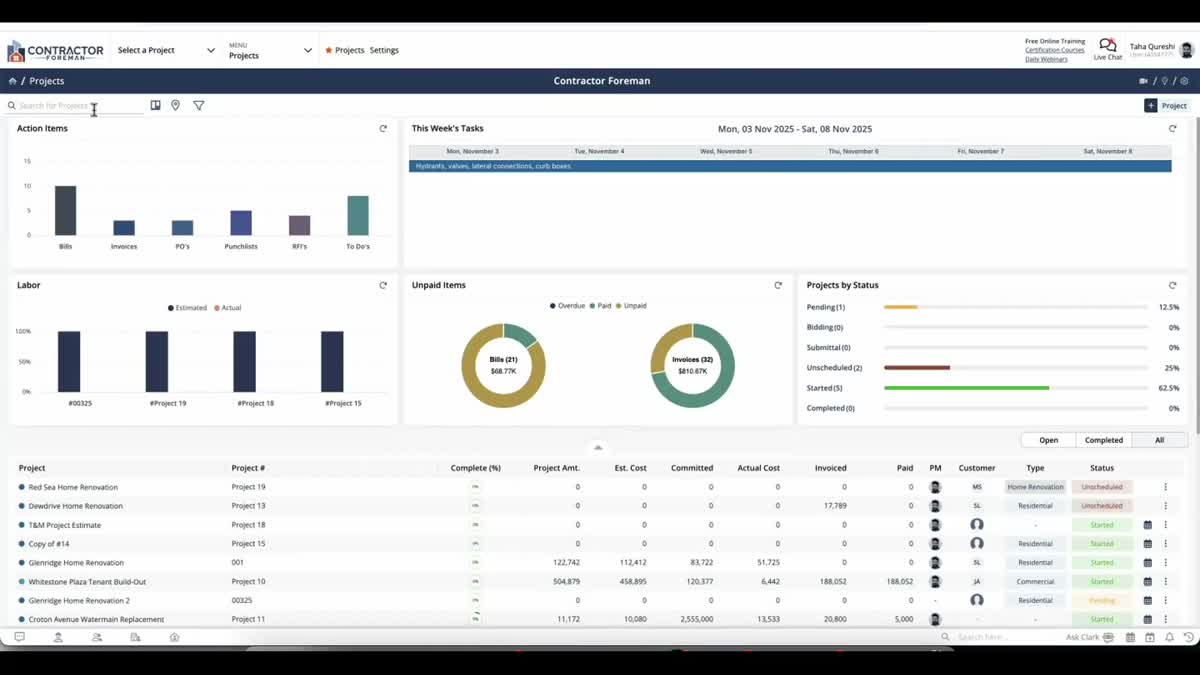
Contractor Foreman
Best budget construction management platform with enterprise features at SMB pricingWhat's great
- 376 G2 reviews at 4.5/5 with consistent praise for value-for-money; enterprise-level feature coverage (estimating, scheduling, daily logs, time tracking, invoicing, safety, equipment, RFIs) at a fraction of Procore or Buildertrend pricing
- 100-day money-back guarantee on all annual plans is the strongest risk-reversal offer in the construction management category; paired with a 30-day free trial, the total evaluation window is 130 days
- Five-tier pricing structure ($49 Basic to $332 Unlimited) lets contractors match their plan to crew size without paying for capacity they don't use
Watch-outs
- UI and mobile app feel dated compared to Procore, Fieldwire, or Buildertrend; G2 reviewers consistently note slow performance and an interface that hasn't been modernized
- Sync issues and occasional instability are a recurring theme in 2025-2026 reviews; field crews working in low-connectivity areas report data loss frustrations
- Per-user limits on lower tiers (Basic 1 user, Standard 3, Plus 8, Pro 15) mean growing teams hit tier boundaries that trigger price jumps
Pricing breakdown
| Plan | Price | Best for |
|---|---|---|
| Basic | $49/mo (annual, 1 user) | Solo contractors and estimators |
| Standard | $105/mo (annual, 3 users) | Small crews needing scheduling and daily logs |
| Plus | $166/mo (annual, 8 users) | Growing teams with time tracking and invoicing |
| Pro | $221/mo (annual, 15 users) | Mid-size contractors with full feature access |
| Unlimited | $332/mo (annual, unlimited users) | Large teams needing all features and unlimited seats |
Security & compliance
| Standard | Availability |
|---|---|
| Audit logs | Pro+ |
| GDPR | Yes |
| HIPAA | No |
| SOC 2 Type II | Yes |
| SSO / SAML | No |
Contractor Foreman compliance summary: Audit logs is pro+, GDPR is yes, HIPAA is no, SOC 2 Type II is yes, and SSO / SAML is no.
Key integrations
| Integration | Type |
|---|---|
| Gmail | N/A |
| Outlook | N/A |
| Slack | N/A |
| LinkedIn Sales Navigator | N/A |
| Outreach / Salesloft | N/A |
Contractor Foreman integration summary: Gmail is not specified, Outlook is not specified, Slack is not specified, LinkedIn Sales Navigator is not specified, and Outreach or Salesloft is not specified.
Feature availability
| Feature | Status |
|---|---|
| Free tier | ✗ (30-day trial) |
| Daily logs | ✓ |
| Mobile app | ✓ |
| Rfi management | ✓ |
| Unlimited users | ✓ (Unlimited tier) |
Contractor Foreman feature availability summary: Free tier (✗ (30-day trial)), Daily logs (✓), Mobile app (✓), Rfi management (✓), and Unlimited users (✓ (Unlimited tier)).
Loading reviews…
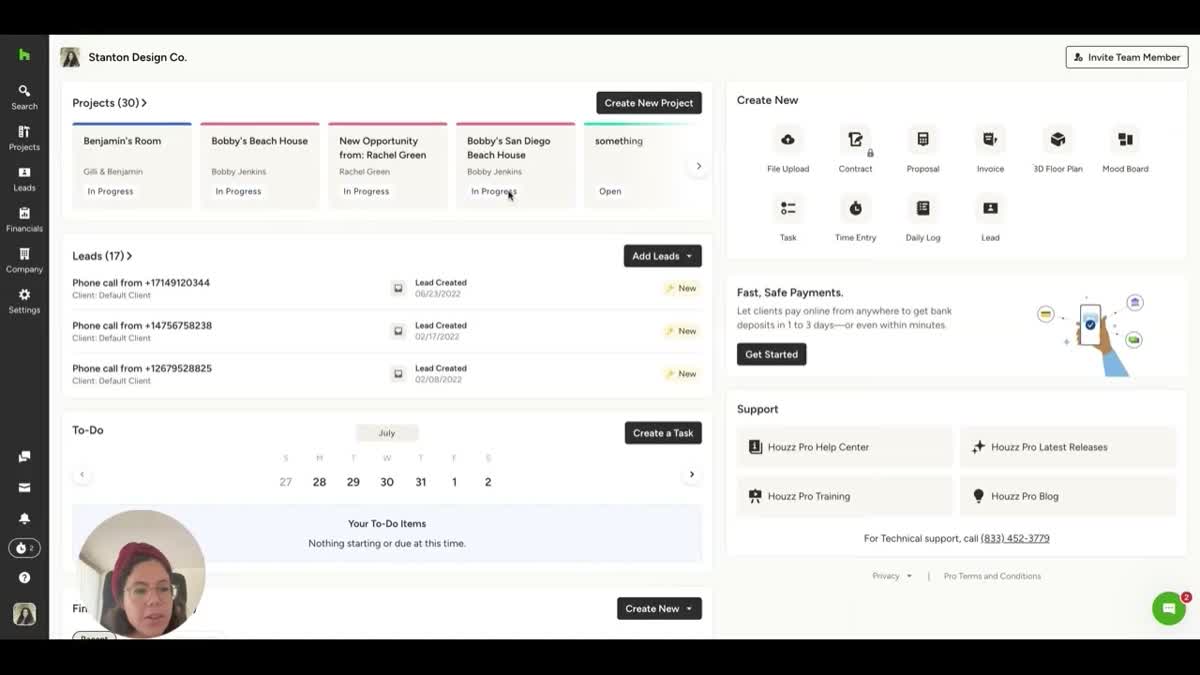
Houzz Pro
Best for design-build firms and remodelers who need lead generation alongside project managementWhat's great
- Integrated lead generation through the Houzz marketplace gives design-build firms and remodelers a client acquisition channel that no other construction management platform offers; the platform is both a project management tool and a marketing engine
- All-in-one workflow from lead capture through proposals, estimates, project management, invoicing, and payments; small design-build firms run their entire business from one login
- Free version available for basic profile and project showcase; paid plans add estimating, 3D floor plans, proposals, and client collaboration tools
Watch-outs
- 4.0/5 on G2 is the lowest satisfaction score among the non-enterprise tools in this comparison; pricing complaints and non-transparent rate increases are recurring themes in 2025-2026 reviews
- Higher-tier plans can reach $400-$500/mo; the value proposition erodes for firms that already have established referral networks and don't rely on the Houzz marketplace for lead generation
- Project management depth is lighter than Buildertrend or CoConstruct; no RFI management, limited scheduling capabilities, and no cost code structure for complex multi-trade projects
Pricing breakdown
| Plan | Price | Best for |
|---|---|---|
| Starter | ~$55/mo | Solo contractors needing basic project management and Houzz profile |
| Standard | ~$100-$200/mo | Growing firms adding lead management and reporting |
| Professional | ~$250-$400/mo | Established firms needing proposals |
| Custom/Enterprise | Custom quote | Multi-team operations with unlimited users and VIP support |
Security & compliance
| Standard | Availability |
|---|---|
| Audit logs | No |
| GDPR | Yes |
| HIPAA | No |
| SOC 2 Type II | Yes |
| SSO / SAML | No |
Houzz Pro compliance summary: Audit logs is no, GDPR is yes, HIPAA is no, SOC 2 Type II is yes, and SSO / SAML is no.
Key integrations
| Integration | Type |
|---|---|
| Gmail | N/A |
| Outlook | N/A |
| Slack | N/A |
| LinkedIn Sales Navigator | N/A |
| Outreach / Salesloft | N/A |
Houzz Pro integration summary: Gmail is not specified, Outlook is not specified, Slack is not specified, LinkedIn Sales Navigator is not specified, and Outreach or Salesloft is not specified.
Feature availability
| Feature | Status |
|---|---|
| Free tier | ✓ (basic profile) |
| Daily logs | ✗ |
| Mobile app | ✓ |
| Rfi management | ✗ |
| Unlimited users | ✗ |
Houzz Pro feature availability summary: Free tier (✓ (basic profile)), Daily logs (✗), Mobile app (✓), Rfi management (✗), and Unlimited users (✗).
Loading reviews…
Sage 300 Construction and Real Estate
Best construction accounting and job costing ERP for established mid-to-large contractorsWhat's great
- Financial Management rated 9.8 on G2, the highest in any construction tool in this comparison; job costing depth covering contracts, change orders, commitments, retainage, and AIA billing is the industry benchmark for construction accounting
- Decades-long installed base means accountants, CPAs, and construction CFOs know the system; finding trained Sage 300 administrators and consultants is easier than for any competing construction ERP
- Modular architecture covers general ledger, accounts payable/receivable, job cost, payroll, project management, property management, and service management under one data model
Watch-outs
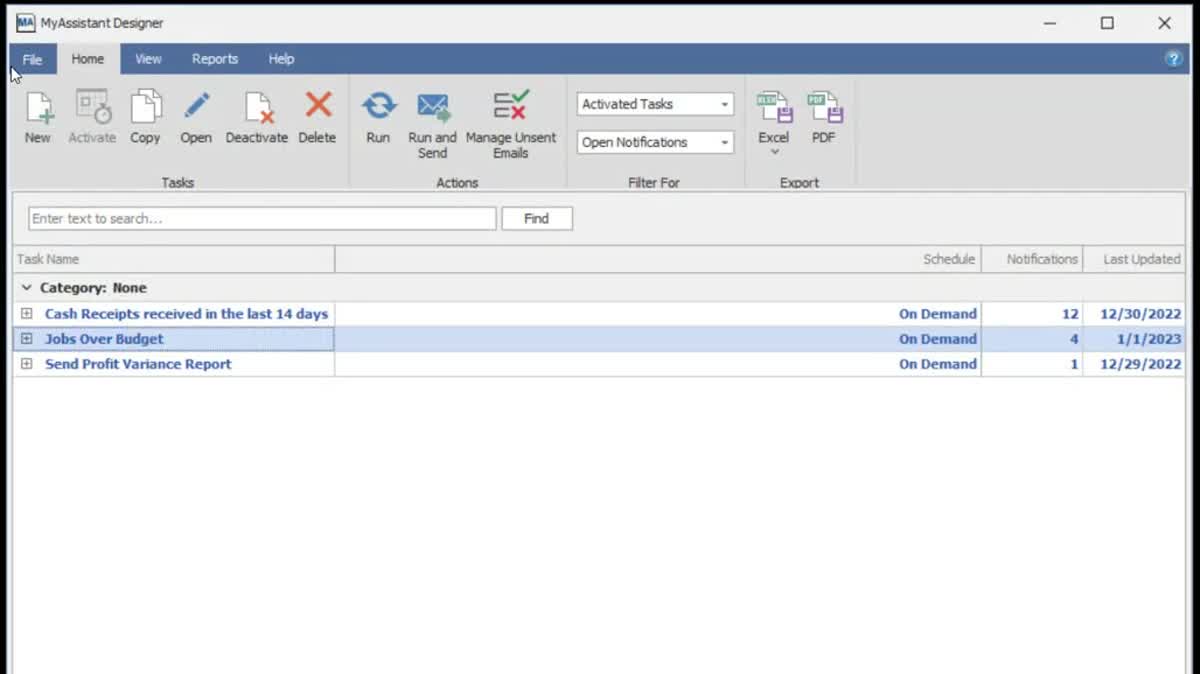
- On-premise deployment model in a cloud-centric market; the UI has not been significantly modernized in years, and new users should expect a substantial training investment
- Customer support quality is a consistent complaint in G2 reviews; users report generic responses and article links rather than hands-on problem resolution
- Product Direction score of 5.2/10 on G2 signals buyer concern about Sage's investment in modernizing the platform relative to cloud-native competitors
Pricing breakdown
| Plan | Price | Best for |
|---|---|---|
| Per License (perpetual) | From $3,000/license | Contractors preferring perpetual licensing with annual maintenance |
| Cloud-hosted subscription | ~$200/user/mo | Mid-size firms wanting hosted Sage without on-premise infrastructure |
| Enterprise deployment | $15K-$100K+ initial | Large contractors needing full module suite and multi-entity accounting |
Security & compliance
| Standard | Availability |
|---|---|
| Audit logs | Yes |
| GDPR | Yes |
| HIPAA | No |
| SOC 2 Type II | Yes |
| SSO / SAML | Yes |
Sage 300 Construction and Real Estate compliance summary: Audit logs is yes, GDPR is yes, HIPAA is no, SOC 2 Type II is yes, and SSO / SAML is yes.
Key integrations
| Integration | Type |
|---|---|
| Gmail | N/A |
| Outlook | N/A |
| Slack | N/A |
| LinkedIn Sales Navigator | N/A |
| Outreach / Salesloft | N/A |
Sage 300 Construction and Real Estate integration summary: Gmail is not specified, Outlook is not specified, Slack is not specified, LinkedIn Sales Navigator is not specified, and Outreach or Salesloft is not specified.
Feature availability
| Feature | Status |
|---|---|
| Free tier | ✗ |
| Daily logs | ✗ |
| Mobile app | • limited |
| Rfi management | ✗ |
| Unlimited users | ✗ (per-license) |
Sage 300 Construction and Real Estate feature availability summary: Free tier (✗), Daily logs (✗), Mobile app (• limited), Rfi management (✗), and Unlimited users (✗ (per-license)).
Loading reviews…
Viewpoint Vista
Best construction ERP for large contractors needing deep accounting, payroll, and HR on one platformWhat's great
- Integrated construction ERP covering accounting, job costing, payroll, HR, equipment management, and service management on one platform; eliminates the multi-system integration overhead that contractors running separate accounting and PM tools deal with
- 137 G2 reviews at 4.0/5 with strong scores for module breadth and customization flexibility; contractors who need highly configured workflows rate the adaptability higher than competing ERPs
- Trimble ownership (acquired Viewpoint in 2018) connects Vista to the Trimble Construction One ecosystem, including estimating, project management, and field data tools
Watch-outs
- Ease of setup scores 5.5/10 on G2, the lowest in this comparison; implementation timelines of 6-12 months and the need for certified implementation partners make this a major commitment
- Quality of support scores 6.9/10 on G2, below Procore and Fieldwire; users report slow response times and support staff who lack depth on complex configuration questions
- High total cost of ownership; enterprise deployment pricing plus implementation, training, and ongoing customization costs put Vista in the $50K-$200K+ annual range for mid-size contractors
Pricing breakdown
| Plan | Price | Best for |
|---|---|---|
| Vista Core | Custom quote | Accounting |
| Vista + Payroll/HR | Custom quote | Contractors needing integrated union payroll and HR |
| Vista Enterprise | Custom quote ($50K-$200K+/yr est.) | Large multi-entity contractors with equipment and service management |
Security & compliance
| Standard | Availability |
|---|---|
| Audit logs | Yes |
| GDPR | Yes |
| HIPAA | No |
| SOC 2 Type II | Yes |
| SSO / SAML | Yes |
Viewpoint Vista compliance summary: Audit logs is yes, GDPR is yes, HIPAA is no, SOC 2 Type II is yes, and SSO / SAML is yes.
Key integrations
| Integration | Type |
|---|---|
| Gmail | N/A |
| Outlook | N/A |
| Slack | N/A |
| LinkedIn Sales Navigator | N/A |
| Outreach / Salesloft | N/A |
Viewpoint Vista integration summary: Gmail is not specified, Outlook is not specified, Slack is not specified, LinkedIn Sales Navigator is not specified, and Outreach or Salesloft is not specified.
Feature availability
| Feature | Status |
|---|---|
| Free tier | ✗ |
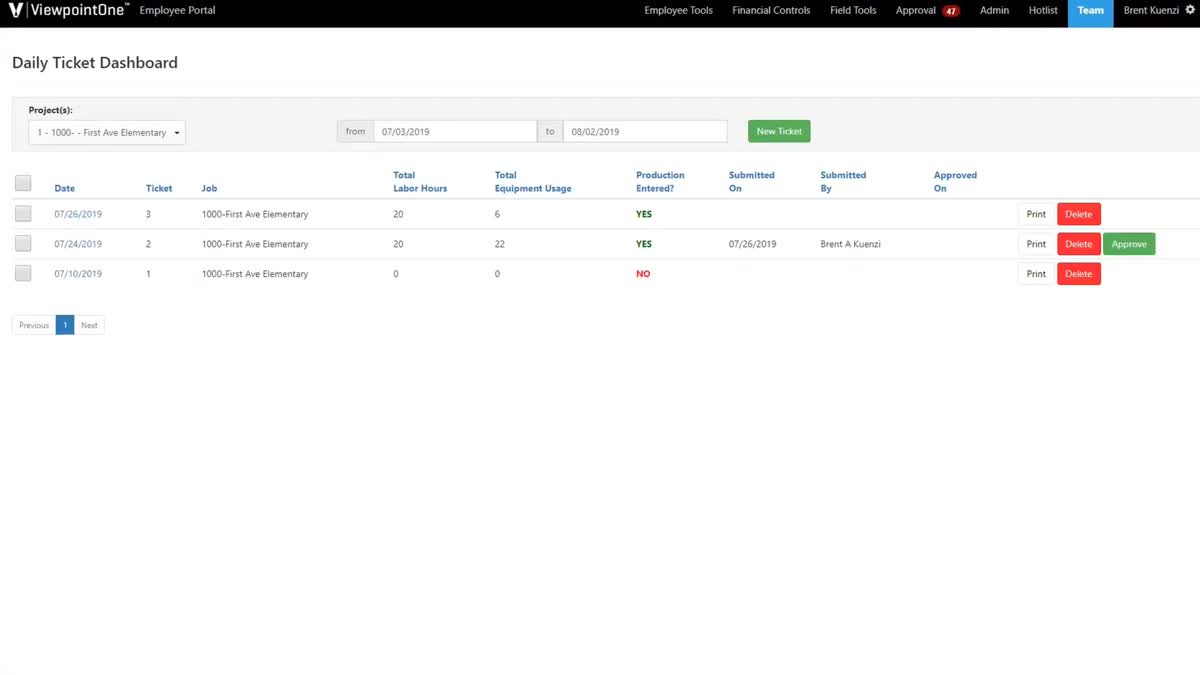
| Daily logs | ✓ (via Viewpoint Team) |
| Mobile app | ✓ |
| Rfi management | ✓ (via Viewpoint Team) |
| Unlimited users | ✗ (per-license) |
Viewpoint Vista feature availability summary: Free tier (✗), Daily logs (✓ (via Viewpoint Team)), Mobile app (✓), Rfi management (✓ (via Viewpoint Team)), and Unlimited users (✗ (per-license)).
Loading reviews…
What's great
- Unified single-database ERP combining project management, financials, HR, and field operations; eliminates the integration tax of running Procore for PM plus Sage for accounting plus a separate payroll system
- Trusted by 1 in 5 ENR Top 400 general contractors; the reference customer list is the strongest validation signal in this comparison for enterprise construction firms
- Deloitte Best Managed Company at Platinum status for 7+ consecutive years; the company governance signal matters for contractors signing 5-year ERP commitments
Watch-outs
- 3.3/5 on G2 across 42 reviews is the lowest satisfaction score in this comparison; user experience complaints include frequent glitches, slow performance during peak times, and an interface that lags behind Procore's polish
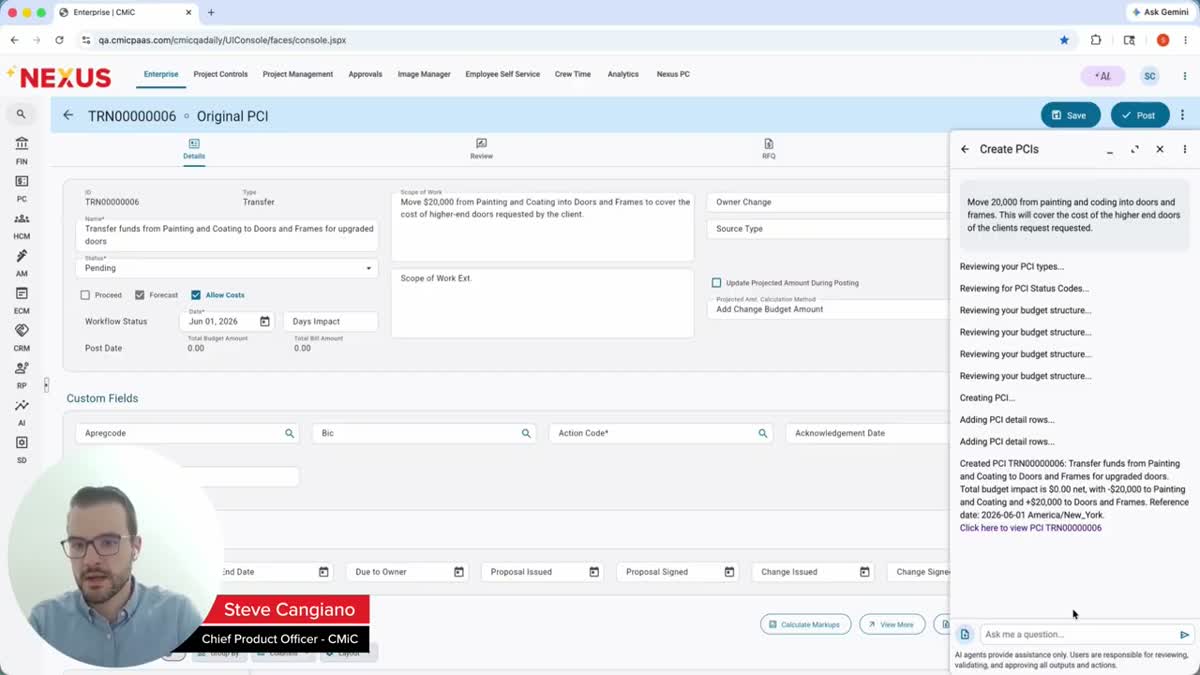
- Implementation timelines of 12-18 months and costs of $100K-$500K+ for configuration, data migration, and training put CMiC in a different investment category than every other tool on this list
- Integration with external software is limited; only certain fields pull into other systems, which creates friction for contractors whose project teams use tools outside the CMiC ecosystem
Pricing breakdown
| Plan | Price | Best for |
|---|---|---|
| CMiC Enterprise | Custom quote | Mid-to-large GCs needing unified ERP and project management |
| CMiC with Field | Custom quote | GCs adding field execution tools to the ERP core |
| Full Platform | Custom ($50K-$150K+/yr est.) | ENR Top 400 contractors with HR |
Security & compliance
| Standard | Availability |
|---|---|
| Audit logs | Yes |
| GDPR | Yes |
| HIPAA | No |
| SOC 2 Type II | Yes |
| SSO / SAML | Yes |
CMiC compliance summary: Audit logs is yes, GDPR is yes, HIPAA is no, SOC 2 Type II is yes, and SSO / SAML is yes.
Key integrations
| Integration | Type |
|---|---|
| Gmail | N/A |
| Outlook | N/A |
| Slack | N/A |
| LinkedIn Sales Navigator | N/A |
| Outreach / Salesloft | N/A |
CMiC integration summary: Gmail is not specified, Outlook is not specified, Slack is not specified, LinkedIn Sales Navigator is not specified, and Outreach or Salesloft is not specified.
Feature availability
| Feature | Status |
|---|---|
| Free tier | ✗ |
| Daily logs | ✓ |
| Mobile app | ✓ |
| Rfi management | ✓ |
| Unlimited users | ✗ (per-user) |
CMiC feature availability summary: Free tier (✗), Daily logs (✓), Mobile app (✓), Rfi management (✓), and Unlimited users (✗ (per-user)).
Loading reviews…
Tools we considered but excluded
We evaluated more tools than the 10 you see above. These did not make the cut. Saying what we rejected, and why, is the editorial muscle most listicles skip.
- PlanGrid (standalone): Merged into Autodesk Construction Cloud (Autodesk Build) in 2023; no longer sold as a standalone product; covered through the Autodesk Build entry in this comparison
- Raken: Strong daily reporting tool (4.7/5 on G2) but positioned as a field reporting add-on rather than a full construction management platform; often used alongside Procore rather than replacing it
- Monday.com for Construction: General-purpose project management tool marketed toward construction; lacks construction-specific features like RFI management, submittal logs, and AIA billing that purpose-built platforms include natively
- Smartsheet: Widely used for construction scheduling and tracking but is a general-purpose work management platform, not a construction management system; no native cost codes, pay applications, or field reporting
- ClickUp: General-purpose PM tool with construction templates; lacks the industry-specific depth (cost codes, change order workflows, drawing management) that makes a platform construction-grade
Honorable mentions
Solid tools that did not crack the main list but are worth tracking, especially for niche use cases.
- JobTread: Fast-growing construction management platform focused on residential and light commercial; strong estimating and proposal tools; worth evaluating for builders under $10M who find Buildertrend's pricing too high
- Knowify: Construction-specific accounting and job costing built on QuickBooks Online; fills the gap between generic QuickBooks and enterprise Sage 300 for specialty contractors doing $2M-$15M in revenue
- Trimble ProjectSight: Cloud-based project management from Trimble positioned between Fieldwire (field-only) and Vista (full ERP); worth evaluating for mid-size contractors who want Trimble ecosystem integration without the Vista implementation commitment
The construction management buyer spectrum
Construction management software is not one market. It is four distinct markets that share a label, and buying the wrong one costs more in wasted implementation time than the subscription itself ever will.
Solo operators and small specialty contractors (under $3M revenue). This segment needs scheduling, daily logs, and basic invoicing. Contractor Foreman at $49/mo or Fieldwire’s free tier covers it. The mistake is buying Procore or Buildertrend at this scale. You’ll pay for features your crew won’t use and spend 40 hours on an onboarding process that a 3-person framing crew doesn’t have time for.
Residential builders and remodelers ($2M-$20M revenue). This is where Buildertrend, CoConstruct, and Houzz Pro compete. The distinguishing workflow isn’t RFIs or submittals. It’s selections management, client communication, and the change order cascade that happens when a homeowner changes the countertop spec for the third time mid-build. Commercial tools handle this poorly because they weren’t designed for it.
Mid-size commercial GCs ($10M-$100M revenue). Procore’s core market. RFI management, submittal tracking, drawing version control, and financial controls (budgets, commitments, change orders, pay applications) become the primary workflow. Field adoption across subcontractor crews is the metric that determines whether the software investment pays off.
Large and enterprise contractors ($50M+ revenue). This is where the ERP conversation starts. Viewpoint Vista, CMiC, and Sage 300 compete on accounting depth, payroll integration, multi-entity financials, and the unified-database architecture that eliminates the Procore-plus-Sage integration tax. Implementation timelines measured in months. Pricing measured in six figures.
The pricing model trap in construction software
Three fundamentally different pricing models exist in this category, and misunderstanding them is the most expensive evaluation mistake.
ACV-based (Annual Construction Volume). Procore prices on the total dollar value of construction you manage annually. High-volume, low-margin contractors pay disproportionately more per dollar of profit than low-volume, high-margin specialty contractors. A $50M commercial GC and a $50M residential builder pay similar Procore rates despite running completely different operations.
Per-user pricing. Fieldwire, Autodesk Build, and Contractor Foreman charge per seat. This model rewards small office teams and punishes field-heavy operations. A superintendent-heavy GC running 20 field users on Autodesk Build at $399/user/mo pays $96K/year before adding office staff. The same team on Procore’s unlimited-user model might pay $40K-$60K total.
Flat monthly fee. Buildertrend and CoConstruct charge a flat monthly rate regardless of user count or project volume. This model rewards growing companies. A builder who doubles their crew size pays the same software cost. The catch is that the flat fees are higher than they look ($499-$1,099/mo for Buildertrend), and the intro pricing on CoConstruct ($99/mo) jumps to $349/mo after 60 days.
Run the math on your actual team size, project count, and annual volume before demos. The platform that looks cheapest on the pricing page often isn’t.
Field adoption is the only metric that matters
Construction management software has a unique adoption problem that office software doesn’t face. The people who buy the software (project managers, owners, office admins) are not the people who need to use it daily (superintendents, foremen, laborers, subcontractor crews). If the field doesn’t adopt, the data doesn’t flow.
If the data doesn’t flow, the software is just an expensive filing cabinet.
Procore and Fieldwire win on field adoption metrics in G2 reviews because both were designed with the field user in mind. Procore’s unlimited-user model removes the “we can’t afford to give subs a login” objection. Fieldwire’s offline-first mobile app removes the “we don’t have WiFi on the jobsite” objection.
Buildertrend wins on homeowner adoption because the client portal is designed for non-construction people to approve selections and sign change orders without calling the builder.
Sage 300, Viewpoint Vista, and CMiC are office-first tools. They win on accounting depth and ERP integration, but field adoption requires pairing them with a field tool (often Procore or Fieldwire) and accepting the integration cost.
Trial checklist for construction management platforms
What to test before signing a 12-month contract. Not the vendor demo. Your actual workflows.
One, create a real project with your cost code structure. Import your actual cost codes, budget lines, and contract structure. Most construction platforms ship with generic cost code libraries. The test is whether your existing cost code structure maps cleanly or requires manual rework. This single step reveals 80% of the implementation friction you’ll face.
Two, run the daily log and photo workflow on a phone from a jobsite. Not from the office WiFi. From the actual jobsite where your superintendent will use it. Test offline mode. Take 10 photos, write a daily log entry, mark up a drawing, and see how long sync takes when connectivity returns. Fieldwire and Procore handle this well. Some competitors don’t.
Three, process an RFI from creation to response. Create an RFI, route it to the architect, track the response, and close it with the resolution linked to the affected drawing sheet. This workflow separates real construction platforms from generic project management tools wearing a hard hat.
Four, generate a pay application. If you run commercial work, generate an AIA G702/G703 pay application from the platform. Check the retainage calculation, the schedule of values format, and whether the output matches what your clients and owners actually accept. A pay application that requires manual adjustment in Excel defeats the purpose.
Five, invite a subcontractor and test their experience. Give a sub login credentials and ask them to submit a daily log, upload a photo, and respond to an RFI. The sub’s experience determines adoption. If the sub’s first reaction is “this is too complicated,” your adoption problem starts on day one.
The 2026 construction technology landscape
AI is arriving in construction software, but slowly. Procore launched AI features for document classification and risk flagging. Autodesk Build leverages the Autodesk AI platform for model coordination. CMiC recently adopted AI for its platform. But unlike SaaS categories where AI transforms the core workflow, construction AI in 2026 is mostly automating administrative tasks (classifying RFIs, flagging budget overruns, auto-populating daily logs) rather than replacing skilled labor decisions. The ROI is real but incremental.
Consolidation is reshaping the vendor landscape. Hilti acquired Fieldwire. Trimble owns Viewpoint. Autodesk absorbed PlanGrid into ACC. Procore went public and is acquiring selectively. The practical impact for buyers: evaluate vendor stability and parent company strategy alongside features. A tool owned by a $6B parent (Fieldwire/Hilti) has different longevity odds than a bootstrapped startup.
The Procore-plus-accounting integration tax is driving ERP adoption. Mid-to-large contractors running Procore for project management plus Sage 300 or QuickBooks for accounting spend meaningful hours reconciling data between systems every month. CMiC and Viewpoint Vista sell against this pain point with the unified-database pitch. The trade-off is implementation complexity. The contractors who switch to a unified ERP don’t do it because the ERP is better at any single function. They do it because eliminating the integration overhead saves more than the ERP’s UX costs them.
Picking the right construction management software
The decision reduces to three questions, answered honestly before requesting demos.
1. Residential or commercial
Residential builders (single-family, custom homes, remodeling) should evaluate Buildertrend, CoConstruct, and Houzz Pro first. The selection management, client portal, and homeowner communication features these platforms offer don’t exist in commercial tools.
Procore can technically run a residential project, but you’ll pay for RFI and submittal workflows you don’t need while missing the selections tracking you do need.
Commercial contractors (GCs, CM firms, heavy civil, infrastructure) should start with Procore. The RFI, submittal, drawing management, and financial controls workflows are built for multi-prime contractor coordination on commercial jobsites. Buildertrend technically handles commercial work, but the feature depth drops off past residential.
2. Annual construction volume and team size
- Under $3M, 1-5 people: Contractor Foreman Basic ($49/mo) or Fieldwire free. Stop here.
- $3M-$10M, 5-15 people: Contractor Foreman Plus/Pro ($166-$221/mo) or Fieldwire Pro ($39/user/mo). Buildertrend Essential ($499/mo) if residential.
- $10M-$50M, 15-50 people: Procore for commercial. Buildertrend Complete ($1,099/mo) for residential. Autodesk Build if BIM-mandated.
- $50M-$200M, 50-200 people: Procore plus Sage 300 for accounting, or Viewpoint Vista for unified ERP.
- $200M+: CMiC or Viewpoint Vista enterprise deployment. Procore for project management if not going unified ERP.
3. What’s the primary pain point
If the pain is field crews not logging daily reports, buy Fieldwire. It solves that specific problem better and cheaper than anything else.
If the pain is RFI and submittal tracking across architects and subs, buy Procore. Nothing matches it on multi-party document workflows.
If the pain is homeowner change orders eating margins, buy CoConstruct. The selection management depth prevents scope creep revenue leakage.
If the pain is accounting and job costing are in separate systems, evaluate Viewpoint Vista or CMiC for unified ERP, or Sage 300 for standalone construction accounting.
If the pain is we need software but have no budget, start with Fieldwire’s free tier or Contractor Foreman’s 30-day trial with the 100-day money-back guarantee.
Final pick by contractor type
- Solo contractor, under $1M revenue: Fieldwire free. Add Contractor Foreman Basic ($49/mo) when you need estimating and invoicing.
- Small specialty contractor, $1M-$5M: Contractor Foreman Standard or Plus ($105-$166/mo). The feature-to-price ratio is unmatched.
- Custom home builder, $2M-$10M: CoConstruct Standard ($349/mo ongoing). The selection management alone prevents $10K+ in scope creep per project.
- Production home builder, $5M-$30M: Buildertrend Essential or Advanced ($499-$799/mo). Unlimited users and projects with the client portal.
- Design-build firm dependent on Houzz leads: Houzz Pro. The lead generation integration makes the project management limitations acceptable.
- Mid-size commercial GC, $10M-$100M: Procore. Accept the ACV pricing model. The unlimited-user model and the depth of RFI/submittal/financial workflows justify it.
- BIM-mandated commercial or infrastructure projects: Autodesk Build. The native Revit/Navisworks integration is the differentiator, despite per-user pricing.
- Large GC needing unified accounting and PM, $50M+: Viewpoint Vista. Accept the 6-12 month implementation for the long-term integration benefit.
- ENR Top 400 GC wanting single-database ERP: CMiC. Accept the 3.3/5 G2 score as the price of the unified architecture.
- Established contractor needing construction accounting depth: Sage 300. Accept the dated UI for the job costing and financial management capabilities.
How we research construction management platforms
CEOPickz does not accept paid placements in rankings. Tool order is determined by a weighted assessment of G2 review volume and satisfaction, pricing accessibility, feature depth relative to the target buyer segment, and integration ecosystem breadth.
G2 ratings and review counts were read from live G2 product pages in August 2026. Pricing was verified from vendor pricing pages, G2 pricing pages, and established third-party pricing databases (Capterra, TrustRadius, Software Advice) on the same date.
Where vendors do not publish pricing (Procore, Viewpoint Vista, CMiC), estimates are drawn from buyer reports, procurement databases, and third-party pricing analysis sites, with ranges noted.
This comparison does not include tools we have not researched. The excluded and honorable mention sections document tools we evaluated and the specific reasons they did not make the primary list.
For corrections, vendor disputes, or feedback on this comparison, email hello@ceopickz.com . Pricing and G2 data are verified each time this page is updated; next scheduled refresh is November 2026.
Frequently asked questions
What is the best free construction management software?
Fieldwire Basic is free for up to 3 projects with plan viewing, task management, and photo documentation. Contractor Foreman offers a 30-day free trial plus a 100-day money-back guarantee on all plans. For ongoing free use, Fieldwire Basic is the strongest option for field-focused teams.
How much does construction management software cost per month?
Ranges from free (Fieldwire Basic) to $1,099/mo (Buildertrend Premium) for SMB tools. Contractor Foreman runs $49–$332/mo. Procore, Viewpoint Vista, and CMiC are custom-quoted and typically cost $10,000–$150,000+ annually for mid-to-large contractors.
What is the best construction management software for small contractors?
Contractor Foreman starting at $49/mo for solo operators. Fieldwire free tier for field-focused crews. CoConstruct starting at $99/mo for custom home builders. Buildertrend at $499/mo if the budget supports it and you run residential projects with active client communication.
Is Procore worth it for a small contractor?
Generally no. Procore's ACV-based pricing starts around $10,000–$15,000/year and is designed for contractors doing $10M+ in annual construction volume. Under $5M revenue, Contractor Foreman or Fieldwire deliver better cost-to-value. The implementation overhead alone makes Procore a poor fit for crews under 10 people.
What is the difference between Procore and Buildertrend?
Procore is built for commercial and institutional construction with deep RFI, submittal, and financial controls. Buildertrend is built for residential builders with selections tracking, client portals, and homeowner communication tools. They serve different markets — evaluating one when you need the other wastes months of your team's time.
Which construction management software is best for commercial general contractors?
Procore for mid-market commercial GCs running $10M–$100M in annual volume — the RFI, submittal, and drawing management workflows are the deepest in the category. Viewpoint Vista or CMiC for GCs who need the ERP and accounting depth on top of field management. Fieldwire for field crews who need plan access and task management without the overhead of a full platform.
Does construction management software integrate with QuickBooks?
Yes, most SMB-tier tools integrate with QuickBooks. Buildertrend has a direct QuickBooks sync. Contractor Foreman integrates with both QuickBooks Online and Desktop. CoConstruct syncs cost data to QuickBooks. Procore connects to QuickBooks but also integrates with Sage 300 and Viewpoint for contractors who have outgrown QuickBooks.
How long does it take to implement construction project management software?
Fieldwire deploys in days for field crews. Contractor Foreman and Buildertrend take 2–6 weeks including data migration and team training. Procore typically runs 2–4 months for a full implementation with all modules. Enterprise ERP platforms like CMiC and Viewpoint Vista run 6–18 months with professional services teams.
What is the best construction app for managing subcontractors?
Procore's subcontractor management is the most comprehensive — bid management, submittal routing, and daily log sign-off for subs. Buildertrend handles sub scheduling and communication portals well for residential. Contractor Foreman includes unlimited sub users on all plans, which makes it cost-effective for small GCs managing 5–15 subcontractors.
Which construction management platforms have the best mobile apps?
Fieldwire's mobile app is consistently rated the best for field crews — offline plan viewing, task photos, and punch lists work without signal. Procore's mobile app handles RFIs and submittals in the field but is more complex. Buildertrend's app focuses on scheduling and client communication. MaintainX (facilities-adjacent) has the best pure work-order mobile experience in adjacent categories.
Related helpful reads
Write a review
Posts to the page right away. Keep it real — no links or email addresses.