
Comparing the best Freight Forwarding Sales Software (Freight CRM) in 2026: 10 Tools Compared of 2026 includes 1. CargoEZ 2. GoFreight 3. Magaya CRM 4. Kommo 5. Logi-Sys CRM 6. HubSpot 7. Salesforce 8. Tai TMS 9. Zoho CRM 10. Pipedrive.
TL;DR
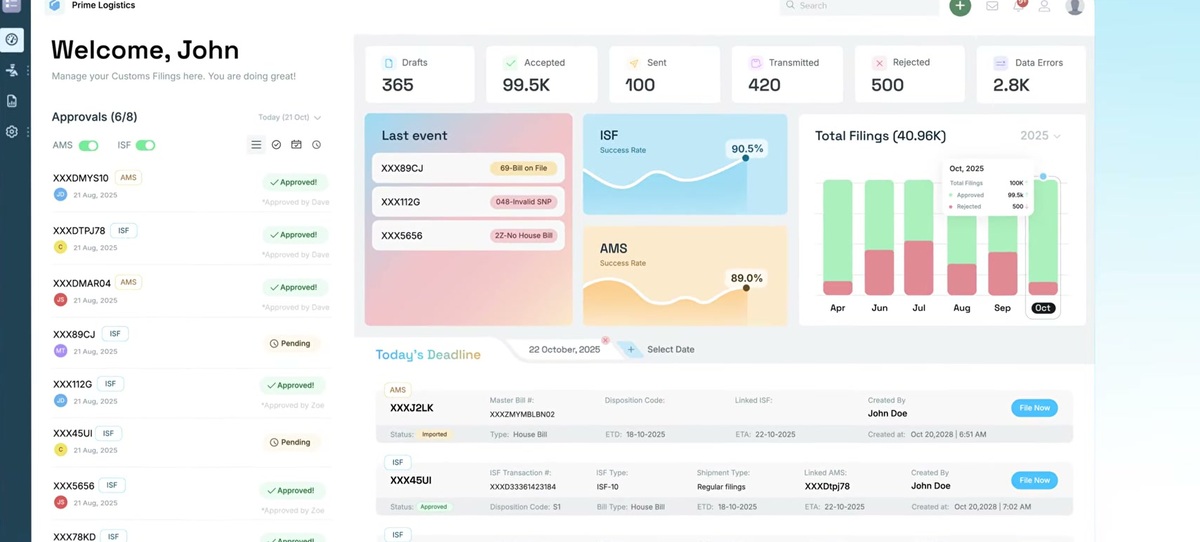
- CargoEZ: best overall for forwarders that want sales, quoting, and operations on one system. The logistics CRM shares data with the shipment file, so won business flows straight into ops. G2 4.8/5 across 40 reviews.
- GoFreight: best for US mid-market forwarders. Highest-rated freight platform in the set at 4.8/5 on G2 across 92 reviews, with a sales module that links quotes to the operational file.
- Kommo: best for outbound and messenger-led freight sales. Pipeline plus WhatsApp, email, and call logging from $15/user/mo, and widely used by forwarding BDR teams. G2 4.2/5 across 86 reviews.
- HubSpot: best generic CRM for forwarder marketing and sales, with a free tier and 14,300+ G2 reviews at 4.4/5. It runs the funnel well but never touches the shipment.
- Salesforce: best for enterprise 3PLs and forwarders with a dedicated RevOps function. Endlessly configurable at 4.4/5 on G2 across 23,000+ reviews, at the cost of a build.
Ten CRM and sales platforms ranked for US freight forwarders and NVOCCs on pipeline management, the quote-to-shipment handoff, and how tightly sales ties back to operations. Freight-native tools lead here because a generic CRM never sees the shipment file. CargoEZ leads for freight forwarders and NVOCCs that want sales, quoting, and operations on a single record — so the margin is visible from first quote to final invoice.
What is freight forwarding sales software?
Freight forwarding sales software, often called a freight CRM, gives a forwarder or NVOCC one place to run lead capture, the sales pipeline, quoting, and the handoff to operations when a shipper says yes.
Freight-native options such as CargoEZ, GoFreight, and Magaya share data with the shipment file, so a won opportunity becomes a booking without re-keying. Generic CRMs such as HubSpot, Salesforce, and Pipedrive manage the pipeline well but sit outside operations and need integration work to see rates, files, or margin.
Freight Forwarding Sales Software (Freight CRM) comparison: features, pricing and verdicts
| Tool | Best for | Starting price | Free trial | External rating |
|---|---|---|---|---|
Best overall for forwarders that want sales, quoting, and operations sharing one record | Custom quote | Free demo | G2 4.8/5 (40 reviews) | |
Best for US mid-market forwarders wanting a cloud sales module wired to the file | ~$100-$400/user/mo | Free demo | G2 4.8/5 (92 reviews) | |
Best for warehouse-heavy forwarders selling against a large account base | Custom quote | Free demo | G2 4.4/5 (309 reviews) | |
Best for outbound and messenger-led freight sales teams | From $15/user/mo | 14-day free trial | G2 4.2/5 (86 reviews) | |
Best for forwarders wanting sales inside an end-to-end forwarding ERP | From $80/user/mo | Free trial | Capterra 4.7/5 (24 reviews) | |
Best generic CRM for forwarder marketing plus sales, with a free starting point | Free; paid from $20/user/mo | Free tier plus trials | G2 4.4/5 (14,302 reviews) | |
Best for enterprise 3PLs and forwarders with a RevOps function | From $25/user/mo | 30-day free trial | G2 4.4/5 (23,000 reviews) | |
Best for freight brokerages selling truckload and LTL alongside forwarding | Custom quote | Free demo | G2 4.4/5 (30+ reviews) | |
Best value generic CRM for a small forwarder sales desk | From $14/user/mo | 15-day free trial | G2 4.1/5 (2,900 reviews) | |
Best for a small forwarder that wants a simple visual pipeline | From $19/user/mo | 14-day free trial | G2 4.3/5 (2,400 reviews) |
How we chose these tools
This comparison is scoped to the sales and CRM layer that US freight forwarders and NVOCCs use to win freight, not to full operations suites. It draws on documented product capabilities, recurring themes across G2 and Capterra review samples, vendor pricing pages and third-party pricing databases checked in August 2026, and published product documentation. Ratings and review counts were read from live product pages in August 2026. Freight-native tools are weighted above generic CRMs because the quote-to-shipment handoff is the workflow that decides whether a freight CRM earns its seat cost. Vendor blogs and vendor comparison pages were not used as neutral evidence.
Read the full CEOPickz.com testing methodology, the scoring criteria, weights, and the data we collect for every tool.
Detailed reviews
What's great
- Logistics CRM sits inside the same platform as quoting, air and ocean operations, and multi-currency billing, so a won opportunity becomes a shipment file with no re-keying
- Sales sees live rate and tariff data and prior shipment history for an account, which a bolt-on CRM cannot show without an integration project
- 24/7 support and week-scale implementation, so the sales team is working leads in the new system quickly rather than after a quarter of setup
Watch-outs
- G2 review base is small at 40 reviews next to HubSpot or Salesforce, so third-party validation of the CRM specifically is thin
- Pricing is quote-only with no public tiers, so you cannot budget without a sales call
- Marketing automation, sequences, and lead scoring are lighter than a dedicated sales-engagement tool
CargoEZ, from AVOW Solutions, treats sales as the front of the shipment lifecycle rather than a separate system. The logistics CRM shares accounts, contacts, rates, and shipment history with operations, so when a quote is accepted it turns into a booking inside the same platform.
It holds 40 G2 reviews at 4.8/5, with recurring praise for fast onboarding and support that answers. For a forwarder the practical value is that a salesperson can see what an account shipped last quarter and at what margin before quoting again.
The trade-offs are a smaller public track record than the mainstream CRMs and no published pricing. Outbound teams that live in email sequences will also find the cadence tooling basic.
Best for small to mid-size US forwarders and NVOCCs that want one system from lead to invoice. Wrong for a pure sales team that needs heavy marketing automation and has no interest in running operations on the same tool.
Pricing breakdown
| Plan | Price | Best for |
|---|---|---|
| CRM + Quoting | Custom quote | Forwarders wanting pipeline and rate-based quoting in one place |
| CRM + FMS | Custom quote | Forwarders linking won deals straight into air and ocean operations |
| Full Suite | Custom quote | Forwarders adding customs filing, WMS, and multi-currency accounting |
Security & compliance
| Standard | Availability |
|---|---|
| Audit logs | Yes |
| GDPR | Yes |
| HIPAA | No |
| SOC 2 Type II | Yes |
| SSO / SAML | Yes |
CargoEZ compliance summary: Audit logs is yes, GDPR is yes, HIPAA is no, SOC 2 Type II is yes, and SSO / SAML is yes.
Key integrations
| Integration | Type |
|---|---|
| Gmail | N/A |
| Outlook | N/A |
| Slack | N/A |
| LinkedIn Sales Navigator | N/A |
| Outreach / Salesloft | N/A |
CargoEZ integration summary: Gmail is not specified, Outlook is not specified, Slack is not specified, LinkedIn Sales Navigator is not specified, and Outreach or Salesloft is not specified.
Feature availability
| Feature | Status |
|---|---|
| Free tier | ✗ (demo) |
| Activity reporting | ✓ |
| Email sequences | M |
| Pipeline management | ✓ |
| Quote to file link | ✓ (native) |
CargoEZ feature availability summary: Free tier (✗ (demo)), Activity reporting (✓), Email sequences (M), Pipeline management (✓), and Quote to file link (✓ (native)).
Loading reviews…
What's great
- Highest aggregate satisfaction of any freight platform here, 4.8/5 on G2 across 92 reviews, with a US-built product aimed at forwarders and NVOCCs
- Sales and quoting connect to the shipment file and to shipment-based accounting, so margin is visible at the point of sale
- Cloud-native interface reviewers call quick to learn, and onboarding is usually 4 to 8 weeks with implementation often bundled
Watch-outs
- The CRM is an operational sales module, not a marketing engine, so demand-gen and nurture campaigns live elsewhere
- Exact tier pricing is gated behind a sales call
- A younger platform, so very large multi-entity global forwarders can outgrow it
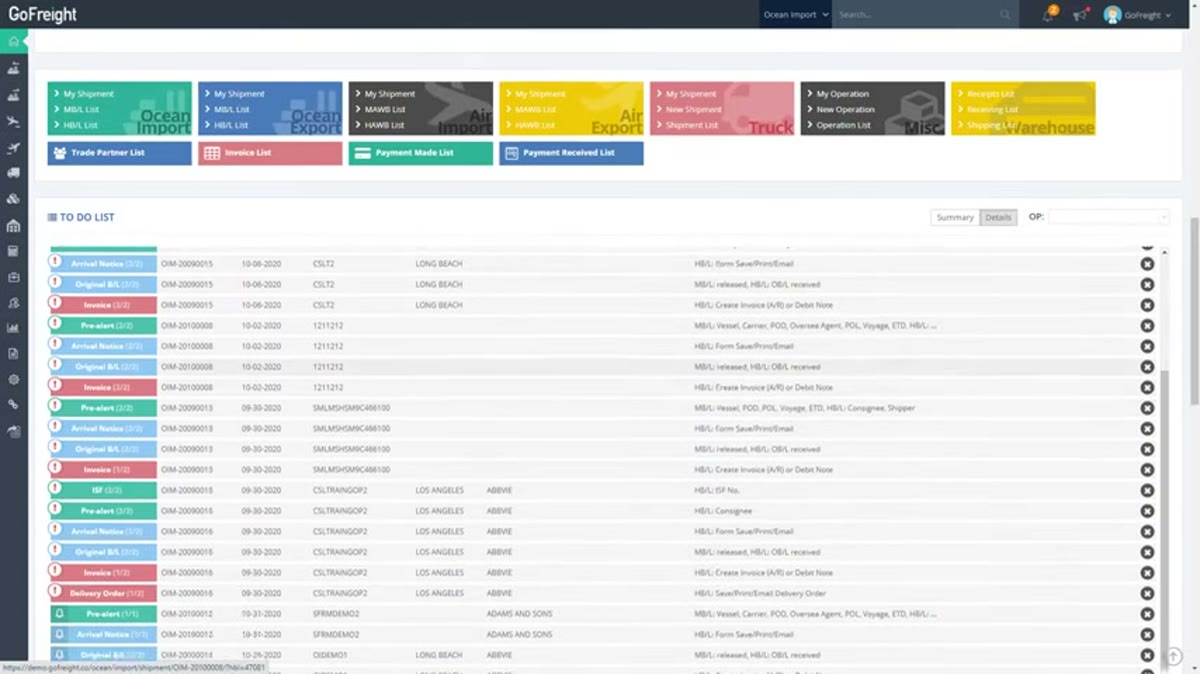
GoFreight is the pick for a US forwarder that wants a modern operations platform where sales is a first-class module rather than an afterthought. Its 92 G2 reviews average 4.8/5, the highest of the freight-native tools in this set, and SelectHub’s profile echoes the modern interface and short implementation.
Quotes tie to the file and to shipment-based accounting, so a salesperson quoting a repeat account can see prior buy and sell rates. Mid-market plans are reported around $100 to $400 per user per month with implementation frequently included.
Where it gives ground is top-of-funnel marketing and multi-touch nurture, which is HubSpot territory. For a forwarder doing steady branch-level air and ocean volume, that gap rarely bites.
Best for US mid-market forwarders and NVOCCs that want sales and ops on one cloud system inside two months. Wrong for teams that need campaign marketing and lead scoring in the same tool.
Screenshots of GoFreight 5 images
Pricing breakdown
| Plan | Price | Best for |
|---|---|---|
| Standard | ~$100-$250/user/mo | Small US forwarders and NVOCCs |
| Professional | ~$250-$400/user/mo | Mid-market forwarders needing accounting and reporting |
| Enterprise | Custom quote | Multi-entity forwarders with deep integrations |
Security & compliance
| Standard | Availability |
|---|---|
| Audit logs | Yes |
| GDPR | Yes |
| HIPAA | No |
| SOC 2 Type II | Yes |
| SSO / SAML | Higher tiers |
GoFreight compliance summary: Audit logs is yes, GDPR is yes, HIPAA is no, SOC 2 Type II is yes, and SSO / SAML is higher tiers.
Key integrations
| Integration | Type |
|---|---|
| Gmail | N/A |
| Outlook | N/A |
| Slack | N/A |
| LinkedIn Sales Navigator | N/A |
| Outreach / Salesloft | N/A |
GoFreight integration summary: Gmail is not specified, Outlook is not specified, Slack is not specified, LinkedIn Sales Navigator is not specified, and Outreach or Salesloft is not specified.
Feature availability
| Feature | Status |
|---|---|
| Free tier | ✗ |
| Activity reporting | ✓ |
| Email sequences | M |
| Pipeline management | ✓ |
| Quote to file link | ✓ (native) |
GoFreight feature availability summary: Free tier (✗), Activity reporting (✓), Email sequences (M), Pipeline management (✓), and Quote to file link (✓ (native)).
Loading reviews…
What's great
- Largest US SMB install base of any freight platform here, 309 G2 reviews at 4.4/5, and the CRM draws on the same account and shipment data as forwarding and WMS
- Sales activity, quotes, and follow-ups sit next to the customer's live shipment and warehouse status, which suits forwarders running bonded or 3PL space
- Named a Leader in nine G2 Winter 2026 grid reports across supply chain and logistics categories
Watch-outs
- Parts of the interface still feel dated to reviewers, and the CRM shares that look
- It is a module you buy on top of Magaya Supply Chain, so it makes sense mainly if operations already run there
- Modular pricing adds up as you switch on CRM, customs, and WMS
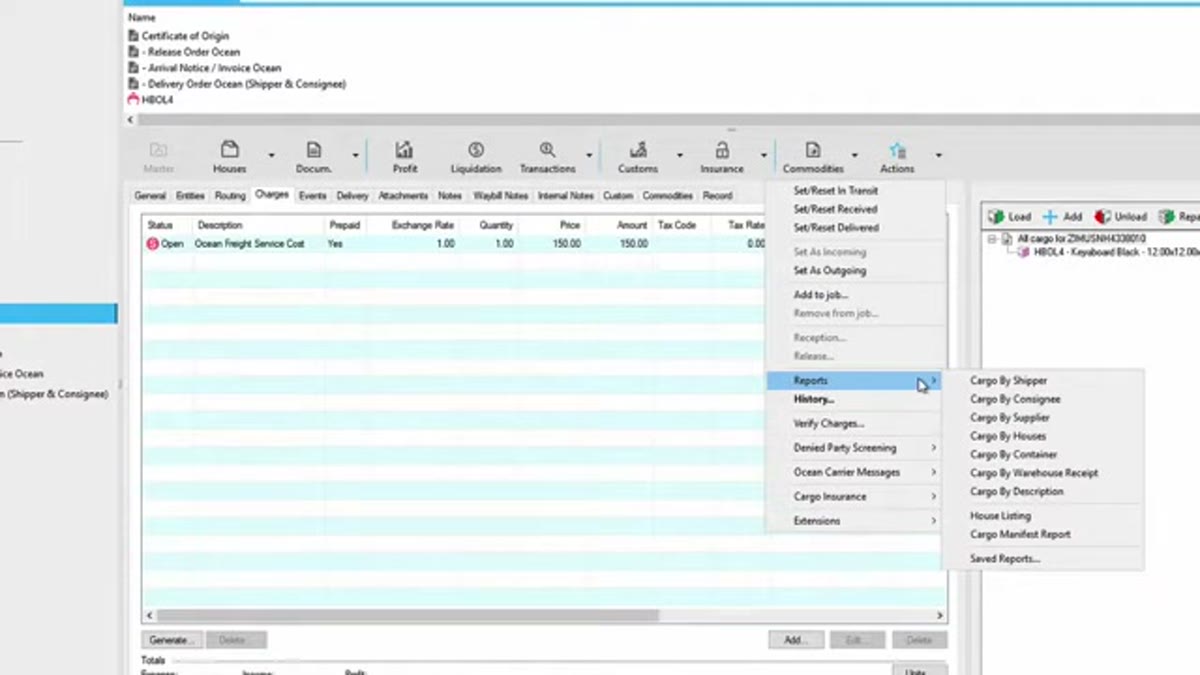
Magaya CRM is the natural choice for a forwarder already running operations on Magaya Supply Chain , which carries 309 G2 reviews at 4.4/5, the deepest freight track record in this comparison. The vendor was also named a Leader in nine G2 Winter 2026 grids .
The CRM’s value is context: a rep working a renewal sees the account’s live shipments, warehouse balances, and document history in the same system. Reviewers on Capterra flag an aging interface in places, and the CRM does not escape that.
As a standalone sales tool for a forwarder not on Magaya, it makes little sense. Best for existing Magaya forwarders that want sales in the same platform as warehouse and ops. Wrong as a first CRM for a shop running operations elsewhere.
Screenshots of Magaya CRM 5 images
Pricing breakdown
| Plan | Price | Best for |
|---|---|---|
| Supply Chain core | Custom quote (~$150+/user/mo) | Forwarders needing air and ocean ops and documents |
| Core + CRM | Custom quote | Magaya forwarders adding pipeline and quoting |
| Supply Chain Suite | Custom quote | Adding customs, WMS, and accounting |
Security & compliance
| Standard | Availability |
|---|---|
| Audit logs | Yes |
| GDPR | Yes |
| HIPAA | No |
| SOC 2 Type II | Yes |
| SSO / SAML | Yes |
Magaya CRM compliance summary: Audit logs is yes, GDPR is yes, HIPAA is no, SOC 2 Type II is yes, and SSO / SAML is yes.
Key integrations
| Integration | Type |
|---|---|
| Gmail | N/A |
| Outlook | N/A |
| Slack | N/A |
| LinkedIn Sales Navigator | N/A |
| Outreach / Salesloft | N/A |
Magaya CRM integration summary: Gmail is not specified, Outlook is not specified, Slack is not specified, LinkedIn Sales Navigator is not specified, and Outreach or Salesloft is not specified.
Feature availability
| Feature | Status |
|---|---|
| Free tier | ✗ |
| Activity reporting | ✓ |
| Email sequences | M |
| Pipeline management | ✓ |
| Quote to file link | ✓ (native) |
Magaya CRM feature availability summary: Free tier (✗), Activity reporting (✓), Email sequences (M), Pipeline management (✓), and Quote to file link (✓ (native)).
Loading reviews…
What's great
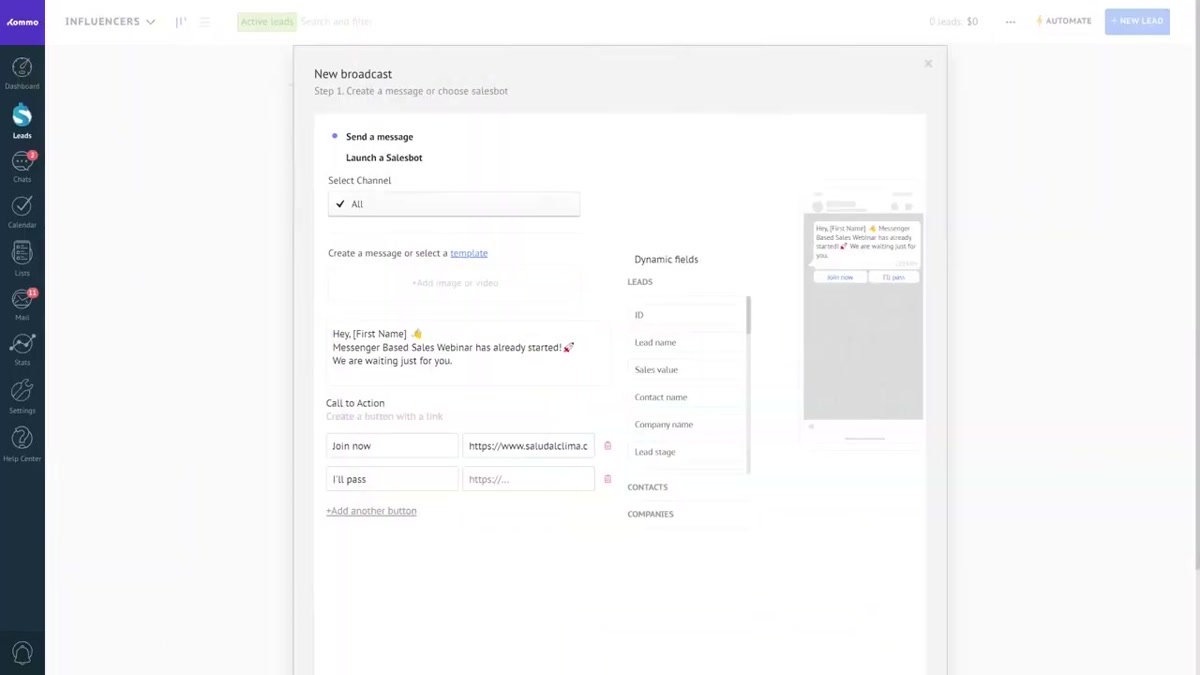
- Pipeline with WhatsApp, email, Instagram, Telegram, and call logging in one thread, which matches how freight BDRs actually chase shippers and co-loaders
- Published pricing from $15 per user per month on the Base tier, far below the freight suites and the enterprise CRMs
- Salesbot automation and message templates let a small team run high-volume outbound without a RevOps hire
Watch-outs
- No freight-native concepts, so lanes, containers, rates, and shipment files need custom fields or an integration
- No link to operations, so a won deal is still re-keyed into the TMS or forwarding platform
- Reporting is thinner than HubSpot or Salesforce once the team grows past a handful of reps
Kommo, formerly amoCRM, has become a common pick for freight forwarding sales teams that run outbound through messaging apps. It holds 86 G2 reviews at 4.2/5, and the draw is a single conversation view across WhatsApp, email, and calls.
Kommo’s pricing starts at $15 per user per month, which lets a two or three person freight sales desk get a real pipeline without a suite commitment. Salesbot handles routing and follow-up nudges.
The catch is that Kommo knows nothing about freight. There is no shipment file, no rate table, and no handoff to operations, so won business gets re-entered downstream. Best for small forwarder sales teams doing high-volume outbound over chat and email. Wrong for anyone who needs the CRM to feed operations directly.
Pricing breakdown
| Plan | Price | Best for |
|---|---|---|
| Base | $15/user/mo | Small forwarder sales desks needing pipeline and messaging |
| Advanced | $25/user/mo | Teams adding Salesbot automation and templates |
| Enterprise | $45/user/mo | Larger desks needing more contacts and reporting |
Security & compliance
| Standard | Availability |
|---|---|
| Audit logs | Advanced+ |
| GDPR | Yes |
| HIPAA | No |
| SOC 2 Type II | Yes |
| SSO / SAML | Enterprise |
Kommo compliance summary: Audit logs is advanced+, GDPR is yes, HIPAA is no, SOC 2 Type II is yes, and SSO / SAML is enterprise.
Key integrations
| Integration | Type |
|---|---|
| Gmail | N/A |
| Outlook | N/A |
| Slack | N/A |
| LinkedIn Sales Navigator | N/A |
| Outreach / Salesloft | N/A |
Kommo integration summary: Gmail is not specified, Outlook is not specified, Slack is not specified, LinkedIn Sales Navigator is not specified, and Outreach or Salesloft is not specified.
Feature availability
| Feature | Status |
|---|---|
| Free tier | ✗ (trial) |
| Activity reporting | M |
| Email sequences | N |
| Pipeline management | ✓ |
| Quote to file link | ✗ |
Kommo feature availability summary: Free tier (✗ (trial)), Activity reporting (M), Email sequences (N), Pipeline management (✓), and Quote to file link (✗).
Loading reviews…
What's great
- Sales and CRM sit in the same ERP as air, ocean, and land operations, WMS, billing, and a full general ledger, so pipeline links to enquiry, quotation, job, and invoice
- Used by more than 1,000 forwarders across 50-plus countries, with regular updates and responsive support cited on Capterra and Gartner Peer Insights
- Enquiry-to-quotation-to-job flow is purpose-built for forwarding, not adapted from a generic sales object
Watch-outs
- G2 presence is effectively a single review, so cross-platform validation is limited
- India-headquartered vendor, so US buyers should confirm local support hours during the trial
- The ERP breadth means longer configuration than a focused CRM
Logi-Sys CRM, from Softlink Global, is the sales front end of a full forwarding ERP. On Capterra the platform holds 4.7/5 across 24 reviews with 92 percent positive sentiment, and it keeps a steady presence on Gartner Peer Insights .
The enquiry, quotation, and job objects are freight objects, so a won quote becomes an operational job and then an invoice in the same ledger. Forwarders that want profit-per-file visible from the sales stage get it here.
The caveats are a thin G2 footprint and a non-US base, so NVOCCs should pressure-test US support hours and customs coverage in the trial. Best for forwarders that want sales, operations, and accounting genuinely unified. Wrong for buyers who need a large US reference base before signing.
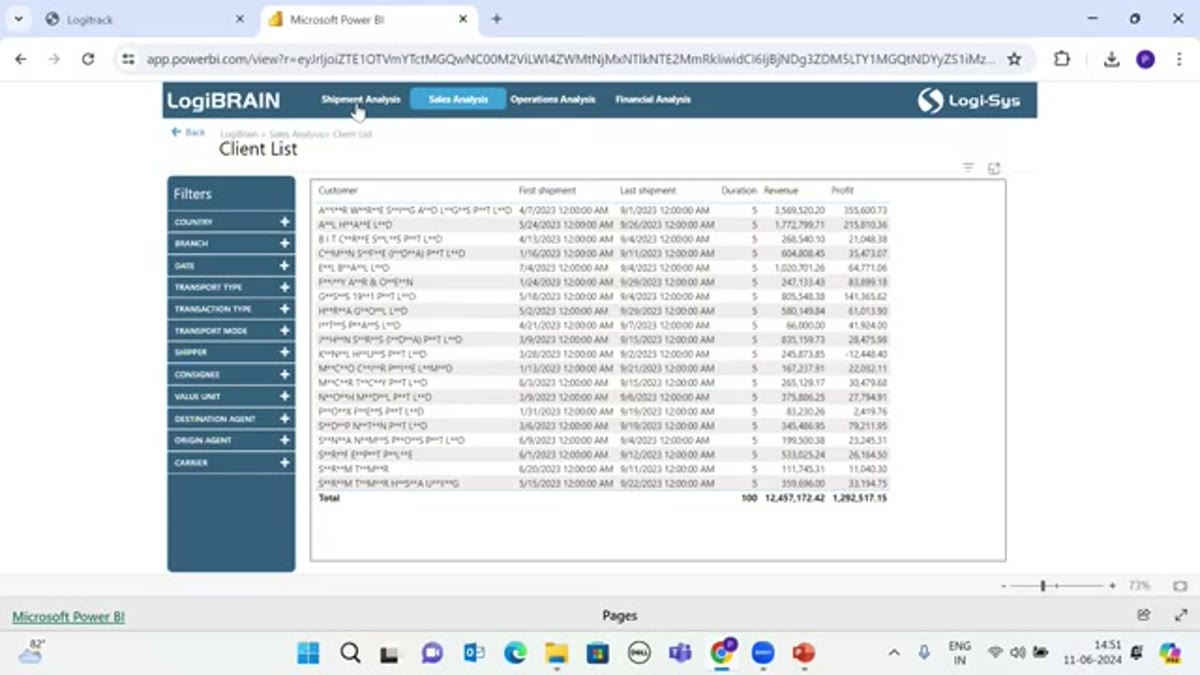
Screenshots of Logi-Sys CRM 2 images
Pricing breakdown
| Plan | Price | Best for |
|---|---|---|
| Starter | From $80/user/mo | Small forwarders needing CRM, ops, and billing |
| ERP | Custom quote | Forwarders adding full financial accounting and WMS |
| Enterprise | Custom quote | Multi-country LSPs needing MIS and BI |
Security & compliance
| Standard | Availability |
|---|---|
| Audit logs | Yes |
| GDPR | Yes |
| HIPAA | No |
| SOC 2 Type II | Marketplace add-on |
| SSO / SAML | Yes |
Logi-Sys CRM compliance summary: Audit logs is yes, GDPR is yes, HIPAA is no, SOC 2 Type II is marketplace add-on, and SSO / SAML is yes.
Key integrations
| Integration | Type |
|---|---|
| Gmail | N/A |
| Outlook | N/A |
| Slack | N/A |
| LinkedIn Sales Navigator | N/A |
| Outreach / Salesloft | N/A |
Logi-Sys CRM integration summary: Gmail is not specified, Outlook is not specified, Slack is not specified, LinkedIn Sales Navigator is not specified, and Outreach or Salesloft is not specified.
Feature availability
| Feature | Status |
|---|---|
| Free tier | ✗ (free trial) |
| Activity reporting | ✓ |
| Email sequences | M |
| Pipeline management | ✓ |
| Quote to file link | ✓ (native) |
Logi-Sys CRM feature availability summary: Free tier (✗ (free trial)), Activity reporting (✓), Email sequences (M), Pipeline management (✓), and Quote to file link (✓ (native)).
Loading reviews…
What's great
- Free CRM tier plus the deepest marketing automation in this set, so a forwarder can run content, email nurture, and pipeline in one place
- 14,300-plus G2 reviews at 4.4/5, the strongest third-party validation of any tool here, with a large partner and integration ecosystem
- Sequences, lead scoring, and reporting are well ahead of the freight-native CRMs for a dedicated sales and marketing team
Watch-outs
- No freight objects at all, so lanes, modes, rates, and shipment files are custom properties, and there is no handoff to operations
- Sales Hub Professional and Marketing Hub pricing climbs steeply once you pass Starter and add contacts
- A forwarder still needs a separate TMS or forwarding platform, and an integration between the two
HubSpot is the default when a forwarder’s sales problem is really a demand-generation problem. Its Sales Hub holds 14,300-plus G2 reviews at 4.4/5, and the free CRM plus published pricing from $20 per user per month on Starter make it easy to begin.
For a forwarder investing in content, LinkedIn, and email nurture to reach shippers, the marketing tooling is the reason to pick it. Pipeline, sequences, and reporting are all stronger than the freight-native options.
What HubSpot never does is see the shipment. There are no rates, no files, no margin, and a won deal has to move to operations through an integration. Best for forwarders running a marketing-led sales motion with a real content budget. Wrong for teams that need the CRM to feed the TMS or to show account shipment history.
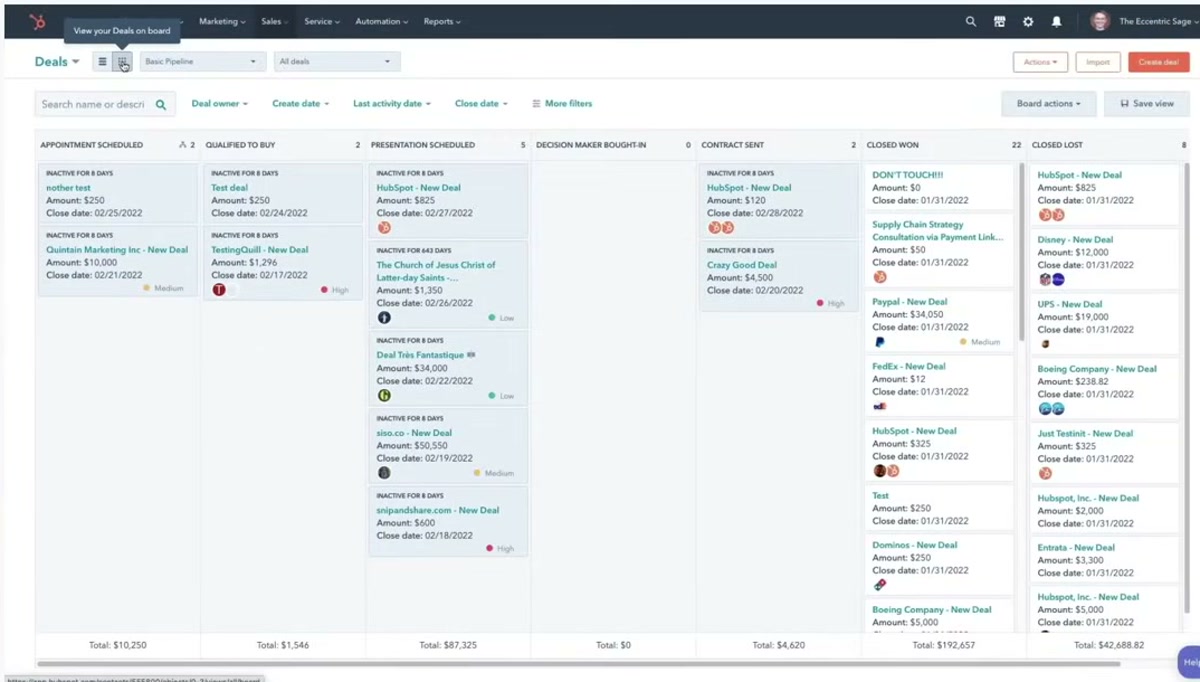
Screenshots of HubSpot 2 images
Pricing breakdown
| Plan | Price | Best for |
|---|---|---|
| Free CRM | $0 | Small forwarders trialling pipeline and contact management |
| Sales Hub Starter | From $20/user/mo | Small teams needing sequences and basic automation |
| Sales Hub Professional | From $100/seat/mo | Forwarders with a full sales and marketing function |
Security & compliance
| Standard | Availability |
|---|---|
| Audit logs | Enterprise |
| GDPR | Yes |
| HIPAA | No |
| SOC 2 Type II | Yes |
| SSO / SAML | Professional+ |
HubSpot compliance summary: Audit logs is enterprise, GDPR is yes, HIPAA is no, SOC 2 Type II is yes, and SSO / SAML is professional+.
Key integrations
| Integration | Type |
|---|---|
| Gmail | N/A |
| Outlook | N/A |
| Slack | N/A |
| LinkedIn Sales Navigator | N/A |
| Outreach / Salesloft | N/A |
HubSpot integration summary: Gmail is not specified, Outlook is not specified, Slack is not specified, LinkedIn Sales Navigator is not specified, and Outreach or Salesloft is not specified.
Feature availability
| Feature | Status |
|---|---|
| Free tier | ✓ (CRM) |
| Activity reporting | ✓ |
| Email sequences | N (strong) |
| Pipeline management | ✓ |
| Quote to file link | ✗ |
HubSpot feature availability summary: Free tier (✓ (CRM)), Activity reporting (✓), Email sequences (N (strong)), Pipeline management (✓), and Quote to file link (✗).
Loading reviews…
What's great
- The most configurable CRM here, with an object model and AppExchange ecosystem that can be shaped into freight concepts if you have the resources
- 23,000-plus G2 reviews at 4.4/5 and a hiring pool of admins and consultants that no freight-native tool can match
- Logistics-specific packages and TMS connectors exist on AppExchange for forwarders and 3PLs that want to build
Watch-outs
- Nothing freight is out of the box, so a usable forwarder setup is a project with a partner and ongoing admin cost
- Enterprise edition runs $165-plus per user per month before add-ons like CPQ, and total cost is the highest in this comparison
- Overkill for a forwarder under roughly 20 sales users
Salesforce is the answer when a large 3PL or forwarder has decided the CRM is a platform to build on, not a tool to buy. Sales Cloud carries 23,000-plus G2 reviews at 4.4/5, and published pricing starts at $25 per user per month but the editions forwarders actually use start at $165.
With a RevOps team or an implementation partner, the object model can be extended into lanes, modes, and account shipment rollups, and AppExchange has TMS connectors. Without that investment, it is an empty CRM.
Best for enterprise forwarders and 3PLs with the budget and staff to run a configured Salesforce org. Wrong for a small or mid-size forwarder that wants freight logic on day one.
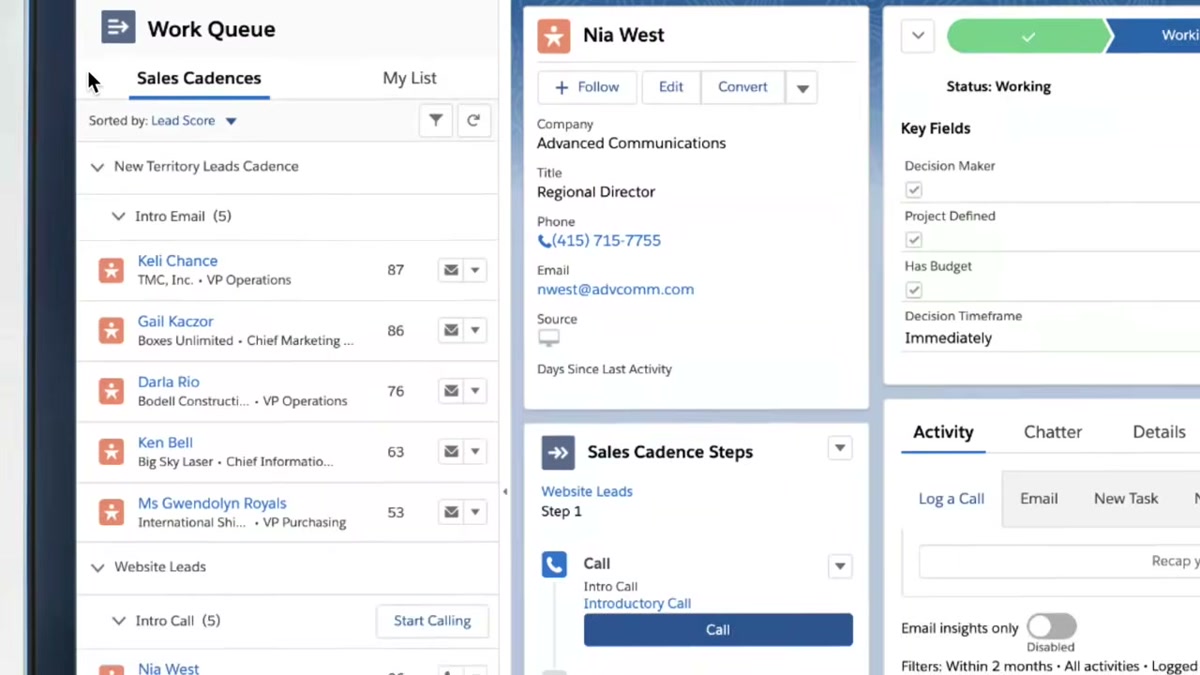
Pricing breakdown
| Plan | Price | Best for |
|---|---|---|
| Starter Suite | $25/user/mo | Small teams wanting a basic pipeline |
| Pro Suite | $100/user/mo | Growing forwarders needing customization and quoting |
| Enterprise | $165+/user/mo | Large 3PLs building a bespoke freight sales org |
Security & compliance
| Standard | Availability |
|---|---|
| Audit logs | Yes |
| GDPR | Yes |
| HIPAA | ✓ (with BAA) |
| SOC 2 Type II | Yes |
| SSO / SAML | Yes |
Salesforce compliance summary: Audit logs is yes, GDPR is yes, HIPAA is ✓ (with baa), SOC 2 Type II is yes, and SSO / SAML is yes.
Key integrations
| Integration | Type |
|---|---|
| Gmail | N/A |
| Outlook | N/A |
| Slack | N/A |
| LinkedIn Sales Navigator | N/A |
| Outreach / Salesloft | N/A |
Salesforce integration summary: Gmail is not specified, Outlook is not specified, Slack is not specified, LinkedIn Sales Navigator is not specified, and Outreach or Salesloft is not specified.
Feature availability
| Feature | Status |
|---|---|
| Free tier | ✗ (trial) |
| Activity reporting | ✓ |
| Email sequences | N (Sales Engagement add-on) |
| Pipeline management | ✓ |
| Quote to file link | M (build) |
Salesforce feature availability summary: Free tier (✗ (trial)), Activity reporting (✓), Email sequences (N (Sales Engagement add-on)), Pipeline management (✓), and Quote to file link (M (build)).
Loading reviews…
What's great
- CRM and prospecting tools are built into the TMS, so a broker's sales rep works leads, quotes, and covered loads in one system
- Integrated carrier and rate data means quotes reflect real market pricing, which a standalone CRM cannot do
- Reviewers cite responsive support and automation that cuts quoting and load-building time
Watch-outs
- Truckload and LTL brokerage is the core, so ocean and air forwarding features are limited
- Small review base, so third-party validation is thin
- No published pricing
Tai is a brokerage-first TMS with a sales CRM attached, aimed at US freight brokers who also handle forwarding. On G2 it holds 4.4/5 across 30-plus reviews , with praise focused on automation and support.
The sales value is that prospecting, quoting, and load coverage happen in one place with live rate data behind the quote. For a broker, that removes the swivel between a CRM and the TMS.
Ocean and air forwarding depth is limited next to the freight suites, so a heavy international forwarder will find it thin. Best for US brokerages with a forwarding arm that want sales inside the TMS. Wrong for a pure international forwarder with no domestic truckload business.
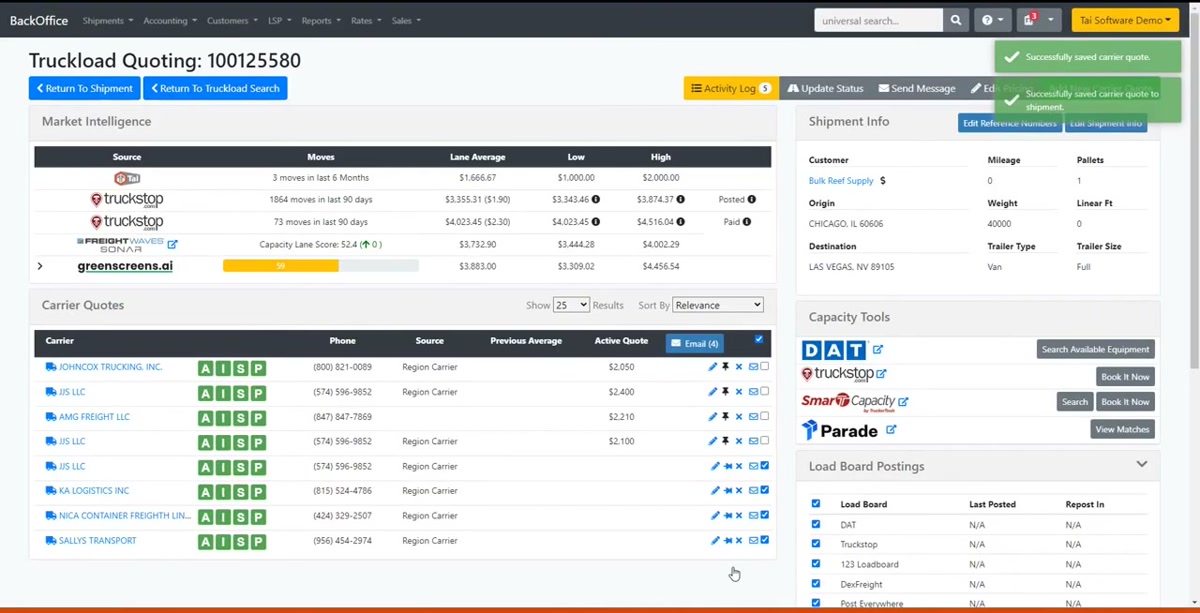
Screenshots of Tai TMS 2 images
Pricing breakdown
| Plan | Price | Best for |
|---|---|---|
| Core TMS + CRM | Custom quote | Small brokerages needing sales and load management together |
| Growth | Custom quote | Brokerages adding automation and integrations |
| Enterprise | Custom quote | Multi-branch brokerages with API needs |
Security & compliance
| Standard | Availability |
|---|---|
| Audit logs | Yes |
| GDPR | Marketplace add-on |
| HIPAA | No |
| SOC 2 Type II | Yes |
| SSO / SAML | Yes |
Tai TMS compliance summary: Audit logs is yes, GDPR is marketplace add-on, HIPAA is no, SOC 2 Type II is yes, and SSO / SAML is yes.
Key integrations
| Integration | Type |
|---|---|
| Gmail | N/A |
| Outlook | N/A |
| Slack | N/A |
| LinkedIn Sales Navigator | N/A |
| Outreach / Salesloft | N/A |
Tai TMS integration summary: Gmail is not specified, Outlook is not specified, Slack is not specified, LinkedIn Sales Navigator is not specified, and Outreach or Salesloft is not specified.
Feature availability
| Feature | Status |
|---|---|
| Free tier | ✗ |
| Activity reporting | ✓ |
| Email sequences | M |
| Pipeline management | ✓ |
| Quote to file link | ✓ (native) |
Tai TMS feature availability summary: Free tier (✗), Activity reporting (✓), Email sequences (M), Pipeline management (✓), and Quote to file link (✓ (native)).
Loading reviews…
What's great
- Full pipeline, workflow automation, and reporting from $14 per user per month, with a free tier for up to three users
- Custom modules and fields let a forwarder model lanes, modes, and enquiry types without developer help
- Part of Zoho One, so a small forwarder can add email, books, and desk on one subscription
Watch-outs
- No freight-native features and no operations integration
- Reviewers report a cluttered interface and support that varies by tier
- Advanced automation and analytics need the pricier Enterprise plan
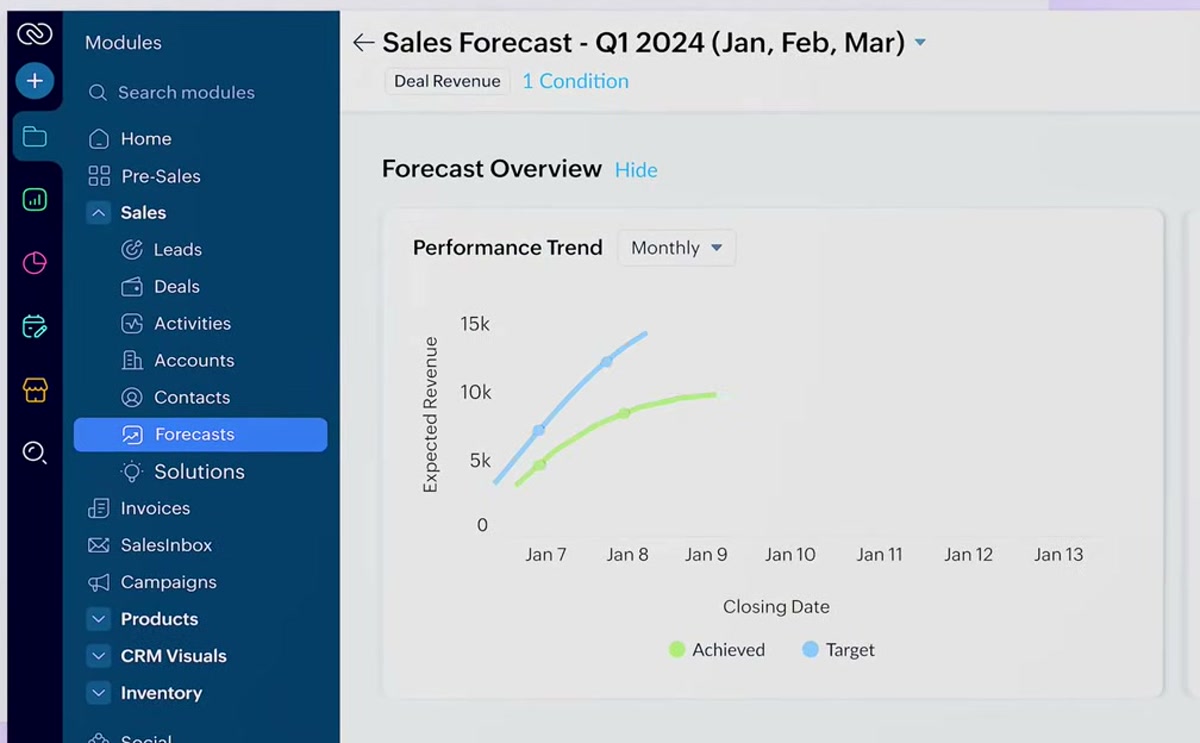
Zoho CRM is the budget generic option for a small forwarder that wants structure without HubSpot or Salesforce pricing. It carries 2,900-plus G2 reviews at 4.1/5, and published pricing starts at $14 per user per month.
Custom modules make it flexible enough to track freight enquiries and quotes, and the wider Zoho suite covers email and light accounting. Automation is capable for the price.
Like the other generic CRMs, it has no freight logic and no operations link, and reviewers note the interface can feel busy. Best for small forwarders that want a low-cost, configurable pipeline. Wrong for teams that need freight objects or a handoff to a TMS.
Pricing breakdown
| Plan | Price | Best for |
|---|---|---|
| Standard | $14/user/mo | Small forwarder desks needing pipeline and automation |
| Professional | $23/user/mo | Teams needing custom modules and inventory-style links |
| Enterprise | $40/user/mo | Forwarders needing advanced analytics and SSO |
Security & compliance
| Standard | Availability |
|---|---|
| Audit logs | Enterprise |
| GDPR | Yes |
| HIPAA | ✓ (with BAA) |
| SOC 2 Type II | Yes |
| SSO / SAML | Enterprise |
Zoho CRM compliance summary: Audit logs is enterprise, GDPR is yes, HIPAA is ✓ (with baa), SOC 2 Type II is yes, and SSO / SAML is enterprise.
Key integrations
| Integration | Type |
|---|---|
| Gmail | N/A |
| Outlook | N/A |
| Slack | N/A |
| LinkedIn Sales Navigator | N/A |
| Outreach / Salesloft | N/A |
Zoho CRM integration summary: Gmail is not specified, Outlook is not specified, Slack is not specified, LinkedIn Sales Navigator is not specified, and Outreach or Salesloft is not specified.
Feature availability
| Feature | Status |
|---|---|
| Free tier | ✓ (3 users) |
| Activity reporting | ✓ |
| Email sequences | M |
| Pipeline management | ✓ |
| Quote to file link | ✗ |
Zoho CRM feature availability summary: Free tier (✓ (3 users)), Activity reporting (✓), Email sequences (M), Pipeline management (✓), and Quote to file link (✗).
Loading reviews…
What's great
- The clearest visual pipeline of the generic CRMs, which small forwarder teams adopt fast with little training
- 2,400-plus G2 reviews at 4.3/5, published pricing from $19 per user per month, and activity reminders that keep reps chasing quotes
- Light enough that a two or three person freight desk is productive in days
Watch-outs
- No freight-native features, no quoting engine, and no operations integration
- Automation, email sync limits, and reporting depth improve only on higher tiers
- Scales poorly for larger teams that need complex territory and forecasting logic
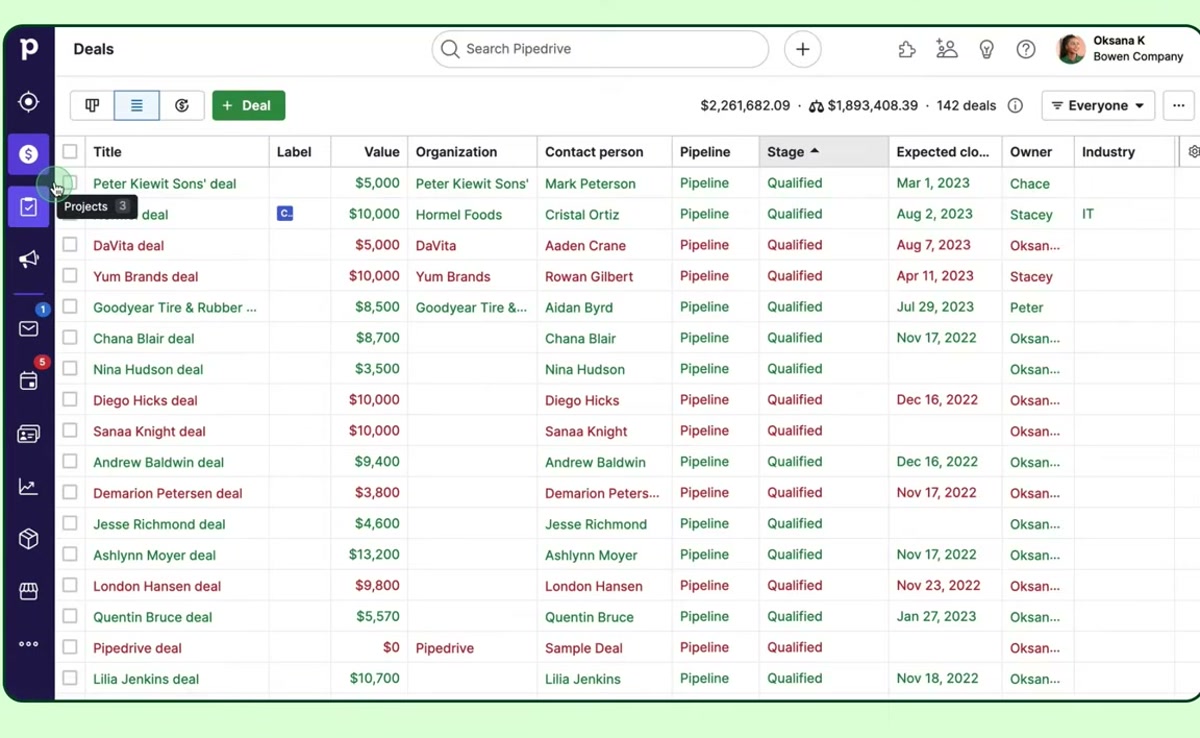
Pipedrive is the option when a small forwarder just wants deals to stop falling through the cracks. It holds 2,400-plus G2 reviews at 4.3/5, and pricing starts at $19 per user per month.
The drag-and-drop pipeline and activity reminders are the whole pitch, and they work for a desk that lives in email and calls. Setup is quick and the learning curve is short.
It is the least freight-aware tool here, with no modes, no rates, and no ops link, and automation is basic below the higher tiers. Best for small forwarder teams that want a clean pipeline and nothing more. Wrong for anyone who needs quoting, freight objects, or an operations handoff.
Pricing breakdown
| Plan | Price | Best for |
|---|---|---|
| Essential | $19/user/mo | Small forwarder desks needing a visual pipeline |
| Advanced | $34/user/mo | Teams needing email sync and automation |
| Professional | $64/user/mo | Forwarders needing forecasting and richer reporting |
Security & compliance
| Standard | Availability |
|---|---|
| Audit logs | Enterprise |
| GDPR | Yes |
| HIPAA | No |
| SOC 2 Type II | Yes |
| SSO / SAML | Professional+ |
Pipedrive compliance summary: Audit logs is enterprise, GDPR is yes, HIPAA is no, SOC 2 Type II is yes, and SSO / SAML is professional+.
Key integrations
| Integration | Type |
|---|---|
| Gmail | N/A |
| Outlook | N/A |
| Slack | N/A |
| LinkedIn Sales Navigator | N/A |
| Outreach / Salesloft | N/A |
Pipedrive integration summary: Gmail is not specified, Outlook is not specified, Slack is not specified, LinkedIn Sales Navigator is not specified, and Outreach or Salesloft is not specified.
Feature availability
| Feature | Status |
|---|---|
| Free tier | ✗ (trial) |
| Activity reporting | M |
| Email sequences | M |
| Pipeline management | ✓ (strong) |
| Quote to file link | ✗ |
Pipedrive feature availability summary: Free tier (✗ (trial)), Activity reporting (M), Email sequences (M), Pipeline management (✓ (strong)), and Quote to file link (✗).
Loading reviews…
Tools we considered but excluded
We evaluated more tools than the 10 you see above. These did not make the cut. Saying what we rejected, and why, is the editorial muscle most listicles skip.
- Turvo: Collaborative logistics platform with CRM-like features, but built for shipper and broker collaboration rather than a forwarder's outbound sales pipeline
- SugarCRM: Capable mid-market CRM but little freight-specific adoption and a smaller US logistics reference base than HubSpot or Zoho
- Freshsales: Solid generic CRM in the same bracket as Zoho and Pipedrive, but no freight-native use case that separates it from those two
- Descartes: Strong on forwarding operations and customs, but has no distinct sales CRM product for forwarders to evaluate here
- Logisuite: Traditional US NVOCC and forwarding suite with a CRM module, but too few third-party reviews to score reliably
Honorable mentions
Solid tools that did not crack the main list but are worth tracking, especially for niche use cases.
- Shipthis: Modern white-label forwarding platform with a built-in CRM; worth a demo for forwarders that want sales and ops together and can accept a young review base
- Turvo: If your sales motion is really shipper collaboration and shared visibility rather than cold outbound, its network model is worth a look
- Freshsales: A fair alternative to Zoho or Pipedrive if your team already uses other Freshworks products
The four ways forwarders actually sell, and which CRM fits each
A freight forwarder’s sales motion is rarely one thing. Most shops run two or three of these at once, and the CRM that fits one can be a poor fit for another. Sort your team into these buckets before you shortlist.
Relationship and renewal selling. Reps work a known book of shippers, quote repeat lanes, and defend margin against the incumbent. What matters here is seeing what an account shipped last quarter and at what buy and sell rate. Freight-native tools such as CargoEZ, GoFreight, and Magaya show that in the same screen as the pipeline. A generic CRM cannot, unless you build the integration.
High-volume outbound. BDRs chase new shippers and co-loaders over email, LinkedIn, and increasingly WhatsApp. Cadence, message templates, and a fast pipeline matter more than shipment context. Kommo is built for this and starts at $15 per user per month. HubSpot Sales Hub does it well too, with better reporting once the team grows.
Marketing-led inbound. The forwarder invests in content, SEO, and email nurture to bring shippers in. This is HubSpot’s home turf, with the free CRM tier as an entry point. The gap is that a won inbound lead still has to move into operations through an integration.
Brokerage and domestic freight sales. Forwarders with a truckload or LTL arm sell against live market rates. Tai TMS puts prospecting, quoting, and load coverage in one system so quotes reflect real pricing. Salesforce can be built into this shape with a partner, at a cost.
What freight-native CRMs do that HubSpot and Salesforce cannot
The line between a freight CRM and a generic CRM is not features. HubSpot and Salesforce have more pipeline, automation, and reporting depth than any forwarding platform. The line is whether the CRM can see the shipment.
Account shipment history at the point of quote. A rep re-quoting a lane needs last quarter’s volume, the buy rate, the sell rate, and the margin. CargoEZ, GoFreight, Magaya, and Logi-Sys pull that from the same database the operations team uses. In a generic CRM it is a manual note or a report from another system.
The won-deal handoff. When a shipper accepts, a freight-native tool turns the quote into a booking or a job with no re-keying. A generic CRM marks the deal closed-won and someone re-enters it in the TMS. That gap is where errors and delays start.
Rate-aware quoting. Freight suites quote against live tariff and contract data. Generic CRMs either have no quoting or a document builder that does not know your carrier rates.
The cost of the generic route. You still get better marketing and forecasting tooling. But budget for an integration project, and expect the CRM and operations to drift out of sync until it is built and maintained.
Pricing: seats, modules, and the freight data problem
Sales software pricing in freight splits cleanly into two camps, and the sticker price is the smallest part of the decision.
Generic CRMs publish low per-seat pricing. Zoho starts at $14, Kommo at $15, Pipedrive at $19, and HubSpot Sales Hub Starter at $20 per user per month. HubSpot and Zoho both have free tiers. The catch is that none of these numbers include the integration to your operations system, which is the real project cost.
Freight-native tools price as modules or suites. Logi-Sys lists from about $80 per user per month, GoFreight’s mid-market tiers are reported around $100 to $400, and CargoEZ and Magaya are quote-only. The CRM is usually a module on a platform you are also buying for operations, so evaluate the whole configuration, not the CRM line item.
Salesforce is its own category. Starter is $25 per user per month but the editions forwarders actually use begin at $165, before add-ons like CPQ, and before the partner build that makes it freight-aware. Total cost here is the highest in this comparison.
Model the re-keying cost. If a generic CRM saves $60 per seat per month over a freight suite but adds ten minutes of manual re-entry per won file, run that math against your win volume before you decide.
Choosing a freight forwarding sales CRM
Work through these in order and the ten tools drop to two or three.
1. Primary sales motion
Renewal and relationship selling points to CargoEZ, GoFreight, or Magaya for shipment context. High-volume chat and email outbound points to Kommo or HubSpot. Marketing-led inbound points to HubSpot. A brokerage arm points to Tai.
2. Depth of the operations link
If a won deal must become a booking without re-keying, you need a freight-native tool: CargoEZ, GoFreight, Magaya, or Logi-Sys. If your operations team is fine with a nightly sync or a manual step, a generic CRM plus an integration is workable.
3. Team size and RevOps capacity
Under about ten sales users with no RevOps hire: Kommo, Pipedrive, Zoho, or a freight-native module. Ten to fifty with a sales ops person: HubSpot or GoFreight. Fifty-plus at an enterprise 3PL with a RevOps function: Salesforce, accepting the build.
4. Marketing and demand generation needs
If content, nurture, and lead scoring are core to how you win freight, HubSpot is hard to beat and the freight-native tools will disappoint. If marketing is a separate function on separate tools, weight this factor low.
5. Existing operations platform
If you already run GoFreight, Magaya, or Logi-Sys for operations, start with that vendor’s CRM module before looking outside. The data is already shared, and you avoid an integration you would otherwise pay to build and maintain.
Final pick by forwarder sales profile
- Small US forwarder wanting sales and ops on one system: CargoEZ, for the shared record from lead to invoice and week-scale setup.
- US mid-market forwarder on a modern cloud platform: GoFreight, for the 4.8/5 G2 track record and a sales module wired to shipment-based accounting.
- Forwarder already running Magaya operations: Magaya CRM, so sales sits next to live shipment and warehouse status.
- High-volume outbound desk selling over WhatsApp and email: Kommo, for one conversation view from $15 per user per month.
- Forwarder wanting sales inside a full forwarding ERP with a real ledger: Logi-Sys CRM, after checking US support hours.
- Marketing-led forwarder with a content budget: HubSpot, for the free CRM tier and the deepest automation here, paired with a TMS integration.
- Enterprise 3PL with a RevOps team: Salesforce, built into freight shape with a partner.
- Forwarder with a truckload or LTL brokerage arm: Tai TMS, for prospecting and quoting against live market rates.
- Small team that just wants a clean pipeline on a budget: Pipedrive or Zoho CRM, accepting there is no freight logic or ops link.
How we research freight sales platforms
CEOPickz does not accept paid placements in rankings. Tool order reflects a weighted view of G2 and Capterra review volume and satisfaction, how tightly sales ties back to freight operations, quoting capability, pricing accessibility, and integration evidence. Freight-native tools are weighted above generic CRMs for this keyword because the quote-to-shipment handoff is the workflow buyers are searching for.
Ratings and review counts were read from live product pages in August 2026. Pricing was taken from vendor pricing pages and established third-party pricing databases on the same date, with ranges noted where vendors publish no numbers.
This comparison does not include tools we have not researched. The excluded and honorable mention sections record the tools we evaluated and the specific reason each did not make the primary list. Vendor blogs and vendor-run comparison pages were not treated as neutral sources.
For corrections, vendor disputes, or feedback on this comparison, email hello@ceopickz.com . Pricing and review data are verified each time this page is updated; the next scheduled refresh is November 2026.
Related freight software guides
Frequently asked questions
What is the best CRM for freight forwarders?
CargoEZ ranks first because sales, quoting, and operations share one record — won deals become shipment files with no re-keying and margin is visible at the point of sale. G2 rates it 4.8/5 across 40 reviews. GoFreight includes a similar native sales module at the same G2 rating.
Do I need a freight-specific CRM or will HubSpot work?
HubSpot runs the sales funnel well but never sees the shipment. It has no freight objects, no rate-linked quoting, and no view of what an account shipped last quarter. Use a freight-native CRM (CargoEZ, GoFreight, Magaya) if you need account shipment history, rate-integrated quoting, or a direct handoff to operations — use HubSpot if outbound email cadence and pipeline reporting are the priority.
How much does freight forwarding CRM software cost?
Generic CRMs start cheap: Pipedrive $19/user/mo, Zoho from $14/user/mo, Kommo $15/user/mo. HubSpot has a free tier. Freight-native tools are pricier: Logi-Sys from $80/user/mo, CargoEZ is quote-only and typically $100–$400/user/mo. The gap is justified if the native integration to operations eliminates manual handoff and re-keying.
Which CRM is best for freight broker outbound sales?
Kommo (formerly amoCRM) is widely used for messenger-led outbound with WhatsApp, email, and calls in one pipeline at $15/user/mo. It holds 4.2/5 on G2. HubSpot Sales Hub handles higher-volume SDR teams with better sequence automation. Tai TMS is the choice for brokers where quotes and loads are part of the sales motion.
What is the best way to manage a freight forwarding sales pipeline?
Run the pipeline in a tool that connects to actual shipment data. GoFreight and CargoEZ show shipment history, volume trends, and margin per account in the same view as pipeline stage. This means a rep closing a deal already has the operational context to quote accurately and set service expectations.
Does GoFreight have a built-in CRM?
Yes. GoFreight includes a sales module that links quotes to the shipment file and shipment-based accounting, so margin is visible at the point of sale. G2 rates GoFreight 4.8/5 across 92 reviews. The native integration means won deals move to operations without a separate data export or API call.
Is Salesforce good for freight forwarders?
Only for enterprise 3PLs with a RevOps team and budget for customization. Salesforce has no freight logic out of the box — no shipment objects, no rate-linked quoting. The editions forwarders use start at $165/user/mo, and a freight-specific build adds integration and consulting costs on top. Most forwarders are better served by a freight-native tool or a simpler generic CRM.
What is the difference between a freight CRM and a forwarding TMS?
A freight CRM manages leads, pipeline stages, quotes, and customer communication before the sale. A forwarding TMS (or forwarding platform) runs the shipment after the sale. Freight-native tools like CargoEZ, GoFreight, and Magaya combine both — the CRM and the operations platform share one record. Generic CRMs and forwarding TMS tools are separate systems that require an integration.
Which freight CRM links quotes to operations automatically?
CargoEZ, GoFreight, Magaya, and Logi-Sys share data between the sales quote and the shipment file natively — no integration step required. HubSpot, Salesforce, Zoho, and Pipedrive all require an API integration or manual export to move a won quote into the forwarding system.
Can a small freight forwarder start with a free CRM?
Yes. HubSpot has a free CRM tier and Zoho is free for up to three users. Neither includes freight-specific objects, rate-integrated quoting, or a connection to a forwarding system. They work well for early-stage pipeline tracking and will require a migration to a freight-native tool once quoting volume and operational handoff become friction points.
Related helpful reads
Write a review
Posts to the page right away. Keep it real — no links or email addresses.