
Comparing the best Help Center Software of 2026 includes 1. Document360 2. Zendesk Guide 3. Freshdesk 4. Intercom 5. Help Scout 6. Helpjuice 7. Zoho Desk 8. HelpDocs.
TL;DR
- Document360: best overall for a dedicated, documentation-led help center. G2 4.7/5 across 557 reviews.
- Zendesk Guide: best when the help center must sit inside a support suite, Suite Team at $55 per agent per month.
- Freshdesk: best budget help desk with a built-in knowledge base, 4.4/5 across 4,002 reviews.
- Intercom: best for chat-led support with AI answers, Fin at $0.99 per outcome.
- Help Scout: best for small support teams, Standard at $25 per user per month.
A desk-research comparison of eight help center tools, split by how they are sold: documentation-led platforms (Document360, Helpjuice, HelpDocs) and help desks that include a help center (Zendesk, Freshdesk, Intercom, Help Scout, Zoho Desk). Rankings rest on G2 ratings and vendor pricing. We say where each tool fits.
What is help center software?
Help center software publishes a customer-facing site of articles, FAQs and guides that people search before they contact support.
Some products are documentation platforms that only do this job. Others are help desks that include a help center alongside tickets and chat, so the buying question is whether you need the whole suite or just the content.
Best Help Center Software comparison: features, pricing and verdicts
| Tool | Best for | Starting price | Free trial | External rating |
|---|---|---|---|---|
Best for a dedicated help center where documentation, not ticketing, is the main job | Custom quote | Demo | G2 4.7/5 (557 reviews) | |
Best when the help center has to live inside a full support suite | $55/agent/mo | Free trial | G2 4.3/5 (7,126 reviews) | |
Best budget help desk with a customer portal and knowledge base included | $15/agent/mo | Free trial | G2 4.4/5 (4,002 reviews) | |
Best for chat-led support where AI answers customer questions from your articles | $29/seat/mo | Free trial | G2 4.5/5 (3,970 reviews) | |
Best for small support teams that want articles and a shared inbox in one tool | $25/user/mo | Free trial | G2 4.4/5 (434 reviews) | |
Best for a standalone, branded help center at a published monthly price | $249/mo | Free trial | G2 4.7/5 (384 reviews) | |
Best for teams already on Zoho that want a help desk with a self-service widget | See vendor pricing | Free trial | G2 4.4/5 (8,104 reviews) | |
Best simple, branded help center for small teams that want quick publishing | $99/mo | Free trial listed | G2 4.3/5 (18 reviews) |
How we chose these tools
This page is desk research. We read the live G2 listings, vendor pricing pages and published product material, and we did not run hands-on trials of these products. We used US Google results, ChatGPT and Perplexity only to find candidate tools; the ranking rests on G2 ratings, review counts, vendor pricing and product material. Ratings and review counts are as shown on G2 in November 2026 and can change; prices are from each vendor’s pricing page on the same date, and where we could not find a list price we say so. The frame is how the help center is sold: as a documentation product, or as part of a support suite.
Read the full CEOPickz.com research approach, including how desk-research pages and the editorial score work.
Detailed Help Center Software reviews
What's great
- Focused on the help center itself, so the product is authoring, search and publishing rather than a help desk
- SEO controls, analytics and a ticket deflector have their own pages on the vendor site
- SOC 2 Type II, ISO 27001:2022 and GDPR are listed on the pricing page
Watch-outs
- It does not include ticketing or live chat, so you pair it with a help desk
- Quote-based pricing
- AI premium features are packaged separately
Document360 is built for the help center itself. It averages 4.7/5 on G2 across 557 reviews .
Its site lists an SEO page , analytics and a ticket deflector , the pieces that make a help center find readers and prevent tickets.
The trade-off is that it is not a help desk. Zendesk is the stronger pick when you want tickets, chat and the help center bundled.
Best for teams that want a polished, searchable help center and already have, or do not need, a help desk. Wrong if you want one vendor for tickets and articles.
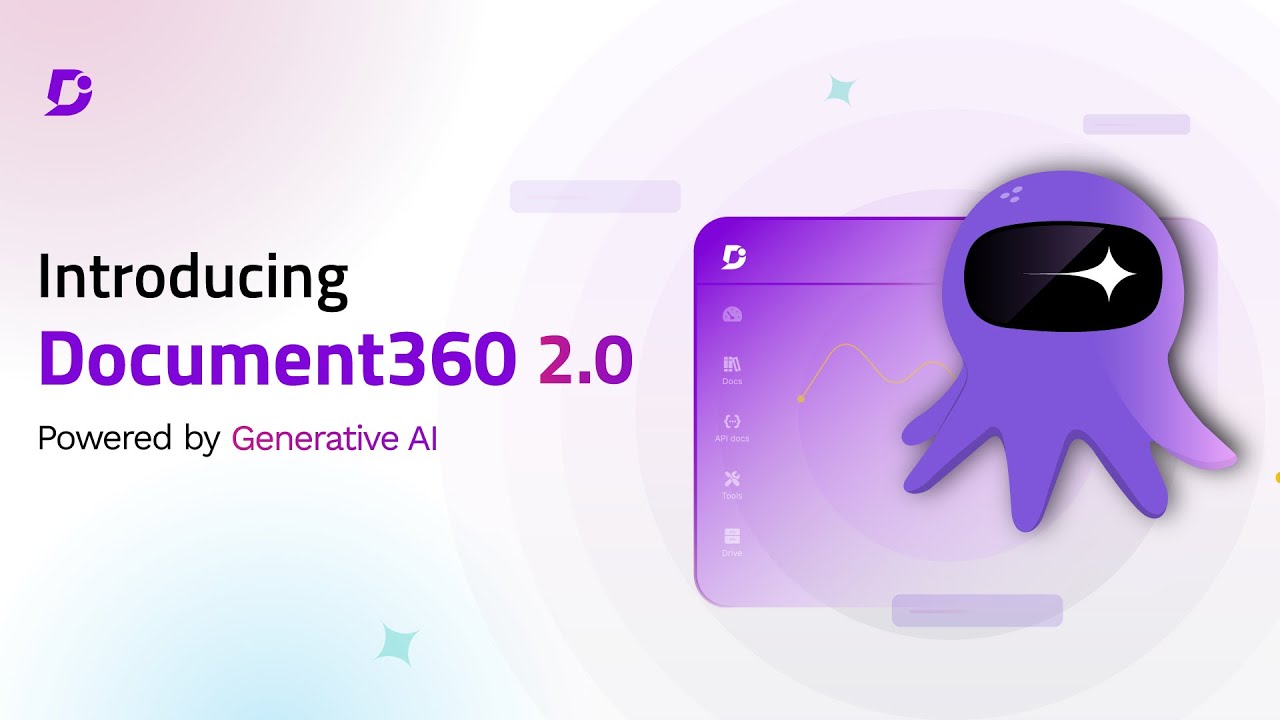
Screenshots of Document360 4 images
Pricing breakdown
| Plan | Price | Best for |
|---|---|---|
| Custom plan | Custom quote | Pricing is built around your setup through a short intake form |
Security & compliance
| Standard | Availability |
|---|---|
| GDPR | Yes |
| Iso27001 | Yes |
| SOC 2 Type II | Yes |
| SSO / SAML | Yes |
Document360 compliance summary: GDPR is yes, iso27001 is yes, SOC 2 Type II is yes, and SSO / SAML is yes.
Feature availability
| Feature | Status |
|---|---|
| Free tier | ✗ Demo / custom quote |
| AI | ✓ AI search, chatbot, writing agent, MCP server |
| Analytics | ✓ |
| Import pdf word | ✓ |
| Mermaid diagrams | ✓ |
| Seo | ✓ |
| Ticket deflector | ✓ |
| Workflow | ✓ |
Document360 feature availability summary: Free tier (✗ Demo / custom quote), AI (✓ AI search, chatbot, writing agent, MCP server), Analytics (✓), Import pdf word (✓), Mermaid diagrams (✓), Seo (✓), Ticket deflector (✓), and Workflow (✓).
Loading reviews…
What's great
- Knowledge base and AI agents are listed from Suite Team at $55 per agent per month
- Part of a mature suite with ticketing, messaging and AI agents
- One system for tickets and articles
Watch-outs
- The G2 rating (4.3/5 across 7,126 reviews) is for the whole suite, not Guide alone
- Per-agent pricing for a help center feature
- Heavier than needed if documentation is the main job
Zendesk puts the help center beside tickets, messaging and AI agents. The G2 listing for Zendesk for Customer Service averages 4.3/5 across 7,126 reviews, covering the whole suite.
The pricing page shows Support Team at $19 and Suite Team at $55 per agent per month, with the knowledge base appearing from Suite Team.
Best for support teams that want one vendor for everything. Wrong if documentation is the main product.

Screenshots of Zendesk Guide 3 images
Pricing breakdown
| Plan | Price | Best for |
|---|---|---|
| Support Team | $19/agent/mo | Core ticketing |
| Suite Team | $55/agent/mo | Adds knowledge base, AI agents, messaging |
Feature availability
| Feature | Status |
|---|---|
| AI agents | Suite Team and above |
| Knowledge base | Suite Team and above |
Zendesk Guide feature availability summary: AI agents (Suite Team and above), and Knowledge base (Suite Team and above).
Loading reviews…
What's great
- Customer portal and knowledge base are listed in the Growth plan
- Freddy AI Agent sessions are included, with the first 500, per the pricing page
- The vendor advertises plans from $15 per agent per month
Watch-outs
- Per-agent pricing, shown in local currency on our check
- Less design and SEO control than a standalone help center
- The knowledge base is one feature of the help desk
Freshdesk is the value pick among help desks. It averages 4.4/5 on G2 across 4,002 reviews .
The pricing page lists the portal and knowledge base in the Growth plan, and the vendor advertises plans from $15 per agent per month.
Best for small and mid-size teams wanting tickets and a help center cheaply. Wrong if you need heavy branding control.

Screenshots of Freshdesk 4 images
Pricing breakdown
| Plan | Price | Best for |
|---|---|---|
| Growth | From $15/agent/mo | Ticketing, customer portal and knowledge base, Freddy AI Agent with 500 sessions included |
| Pro and above | See vendor pricing | More AI and help desk features; the page shows regional pricing, so check your currency |
Feature availability
| Feature | Status |
|---|---|
| AI agent | Freddy AI Agent, first 500 sessions included |
| Analytics | ✓ |
| Customer portal | ✓ |
| Knowledge base | Growth plan and above |
Freshdesk feature availability summary: AI agent (Freddy AI Agent, first 500 sessions included), Analytics (✓), Customer portal (✓), and Knowledge base (Growth plan and above).
Loading reviews…
What's great
- Fin AI Agent is priced at $0.99 per outcome, per the pricing page
- The demo shows a content gaps report that points to articles Fin lacked
- Helpdesk plans run $29, $85 and $132 per seat per month
Watch-outs
- Per-seat helpdesk pricing plus per-outcome AI pricing makes cost harder to predict
- Help center is one part of a chat-first platform
- The demo focuses on Fin and the helpdesk more than article authoring
Intercom is built around conversations, and its help center feeds the Fin AI Agent. It averages 4.5/5 on G2 across 3,970 reviews .
The demo shows a Fin Optimize report that lists content gaps, which tells you which articles to write next.
Best for SaaS teams that handle support in chat. Wrong for a documentation-led team that wants a standalone help center.
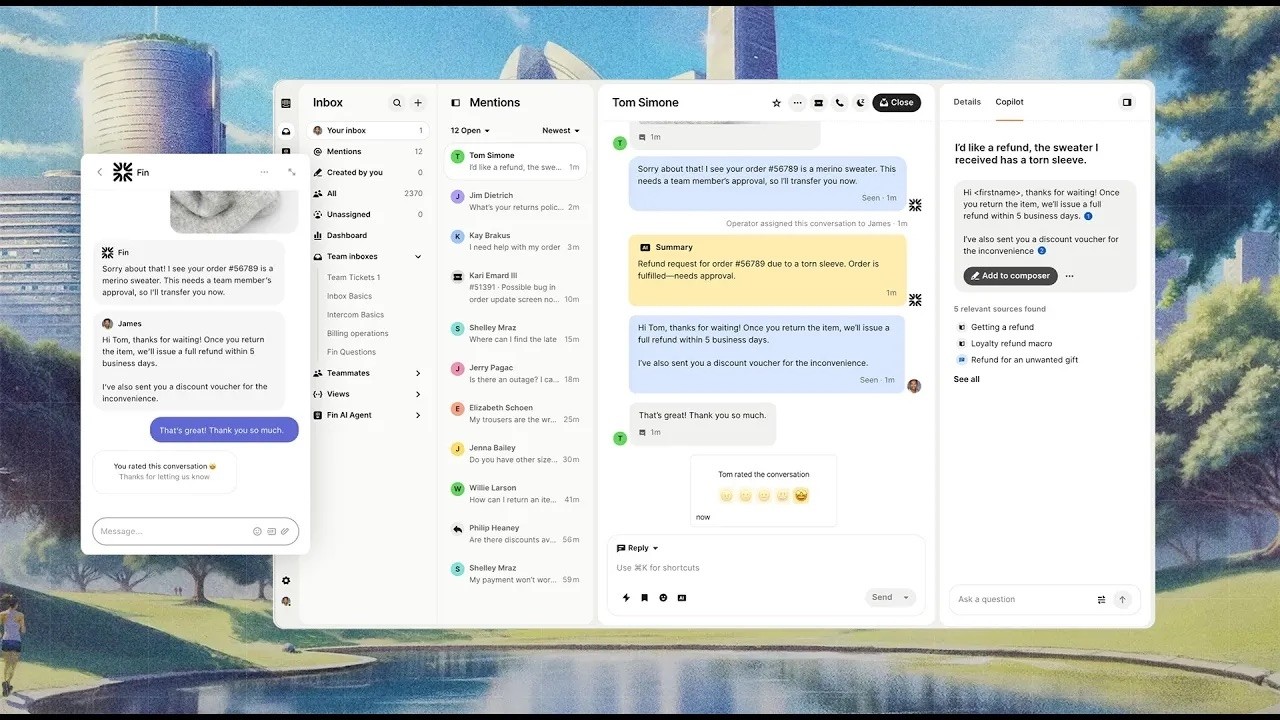
Screenshots of Intercom 3 images
Pricing breakdown
| Plan | Price | Best for |
|---|---|---|
| Essential | $29/seat/mo | Individuals, startups and small businesses (new customers see a discounted price) |
| Advanced | $85/seat/mo | Growing support teams |
| Expert | $132/seat/mo | Large support teams |
| Fin AI Agent | $0.99 per outcome | AI resolutions, billed per outcome |
Feature availability
| Feature | Status |
|---|---|
| AI agent | Fin, $0.99 per outcome |
| Copilot | ✓ |
| Free trial | ✓ |
| Help center | ✓ articles |
Intercom feature availability summary: AI agent (Fin, $0.99 per outcome), Copilot (✓), Free trial (✓), and Help center (✓ articles).
Loading reviews…
What's great
- Standard at $25 per user per month includes multiple knowledge bases
- Plus ($45) adds a secure customer portal
- Articles sit beside the inbox
Watch-outs
- Priced per support user
- Lighter authoring and governance than a documentation platform
- Not an internal wiki
Help Scout bundles Docs with its inbox. It averages 4.4/5 on G2 across 434 reviews .
The pricing page lists Standard at $25, Plus at $45 and Pro at $75 per user per month.
Best for teams under about 20 agents. Wrong for documentation-led teams.

Screenshots of Help Scout 4 images
Pricing breakdown
| Plan | Price | Best for |
|---|---|---|
| Standard | $25/user/mo | Growing teams, multiple knowledge bases |
| Plus | $45/user/mo | Adds a secure customer portal |
| Pro | $75/user/mo | Highest scale and security |
Feature availability
| Feature | Status |
|---|---|
| AI inbox assistant | Standard and above |
| Customer portal | Plus and above |
| Multiple knowledge bases | Standard and above |
Help Scout feature availability summary: AI inbox assistant (Standard and above), Customer portal (Plus and above), and Multiple knowledge bases (Standard and above).
Loading reviews…
What's great
- $249 per month for 30 users
- The vendor hand-builds your help center design, per its pricing page
- Localization with AI translation
Watch-outs
- Entry plan is priced for a team
- 12 GB of file storage on the listed plan
- No ticketing
Helpjuice is the branded standalone help center. It averages 4.7/5 on G2 across 384 reviews .
Best for teams that want a custom-designed site. Wrong for the smallest teams.
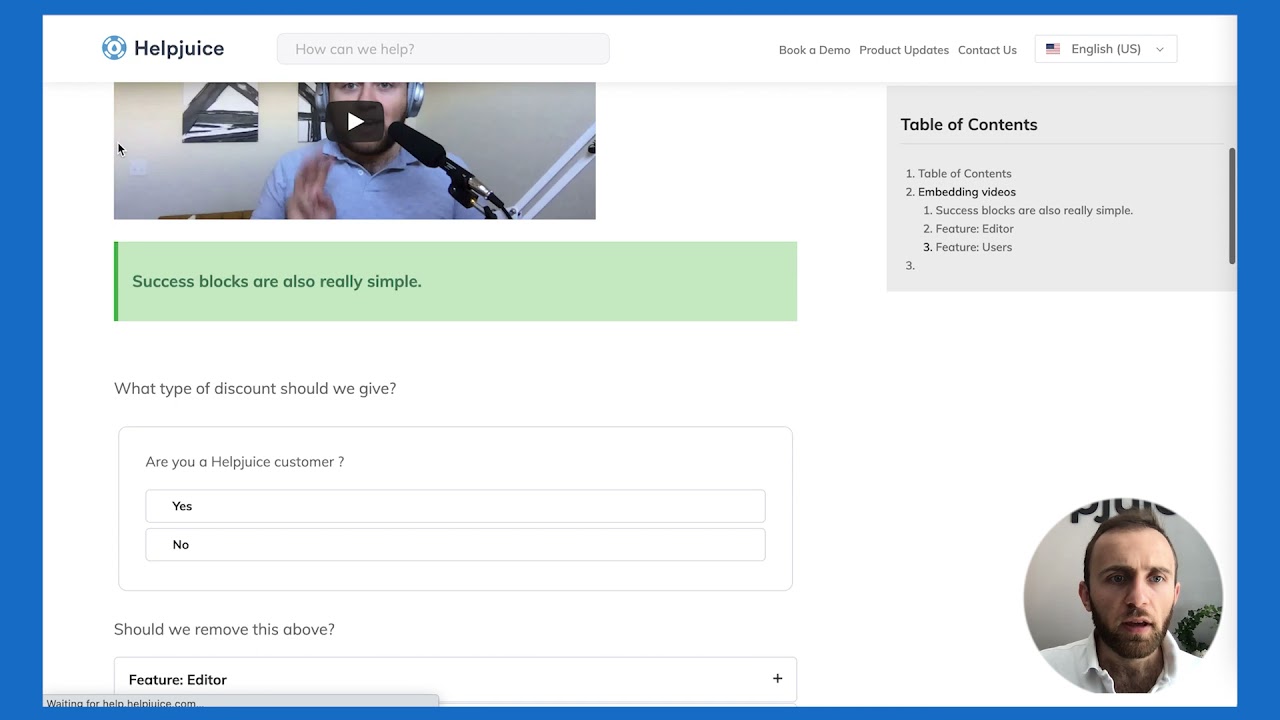
Screenshots of Helpjuice 3 images
Pricing breakdown
| Plan | Price | Best for |
|---|---|---|
| Knowledge Base | $249/mo | Small teams, up to 30 users and 12 GB of storage, per the pricing page |
Feature availability
| Feature | Status |
|---|---|
| Free tier | ✗ Free trial |
| Custom design | ✓ hand-built by vendor |
| File storage | 12 GB |
| Live collaboration | ✓ |
| Localization | ✓ incl. AI article translation |
Helpjuice feature availability summary: Free tier (✗ Free trial), Custom design (✓ hand-built by vendor), File storage (12 GB), Live collaboration (✓), and Localization (✓ incl. AI article translation).
Loading reviews…
What's great
- Knowledge base, answer bot and ASAP self-service widget are listed from the Standard plan
- Includes a community forum and customer happiness ratings from the Standard plan
- The demo shows search stats with popular and failed searches
Watch-outs
- The pricing page showed local currency, so confirm US prices
- Knowledge base is not in the Express plan
- Help center is one part of a help desk
Zoho Desk is a help desk with a self-service layer. It averages 4.4/5 on G2 across 8,104 reviews .
The pricing page lists the knowledge base, answer bot and ASAP widget from Standard, and its analytics show failed searches.
Best for Zoho-based teams. Wrong if you need a polished public docs site.
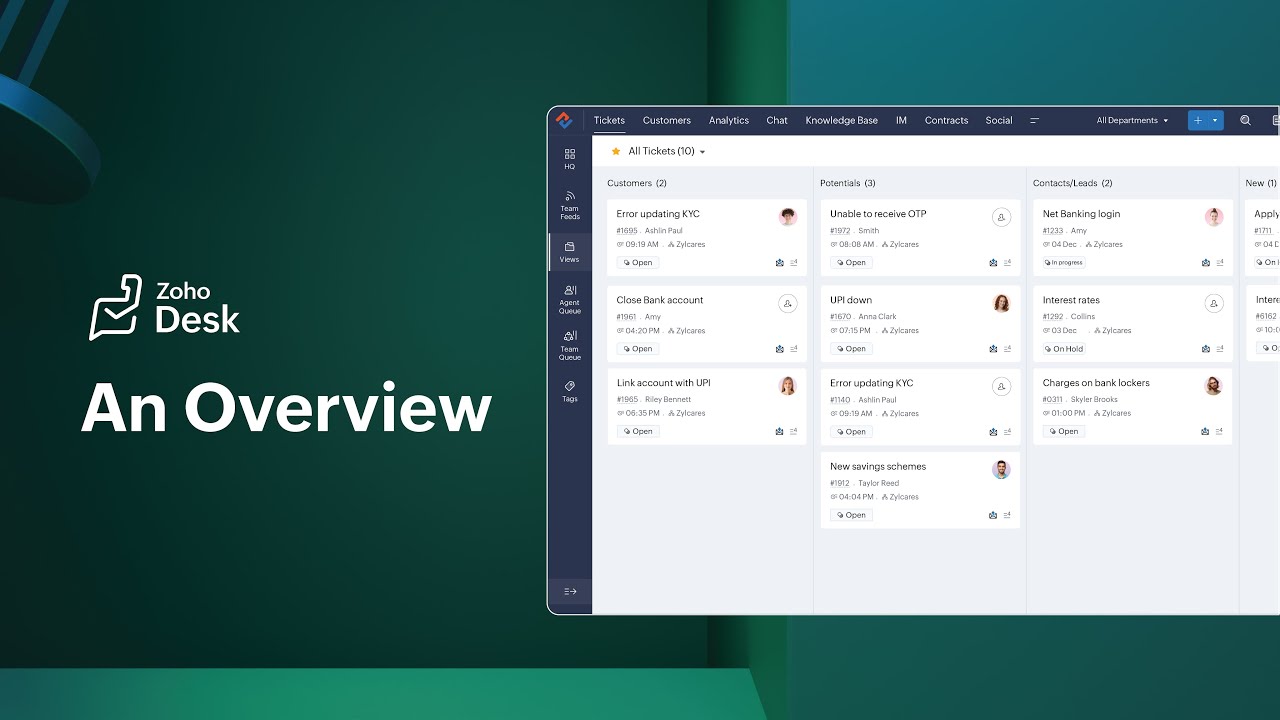
Screenshots of Zoho Desk 3 images
Pricing breakdown
| Plan | Price | Best for |
|---|---|---|
| Express | See vendor pricing | Micro business essentials: email, social, web forms, AI agents |
| Standard | See vendor pricing | Adds knowledge base, community forum, ASAP self-service widget and answer bot |
| Professional | See vendor pricing | Marked most popular on the pricing page |
Feature availability
| Feature | Status |
|---|---|
| Answer bot | Standard and above |
| Community forum | Standard and above |
| Knowledge base | Standard plan and above |
| Self service widget | ASAP, Standard and above |
Zoho Desk feature availability summary: Answer bot (Standard and above), Community forum (Standard and above), Knowledge base (Standard plan and above), and Self service widget (ASAP, Standard and above).
Loading reviews…
What's great
- Entry plan is $99 per month billed annually with 5 editors
- Plans run $99, $239 and $399 per month billed annually before enterprise
- Demo shows a clean published help center with search and category tiles
Watch-outs
- G2 lists only 18 reviews
- Enterprise starts at $1,250 per month
- Less analytics depth than larger tools
HelpDocs is a lightweight help center. G2 lists 18 reviews at 4.3/5, a small sample.
Plans run $99, $239 and $399 per month billed annually, with enterprise from $15,000 a year.
Best for small teams wanting a quick, clean help site. Wrong for large documentation sets.

Screenshots of HelpDocs 3 images
Pricing breakdown
| Plan | Price | Best for |
|---|---|---|
| Entry | $99/mo | Small teams, 5 editors, 1,000 AI credits, billed annually ($129 monthly) |
| Mid | $239/mo | Documentation tools for growing teams, billed annually ($299 monthly) |
| Upper | $399/mo | Governance for larger organisations, billed annually ($499 monthly) |
| Enterprise | From $1,250/mo | Large organizations, $15,000 a year |
Feature availability
| Feature | Status |
|---|---|
| AI | HelpDocs AI included |
| Editors | 5 on the entry plan |
HelpDocs feature availability summary: AI (HelpDocs AI included), and Editors (5 on the entry plan).
Loading reviews…
Tools we considered but excluded
We evaluated more tools than the 8 you see above. These did not make the cut. Saying what we rejected, and why, is the editorial muscle most listicles skip.
- Jira Service Management: Built for IT and internal support; covered in our ITSM guide
- HubSpot Service Hub: Included in the HubSpot CRM bundle; we did not verify its standalone help center pricing
Honorable mentions
Solid tools that did not crack the main list but are worth tracking, especially for niche use cases.
- KnowledgeOwl: 4.7/5 on G2 across 141 reviews; strong reader permissions and a reporting dashboard
- GitBook: 4.7/5 on G2 across 208 reviews; for developer-facing help centers
- Mintlify: Aimed at developer-facing help centers, with docs kept in Git
A customer searches for an answer at 11pm. If your help center has it, you never hear about the problem. If it does not, they open a ticket.
Documentation platform or help desk bundle
- Documentation platform (Document360, Helpjuice, HelpDocs): best article authoring, SEO and branding, but no tickets.
- Help desk bundle (Zendesk, Freshdesk, Intercom, Help Scout, Zoho Desk): tickets and chat with a simpler help center.
What to check
- Search quality, checked with the words customers use.
- A report of searches with no results.
- Branding and SEO control.
- Whether AI answers cite your articles.
Our pick
Document360 leads for teams that treat the help center as a content product. Zendesk or Freshdesk make more sense if you also need tickets in the same bill.
Frequently asked questions
What is the best help center software?
It depends on your setup. Document360 ranks first here for a documentation-led help center, at 4.7/5 on G2 across 557 reviews. Zendesk is the pick if you want tickets and articles in one suite.
Do I need a help desk and a help center?
Not necessarily. Document360 and Helpjuice are help center only. Zendesk, Freshdesk, Intercom, Help Scout and Zoho Desk include a help center with tickets or chat.
How much does help center software cost?
From vendor pages in November 2026: Helpjuice is $249 per month, HelpDocs starts at $99 per month, Help Scout starts at $25 per user, Zendesk Suite Team is $55 per agent, and Intercom helpdesk starts at $29 per seat. Document360 is quote-based.
Can a help center reduce support tickets?
It can, if articles answer real questions. Look for reports on searches with no results. Document360 lists a ticket deflector, Zoho Desk shows failed searches, and Intercom shows content gaps.
Which help center is best for a small team?
Help Scout, Freshdesk and HelpDocs are the usual picks. Check the G2 review base: HelpDocs has 18 reviews.
Is there a difference between a help center and a knowledge base?
A help center is the customer-facing site. A knowledge base can be internal or external. See our external and internal knowledge base guides.
Related helpful reads
Write a review
Posts to the page right away. Keep it real — no links or email addresses.