

Comparing the best Knowledge Base Software of 2026 includes 1. Document360 2. Helpjuice 3. Guru 4. Slite 5. Tettra 6. Slab 7. Confluence 8. Notion 9. Freshdesk 10. Zendesk Guide.
TL;DR
- Document360: best overall for dedicated customer and internal documentation. G2 4.7/5 across 557 reviews, with AI search, a chatbot, and an MCP server.
- Helpjuice: best for a customer-facing knowledge base with a published price. $249 per month, rated 4.7/5 on G2 across 384 reviews.
- Guru: best for delivering verified answers inside the tools people already use. 4.7/5 on G2 across 2,346 reviews.
- Slite: best for small teams that want a simple internal wiki. From $10 per member per month.
- Slab: best clean internal wiki, free for up to 10 users.
A desk-research comparison of ten knowledge base platforms, split by who reads the articles: customers, employees, or both. We looked at authoring, AI search, versioning and review workflows, analytics, and security. Document360 leads for teams that need a dedicated, AI-ready documentation site without enterprise pricing.
What is knowledge base software?
Knowledge base software lets a team write, organize, and publish answers in one searchable place, either for customers (a help center), for employees (an internal wiki), or both.
Products differ on audience, authoring and review workflow, how well search finds an answer, and what the analytics show about gaps. Some are documentation-first, such as Document360 and Helpjuice. Others sit inside a wider suite, such as Zendesk, Freshdesk, Confluence, and Notion.
Best Knowledge Base Software comparison: features, pricing and verdicts
| Tool | Best for | Starting price | Free trial | External rating |
|---|---|---|---|---|
Best overall for a dedicated knowledge base that serves customers, employees, and AI tools from one source | Custom quote | Demo | G2 4.7/5 (557 reviews) | |
Best for a branded, customer-facing knowledge base with a published monthly price | $249/mo | Free trial | G2 4.7/5 (384 reviews) | |
Best for putting verified answers in front of people inside the tools they already work in | Custom quote | Demo | G2 4.7/5 (2,346 reviews) | |
Best for small teams that want a simple internal wiki with published pricing | $10/member/mo | See vendor site | G2 4.6/5 (275 reviews) | |
Best for Slack-first teams that want answers delivered in chat | $8/user/mo | 30-day free trial | G2 4.7/5 (161 reviews) | |
Best clean internal wiki with a free plan and verification built in | $0 | Free plan | G2 4.6/5 (309 reviews) | |
Best for teams already on Atlassian that want a knowledge base tied to Jira | $0 | Free plan and trial | G2 4.1/5 (4,374 reviews) | |
Best for teams that want one workspace for notes, projects, and a light wiki | $0 | Free plan | G2 4.6/5 (13,979 reviews) | |
Best for teams that want a knowledge base inside a help desk with a low entry price | $15/agent/mo | Free trial | G2 4.4/5 (4,002 reviews) | |
Best for teams already on Zendesk that want the help center inside their support suite | $55/agent/mo | Free trial | G2 4.3/5 (7,126 reviews) |
How we chose these tools
This page is desk research. We read the live G2 listings, vendor pricing pages, and published product documentation, and we did not run hands-on trials of these products. Ratings and review counts are as shown on G2 when we last checked (November 2026) and can change. Prices are the figures shown on each vendor’s pricing page on the same date; where a vendor only offers a quote, we say so. Picks are framed around one question: who is the reader, a customer, an employee, or both?
Read the full CEOPickz.com research approach, including how desk-research pages and the editorial score work.
Detailed Knowledge Base Software reviews
Document360
Best overall for a dedicated knowledge base that serves customers, employees, and AI tools from one sourceWhat's great
- Built as a knowledge base first, with Markdown and WYSIWYG editors, revision history, category management, and reusable content
- map[AI features are part of the product page set:AI search, an AI chatbot, an AI writing agent, and an MCP server for feeding articles to other AI tools]
- Lists SOC 2 Type II, ISO 27001:2022 and GDPR on its pricing page, with SSO and SCIM documented on a dedicated page
Watch-outs
- Pricing is a custom quote, so you need a sales conversation to compare cost
- It is a documentation product, not a general workspace, so it will not replace a team's notes and project tool
- Several of the AI features are sold as a separate premium suite, so confirm what your plan includes
Document360 is a documentation platform built for publishing a public help center, an internal wiki, or both from one editor. It averages 4.7/5 on G2 across 557 reviews .
Its site lists the pieces a documentation team asks for: workflow and approval, analytics, SEO controls, import from PDF and Word, and a ticket deflector for support. It also exposes content through an MCP server , which matters if you want AI assistants to answer from your docs.
The trade-offs are quote-based pricing and an AI premium suite that is separate from the base product.
Best for SaaS, IT, and support teams that want one governed source for customer and employee documentation. Wrong if you want a general notes workspace or a public price list before talking to sales.
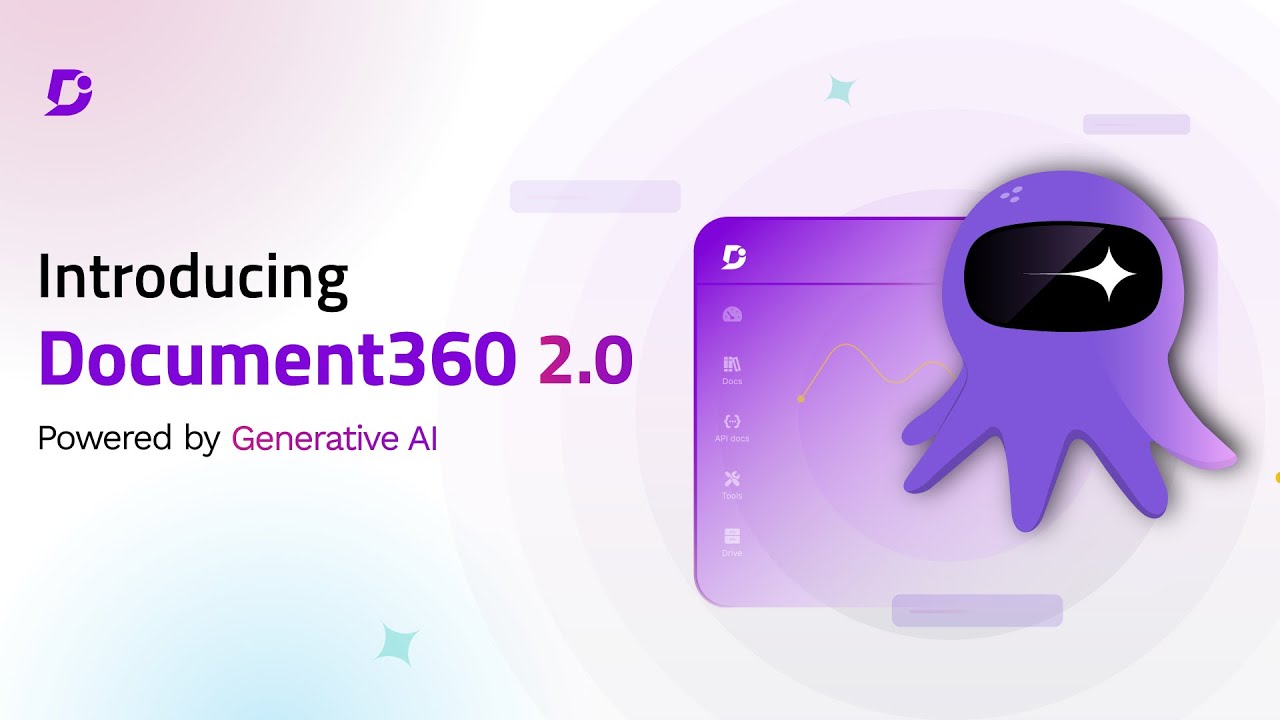
Screenshots of Document360 4 images
Pricing breakdown
| Plan | Price | Best for |
|---|---|---|
| Custom plan | Custom quote | Pricing is built around your setup through a short intake form |
Security & compliance
| Standard | Availability |
|---|---|
| GDPR | Yes |
| Iso27001 | Yes |
| SOC 2 Type II | Yes |
| SSO / SAML | Yes |
Document360 compliance summary: GDPR is yes, iso27001 is yes, SOC 2 Type II is yes, and SSO / SAML is yes.
Feature availability
| Feature | Status |
|---|---|
| Free tier | ✗ Demo / custom quote |
| AI | ✓ AI search, chatbot, writing agent, MCP server |
| Analytics | ✓ |
| Import pdf word | ✓ |
| Mermaid diagrams | ✓ |
| Seo | ✓ |
| Ticket deflector | ✓ |
| Workflow | ✓ |
Document360 feature availability summary: Free tier (✗ Demo / custom quote), AI (✓ AI search, chatbot, writing agent, MCP server), Analytics (✓), Import pdf word (✓), Mermaid diagrams (✓), Seo (✓), Ticket deflector (✓), and Workflow (✓).
Loading reviews…
What's great
- map[Publishes a price:$249 per month for 30 users, which makes budgeting simple]
- Its pricing page says the vendor hand-builds your knowledge base design, so the help center matches your brand
- Localization into as many languages as you need, with AI article translation, is listed on the pricing page
Watch-outs
- The entry plan is priced for a team, so a very small team may pay for seats it will not use
- Aimed at customer-facing help centers more than internal wikis
- map[Check storage limits:the listed plan includes 12 GB of file storage]
Helpjuice is the knowledge base for teams that want a polished customer help center and a clear price. It averages 4.7/5 on G2 across 384 reviews .
The pricing page lists $249 per month with 30 users, live collaboration and workflows, and localization. It also says the vendor customizes your design for you.
The trade-off is focus. It is strongest as an external help center, and less obviously a fit for a company-wide internal wiki.
Best for support and success teams that want a branded help center on a predictable monthly price. Wrong for a tiny team or one that mainly needs an internal wiki.
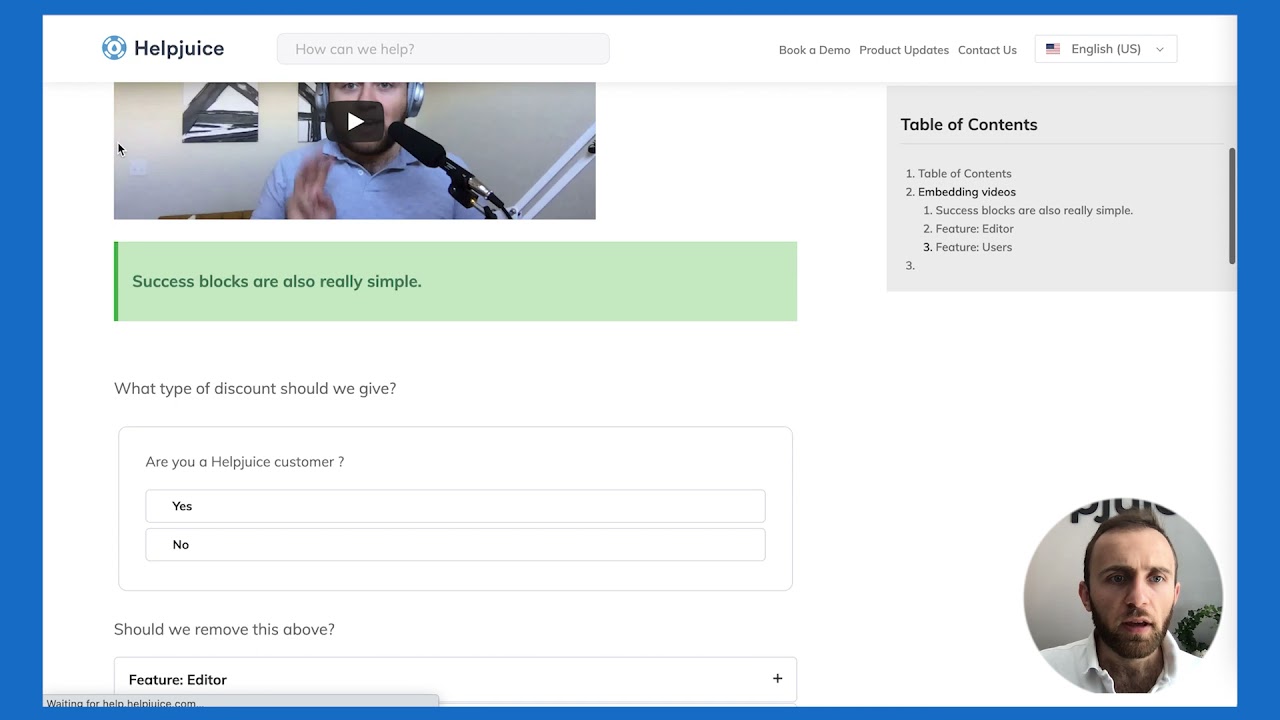
Screenshots of Helpjuice 3 images
Pricing breakdown
| Plan | Price | Best for |
|---|---|---|
| Knowledge Base | $249/mo | Small teams, up to 30 users and 12 GB of storage, per the pricing page |
Feature availability
| Feature | Status |
|---|---|
| Free tier | ✗ Free trial |
| Custom design | ✓ hand-built by vendor |
| File storage | 12 GB |
| Live collaboration | ✓ |
| Localization | ✓ incl. AI article translation |
Helpjuice feature availability summary: Free tier (✗ Free trial), Custom design (✓ hand-built by vendor), File storage (12 GB), Live collaboration (✓), and Localization (✓ incl. AI article translation).
Loading reviews…
What's great
- The largest G2 review base among the documentation-focused tools here, at 2,346 reviews and 4.7/5
- Its pricing page describes verification workflows, permission-aware answers with citations, and 100+ integrations
- Aimed at keeping knowledge accurate over time, not just storing it
Watch-outs
- Pricing is quote-based, with an AI and knowledge management strategy team included in the package
- Built for internal and AI-assisted answers, so it is not a public help-center builder
- Enterprise-style packaging can be heavy for a team of ten
Guru is the pick when the problem is trust in the answer, not a place to store pages. It averages 4.7/5 on G2 across 2,346 reviews .
Its pricing page describes an AI knowledge layer with verification workflows, usage signals, and agents that return cited, permission-aware answers.
The trade-off is that it is sold as a custom package, and it is not meant to publish a customer help center.
Best for mid-size and larger teams that want verified knowledge delivered into chat, search, and AI tools. Wrong for a small team that wants a simple public help site.

Screenshots of Guru 3 images
Pricing breakdown
| Plan | Price | Best for |
|---|---|---|
| Custom package | Custom quote | Platform plus a strategy team, sized to your scale and AI maturity |
Feature availability
| Feature | Status |
|---|---|
| AI agents | ✓ cited, permission-aware |
| Integrations | 100+ |
| Mcp delivery | ✓ |
| Verification workflows | ✓ |
Guru feature availability summary: AI agents (✓ cited, permission-aware), Integrations (100+), Mcp delivery (✓), and Verification workflows (✓).
Loading reviews…
What's great
- map[Published pricing:Basic at $10 and Pro at $20 per member per month]
- Positions docs as something to write, organize, and verify, with an AI knowledge base on the higher tier
- A lighter product than a full documentation platform, so setup is quick
Watch-outs
- Internal-first, with no dedicated customer help-center focus
- A smaller review base on G2 than the larger platforms (275 reviews)
- The AI knowledge base sits on the higher-priced tier
Slite is a lightweight team wiki. It averages 4.6/5 on G2 across 275 reviews .
Its pricing page lists Basic at $10 and Pro at $20 per member per month, with the AI-powered knowledge base on the higher plan.
The trade-off is scope. It suits an internal handbook better than a public help center.
Best for teams of roughly 5 to 100 that want a simple, verified internal wiki. Wrong if you need customer-facing documentation.
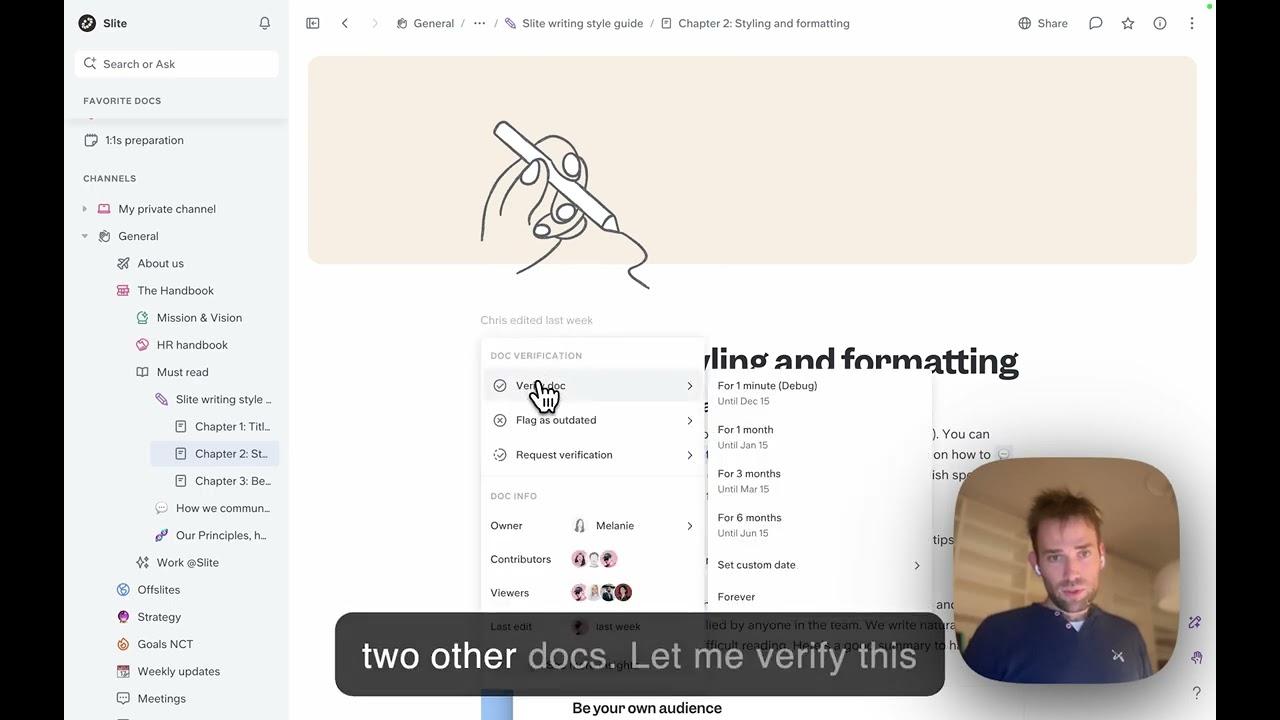
Screenshots of Slite 3 images
Pricing breakdown
| Plan | Price | Best for |
|---|---|---|
| Basic | $10/member/mo | Writing, organizing, and verifying docs |
| Pro | $20/member/mo | Adds the AI-powered knowledge base |
Feature availability
| Feature | Status |
|---|---|
| AI knowledge base | Pro plan |
| Verified docs | ✓ |
Slite feature availability summary: AI knowledge base (Pro plan), and Verified docs (✓).
Loading reviews…
What's great
- Published price of $8 per user per month with a 10-user minimum and a 30-day free trial
- Lists an AI bot in Slack, AI answers in DMs and channels, and usage analytics on the Scaling plan
- Can be trained on Google Docs content
Watch-outs
- The 10-user minimum rules out very small teams
- Internal wiki focus, not a public help center
- Smaller review base on G2 at 161 reviews
Tettra is built around the idea that people ask questions in Slack, so the answers should come back there. It averages 4.7/5 on G2 across 161 reviews .
The pricing page lists the Scaling plan at $8 per user per month with a 10-user minimum, plus AI answers in Slack and Google Workspace training.
The trade-off is a narrower audience: Slack-centric internal teams.
Best for 10 to 200 person teams that live in Slack. Wrong for teams that need a customer help center or work mainly in Teams.

Screenshots of Tettra 2 images
Pricing breakdown
| Plan | Price | Best for |
|---|---|---|
| Scaling | $8/user/mo | Growing teams, 10-user minimum, with AI and Slack features |
| Enterprise | Custom quote | SSO and SCIM, hands-on onboarding, custom reporting |
Security & compliance
| Standard | Availability |
|---|---|
| SSO / SAML | ✓ Enterprise |
Tettra compliance summary: SSO / SAML is ✓ enterprise.
Feature availability
| Feature | Status |
|---|---|
| Free tier | ✗ 30-day trial |
| API access | ✓ |
| Google docs training | ✓ |
| Slack bot | ✓ |
| Usage analytics | ✓ |
Tettra feature availability summary: Free tier (✗ 30-day trial), API access (✓), Google docs training (✓), Slack bot (✓), and Usage analytics (✓).
Loading reviews…
What's great
- Free for up to 10 users; Startup is $6.67 and Business $12.50 per user per month billed annually
- Verification, unified search and usage analytics are listed on the pricing page
- 4.6/5 on G2 across 309 reviews
Watch-outs
- Internal wiki focus, with no customer help-center builder
- Free plan has 90 days of version history and 10 MB attachments
- Smaller review base than Notion or Confluence
Slab is a wiki that stays quiet and easy to search. It averages 4.6/5 on G2 across 309 reviews .
Its pricing page lists a free plan for up to 10 users, with verification and unified search on every plan, and AI Autofix under its AI features.
The trade-off is scope: it is for employees, not customers.
Best for small and mid-size teams that want a tidy internal wiki. Wrong for public documentation.
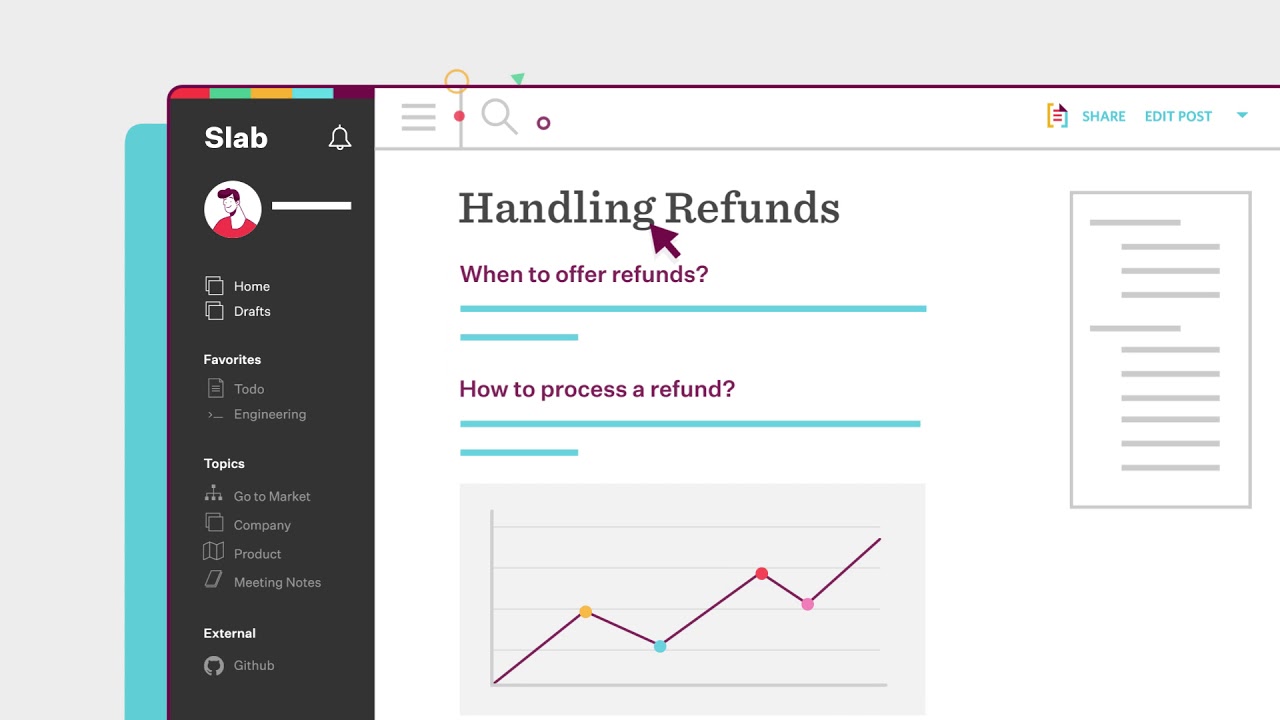
Screenshots of Slab 3 images
Pricing breakdown
| Plan | Price | Best for |
|---|---|---|
| Free | $0 | Up to 10 users, 90 days of version history |
| Startup | $6.67/user/mo | Unlimited users, 365 days of version history, billed annually |
| Business | $12.50/user/mo | Unlimited version history and guests, billed annually |
| Enterprise | Custom quote | 100+ users |
Feature availability
| Feature | Status |
|---|---|
| Free tier | ✓ up to 10 users |
| AI autofix | ✓ listed under AI capabilities |
| Unified search | ✓ |
| Usage analytics | 30 days on Free, longer on paid |
| Verification | ✓ |
Slab feature availability summary: Free tier (✓ up to 10 users), AI autofix (✓ listed under AI capabilities), Unified search (✓), Usage analytics (30 days on Free, longer on paid), and Verification (✓).
Loading reviews…
What's great
- Free forever for up to 10 users, and Standard starts at $5.78 per user per month on the pricing page
- Natural fit if your team already runs Jira, with pages, spaces, templates, and databases
- map[Large review base:4,374 reviews on G2]
Watch-outs
- The G2 rating of 4.1 is the lowest among the tools here
- A general wiki and workspace, not a purpose-built customer help center
- Search and structure can sprawl as the number of spaces grows
Confluence is the default wiki for many engineering teams. It averages 4.1/5 on G2 across 4,374 reviews .
The pricing page shows a free plan for up to 10 users and Standard at $5.78 per user per month, with Rovo AI search and chat on paid plans.
The trade-off is that it is a workspace, not a documentation product, and the lower rating reflects that.
Best for teams already on Jira that want an internal wiki at low cost. Wrong if you need a polished public help center.

Screenshots of Confluence 2 images
Pricing breakdown
| Plan | Price | Best for |
|---|---|---|
| Free | $0 | Up to 10 users, 2 GB storage |
| Standard | $5.78/user/mo | Rovo AI, advanced permissions, 250 GB storage |
Feature availability
| Feature | Status |
|---|---|
| Free tier | ✓ up to 10 users |
| AI | Rovo on Standard and above |
| Databases | ✓ |
| Storage | 2 GB Free / 250 GB Standard |
Confluence feature availability summary: Free tier (✓ up to 10 users), AI (Rovo on Standard and above), Databases (✓), and Storage (2 GB Free / 250 GB Standard).
Loading reviews…
What's great
- Free plan, with Plus at $10 per seat per month and Business at $20 on the pricing page
- Databases, sites, forms, and a wiki in one tool
- map[The biggest review base here:13,979 reviews on G2]
Watch-outs
- Not a dedicated documentation platform, so review workflows and public help-center controls are lighter
- Per-seat pricing grows quickly across a whole company
- Flexibility means someone must own the structure or it turns messy
Notion is a flexible workspace that many teams use as a wiki. It averages 4.6/5 on G2 across 13,979 reviews .
The pricing page lists Free, Plus at $10, and Business at $20 per seat per month, with custom sites and forms on paid plans.
The trade-off is that it is general-purpose, so you build the knowledge base yourself.
Best for startups that want notes, projects, and a wiki in one place. Wrong for teams that need versioned, reviewed customer documentation.
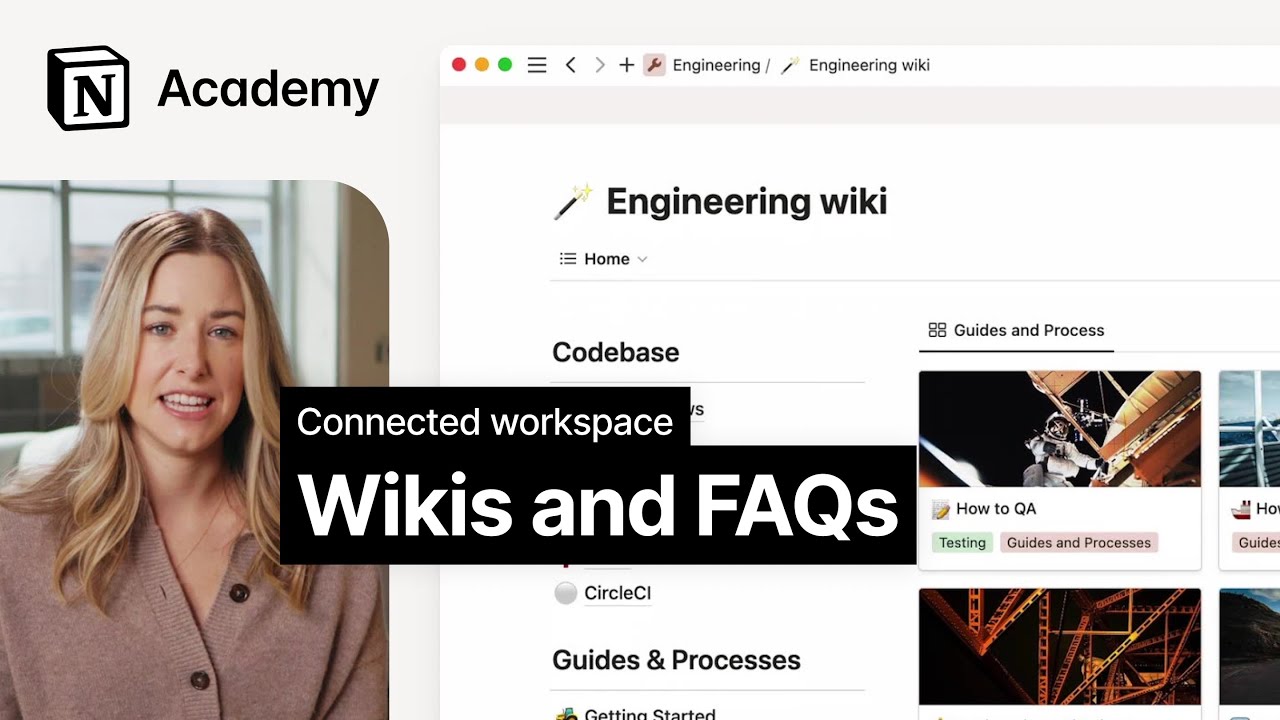
Screenshots of Notion 4 images
Pricing breakdown
| Plan | Price | Best for |
|---|---|---|
| Free | $0 | Individuals |
| Plus | $10/seat/mo | Small teams |
| Business | $20/seat/mo | Teams that want the full AI workspace |
Feature availability
| Feature | Status |
|---|---|
| Free tier | ✓ |
| AI | Trial on Plus, full on Business |
| Custom sites | Plus and above |
| Databases | ✓ |
Notion feature availability summary: Free tier (✓), AI (Trial on Plus, full on Business), Custom sites (Plus and above), and Databases (✓).
Loading reviews…
What's great
- Customer portal and knowledge base are listed in the Growth plan alongside ticketing
- Freddy AI Agent with the first 500 sessions included, per the pricing page
- The vendor lists a starting price of $15 per agent per month, and G2 has 4,002 reviews at 4.4/5
Watch-outs
- You pay per support agent, so it suits a support team more than a documentation team
- Pricing shows in local currency, so confirm US pricing before you compare
- The knowledge base is one feature of a help desk, with less authoring control than a documentation platform
Freshdesk is a help desk with a customer portal and knowledge base built in. It averages 4.4/5 on G2 across 4,002 reviews .
The pricing page lists the portal and knowledge base in the Growth plan, with Freddy AI Agent sessions included. The vendor advertises pricing from $15 per agent per month.
The trade-off is that the knowledge base serves the help desk, not the other way round.
Best for small and mid-size support teams that want tickets and a help center in one bill. Wrong if documentation is the main job.

Screenshots of Freshdesk 4 images
Pricing breakdown
| Plan | Price | Best for |
|---|---|---|
| Growth | From $15/agent/mo | Ticketing, customer portal and knowledge base, Freddy AI Agent with 500 sessions included |
| Pro and above | See vendor pricing | More AI and help desk features; the page shows regional pricing, so check your currency |
Feature availability
| Feature | Status |
|---|---|
| AI agent | Freddy AI Agent, first 500 sessions included |
| Analytics | ✓ |
| Customer portal | ✓ |
| Knowledge base | Growth plan and above |
Freshdesk feature availability summary: AI agent (Freddy AI Agent, first 500 sessions included), Analytics (✓), Customer portal (✓), and Knowledge base (Growth plan and above).
Loading reviews…
Zendesk Guide
Best for teams already on Zendesk that want the help center inside their support suiteWhat's great
- Knowledge base is listed in Suite Team at $55 per agent per month, alongside AI agents and messaging
- One place for tickets and help-center articles
- Large, mature ecosystem
Watch-outs
- The G2 rating used here (4.3 across 7,126 reviews) is for the wider Zendesk for Customer Service product, not Guide alone
- You pay per agent, and the knowledge base is bundled into a larger suite
- Heavy if all you need is documentation
Zendesk Guide is the help center inside Zendesk. The G2 listing for Zendesk for Customer Service averages 4.3/5 across 7,126 reviews; that rating covers the whole suite, not Guide alone.
The pricing page lists Support Team at $19 and Suite Team at $55 per agent per month, with the knowledge base appearing from Suite Team.
The trade-off is paying for a suite to get a help center.
Best for teams already running Zendesk support. Wrong if documentation is the main job.

Screenshots of Zendesk Guide 3 images
Pricing breakdown
| Plan | Price | Best for |
|---|---|---|
| Support Team | $19/agent/mo | Core ticketing |
| Suite Team | $55/agent/mo | Adds knowledge base, AI agents, messaging |
Feature availability
| Feature | Status |
|---|---|
| AI agents | Suite Team and above |
| Knowledge base | Suite Team and above |
Zendesk Guide feature availability summary: AI agents (Suite Team and above), and Knowledge base (Suite Team and above).
Loading reviews…
Tools we considered but excluded
We evaluated more tools than the 10 you see above. These did not make the cut. Saying what we rejected, and why, is the editorial muscle most listicles skip.
- BookStack: Open-source, self-hosted wiki with a single G2 review, too thin to rate
- ProProfs Knowledge Base: We did not verify its ratings and pricing for this edition
- Bloomfire: Quote-only and enterprise-sized; covered in our internal knowledge base guide
Honorable mentions
Solid tools that did not crack the main list but are worth tracking, especially for niche use cases.
- Help Scout: 4.4/5 on G2 across 434 reviews; Standard at $25 per user per month includes multiple knowledge bases
- GitBook: 4.7/5 on G2 across 208 reviews; better for developer and API docs
- Stonly: 4.8/5 on G2 across 132 reviews; guided support flows
A customer opens a ticket asking how to reset an integration. Your team has answered that question forty times, and the answer lives in three places. A knowledge base fixes that: write the answer once, make it findable, and keep it current.
This guide ranks ten platforms by who reads the articles. Customers, employees, or both changes the shortlist more than any feature list.
Customer-facing or internal
Decide the reader first.
- Customers: you need branding, SEO, a clean public site, and ticket deflection. Document360, Helpjuice, Freshdesk, and Zendesk Guide are built for this.
- Employees: you need verification, permissions, and answers inside chat. Guru, Tettra, Slite, Slab, and Confluence lean this way.
- Both: Document360 and Notion can serve either side, with different amounts of setup.
What to check in a demo
- Search: ask the vendor to search for a question in the words a customer would use, not the article title.
- Review workflow: can a draft be approved before it goes live, and can you see who changed what?
- Analytics: does it show searches with no results, the clearest sign of a content gap?
- Permissions: can you restrict some articles to staff?
- AI: where do the answers come from, and are they cited?
Pricing in practice
Pricing models differ. Per-seat tools such as Tettra, Slite, and Notion get costly as the whole company joins. Per-author or flat models such as Helpjuice and Document360 are easier to predict when many readers but few writers use the system. Ask which people count as paid users.
Our pick
Document360 leads because it is a documentation product first, covers customer and internal use, and exposes content to AI tools. It is not the cheapest or the simplest, and its pricing is by quote. If you want a published price, Helpjuice is the closest alternative. If you want verified answers inside chat, choose Guru.
Frequently asked questions
What is the best knowledge base software?
Document360 ranks first here for a dedicated knowledge base, at 4.7/5 on G2 across 557 reviews. Helpjuice and Guru also rate 4.7/5. The right pick depends on whether readers are customers, employees, or both.
What is the difference between an internal and an external knowledge base?
An external knowledge base is a public help center for customers. An internal one is a private wiki for employees. Document360 covers both; Helpjuice leans external; Guru, Slite, and Tettra lean internal.
How much does knowledge base software cost?
From our pricing-page check in November 2026: Slab is free up to 10 users, Confluence is free up to 10 users, Tettra is $8 per user per month, Slite starts at $10, Notion Plus is $10, Freshdesk advertises plans from $15 per agent, and Helpjuice is $249 per month for 30 users. Document360 and Guru are quote-based.
Do I need AI in a knowledge base?
AI search and chat help readers find answers faster, but they only work if the underlying articles are accurate. Document360, Guru, and Tettra list AI features; check what your plan includes, because some are sold as add-ons.
Can I use Notion or Confluence as a knowledge base?
Yes for an internal wiki. Both are general workspaces, so you build the structure yourself. A dedicated tool such as Document360 or Helpjuice gives you versioning, review workflows, and public help-center controls out of the box.
Is Zendesk Guide rated separately on G2?
The G2 figure we cite (4.3/5 across 7,126 reviews) is for Zendesk for Customer Service, the wider product. It is not a Guide-only rating.
Related helpful reads
Write a review
Posts to the page right away. Keep it real — no links or email addresses.