

Comparing the best Knowledge Management Software for Teams of 2026 includes 1. Notion 2. Confluence 3. Guru 4. Document360 5. Bloomfire 6. Microsoft SharePoint 7. Tettra 8. Slab.
TL;DR
- Notion: best all-in-one workspace, from $10 per seat per month. 4.6/5 across 13,979 reviews.
- Confluence: best for engineering and IT teams on Atlassian, free up to 10 users.
- Guru: best for keeping answers verified and delivered in chat. 4.7/5 across 2,346 reviews.
- Document360: best for governed documentation with approvals and analytics. G2 4.7/5 across 557 reviews.
- Bloomfire: best for large enterprises pooling institutional knowledge.
A desk-research comparison of eight knowledge management tools, from governed documentation to enterprise knowledge hubs. Rankings rest on G2 ratings and vendor pricing. Notion, Confluence and Guru cover the broadest knowledge needs, and Document360 is the pick for teams that need governed documentation for staff and customers.
What is knowledge management software?
Knowledge management software helps an organization capture, organize, verify and share what its people know, so answers are found instead of re-asked.
It covers internal wikis, verified-answer tools and enterprise knowledge hubs. The differences that matter are how content stays accurate, who can see it, and how answers reach people at work.
Best Knowledge Management Software for Teams comparison: features, pricing and verdicts
| Tool | Best for | Starting price | Free trial | External rating |
|---|---|---|---|---|
Best all-in-one workspace where knowledge sits beside projects and notes | $0 | Free plan | G2 4.6/5 (13,979 reviews) | |
Best for engineering, IT and product teams that already run Jira | $0 | Free plan and trial | G2 4.1/5 (4,374 reviews) | |
Best for keeping knowledge verified and delivering it inside chat, browser and AI tools | Custom quote | Demo | G2 4.7/5 (2,346 reviews) | |
Best for governed documentation that serves staff and customers from one platform | Custom quote | Demo | G2 4.7/5 (557 reviews) | |
Best for large enterprises pooling knowledge from documents, media and conversations | Custom quote | Demo | G2 4.6/5 (520 reviews) | |
Best for organizations already on Microsoft 365 that want a knowledge hub inside it | $7/user/mo | Free trial | G2 4.0/5 (8,999 reviews) | |
Best for Slack-first teams that want answers delivered where questions are asked | $8/user/mo | 30-day free trial | G2 4.7/5 (161 reviews) | |
Best clean, searchable wiki with verification and a free plan | $0 | Free plan | G2 4.6/5 (309 reviews) |
How we chose these tools
This page is desk research. We read the live G2 listings, vendor pricing pages and published product material, and we did not run hands-on trials of these products. We used US Google results, ChatGPT and Perplexity only to find candidate tools; the ranking rests on G2 ratings, review counts, vendor pricing and product material. Ratings and review counts are as shown on G2 in November 2026 and can change; prices are from each vendor’s pricing page on the same date, and where we could not find a list price we say so. The frame is how knowledge stays accurate and reaches people: governance, verification, or a general workspace.
Read the full CEOPickz.com research approach, including how desk-research pages and the editorial score work.
Detailed Knowledge Management Software for Teams reviews
What's great
- Free plan; Plus $10 and Business $20 per seat per month
- Wikis, databases and sites in one tool
- 13,979 G2 reviews, the biggest base here
Watch-outs
- Structure depends on whoever owns it
- Per-seat cost grows across a company
- Fewer formal review controls
Notion combines docs, databases and a wiki. It averages 4.6/5 on G2 across 13,979 reviews .
Pricing is Free, Plus at $10 and Business at $20 per seat per month.
Best for startups and cross-functional teams. Wrong for governed customer documentation.
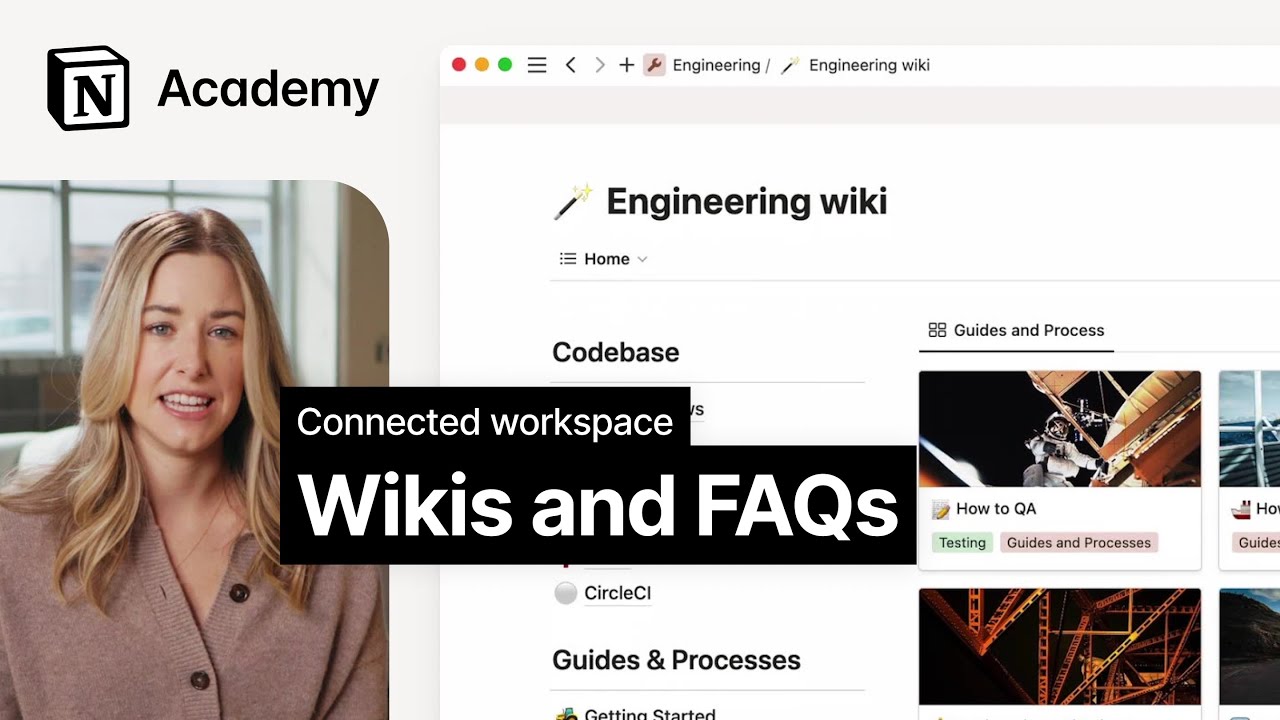
Screenshots of Notion 4 images
Pricing breakdown
| Plan | Price | Best for |
|---|---|---|
| Free | $0 | Individuals |
| Plus | $10/seat/mo | Small teams |
| Business | $20/seat/mo | Teams that want the full AI workspace |
Feature availability
| Feature | Status |
|---|---|
| Free tier | ✓ |
| AI | Trial on Plus, full on Business |
| Custom sites | Plus and above |
| Databases | ✓ |
Notion feature availability summary: Free tier (✓), AI (Trial on Plus, full on Business), Custom sites (Plus and above), and Databases (✓).
Loading reviews…
What's great
- Free for up to 10 users; Standard is $5.78 per user per month
- Pages, spaces and templates, with Jira links
- 4,374 G2 reviews
Watch-outs
- 4.1/5 on G2 is the second-lowest rating here
- Spaces can sprawl without an owner
- Less guidance on keeping content verified
Confluence is the knowledge hub for Atlassian shops. It averages 4.1/5 on G2 across 4,374 reviews .
The pricing page lists a free plan for up to 10 users and Standard at $5.78 per user per month, with Rovo AI search on paid plans.
Best for engineering-led teams. Wrong for non-technical teams.

Screenshots of Confluence 2 images
Pricing breakdown
| Plan | Price | Best for |
|---|---|---|
| Free | $0 | Up to 10 users, 2 GB storage |
| Standard | $5.78/user/mo | Rovo AI, advanced permissions, 250 GB storage |
Feature availability
| Feature | Status |
|---|---|
| Free tier | ✓ up to 10 users |
| AI | Rovo on Standard and above |
| Databases | ✓ |
| Storage | 2 GB Free / 250 GB Standard |
Confluence feature availability summary: Free tier (✓ up to 10 users), AI (Rovo on Standard and above), Databases (✓), and Storage (2 GB Free / 250 GB Standard).
Loading reviews…
What's great
- Verification workflows and usage signals, per the pricing page
- Cited, permission-aware knowledge agents
- 4.7/5 on G2 across 2,346 reviews
Watch-outs
- Custom quote
- Aimed at mid-size and larger teams
- Not a public help center builder
Guru is built to stop stale answers. It averages 4.7/5 on G2 across 2,346 reviews .
Its pricing page describes verification workflows, an AI knowledge layer and 100+ integrations.
Best for teams that want trusted answers in the tools people already use. Wrong for small teams on a budget.

Screenshots of Guru 3 images
Pricing breakdown
| Plan | Price | Best for |
|---|---|---|
| Custom package | Custom quote | Platform plus a strategy team, sized to your scale and AI maturity |
Feature availability
| Feature | Status |
|---|---|
| AI agents | ✓ cited, permission-aware |
| Integrations | 100+ |
| Mcp delivery | ✓ |
| Verification workflows | ✓ |
Guru feature availability summary: AI agents (✓ cited, permission-aware), Integrations (100+), Mcp delivery (✓), and Verification workflows (✓).
Loading reviews…
What's great
- Approval workflow, revision history and role-based access, plus SSO and SCIM on dedicated pages
- Analytics on what people search for, which shows knowledge gaps
- SOC 2 Type II and ISO 27001:2022 listed on the pricing page
Watch-outs
- Quote-based pricing
- Not a verified-answer tool like Guru or an enterprise hub like Bloomfire
- Broader hubs such as Confluence, Notion and SharePoint cover more than documentation
Document360 is the governance-first pick. It averages 4.7/5 on G2 across 557 reviews .
It gives knowledge the approvals, versioning and permissions that wikis often lack, and analytics show which questions go unanswered.
The trade-off is breadth. If knowledge lives in many systems, a verified-answer tool or an intranet suite fits better.
Best for teams whose knowledge is documentation. Wrong for knowledge scattered across chat, files and apps.
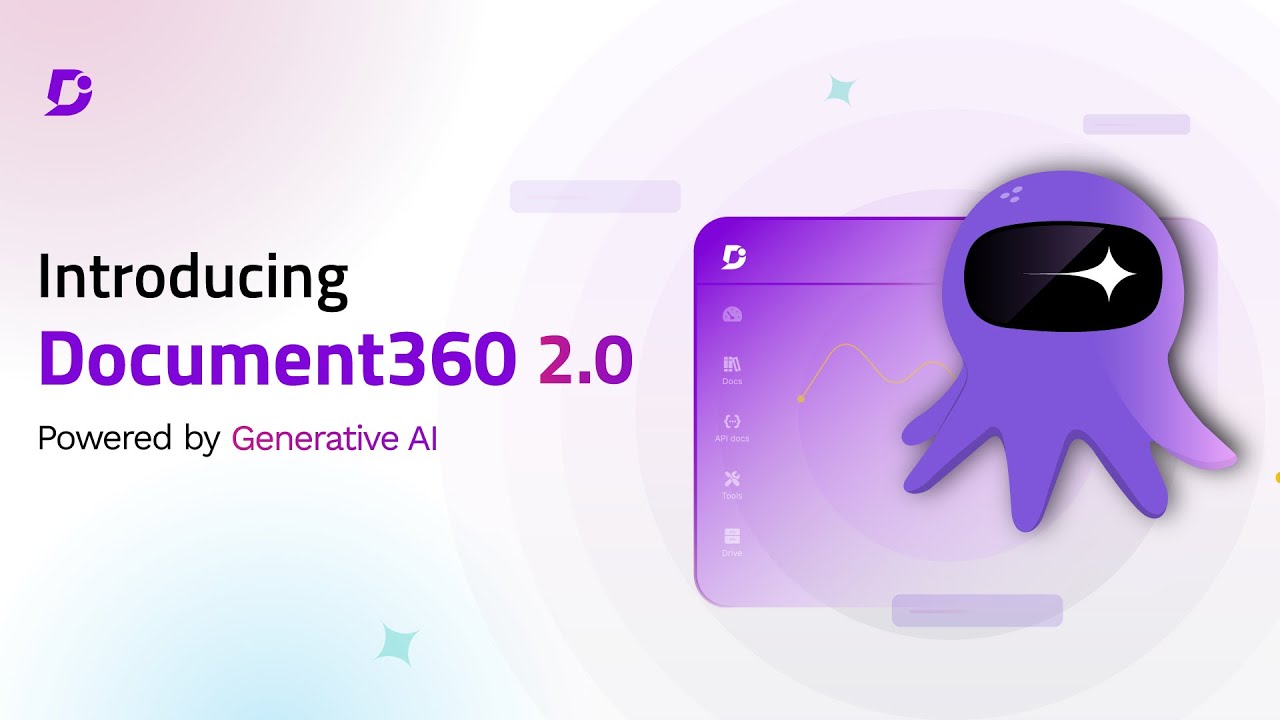
Screenshots of Document360 4 images
Pricing breakdown
| Plan | Price | Best for |
|---|---|---|
| Custom plan | Custom quote | Pricing is built around your setup through a short intake form |
Security & compliance
| Standard | Availability |
|---|---|
| GDPR | Yes |
| Iso27001 | Yes |
| SOC 2 Type II | Yes |
| SSO / SAML | Yes |
Document360 compliance summary: GDPR is yes, iso27001 is yes, SOC 2 Type II is yes, and SSO / SAML is yes.
Feature availability
| Feature | Status |
|---|---|
| Free tier | ✗ Demo / custom quote |
| AI | ✓ AI search, chatbot, writing agent, MCP server |
| Analytics | ✓ |
| Import pdf word | ✓ |
| Mermaid diagrams | ✓ |
| Seo | ✓ |
| Ticket deflector | ✓ |
| Workflow | ✓ |
Document360 feature availability summary: Free tier (✗ Demo / custom quote), AI (✓ AI search, chatbot, writing agent, MCP server), Analytics (✓), Import pdf word (✓), Mermaid diagrams (✓), Seo (✓), Ticket deflector (✓), and Workflow (✓).
Loading reviews…
What's great
- Fixed price by scope, with no user counts, per its pricing page
- Connectors for existing tools
- Onboarding and content migration help
Watch-outs
- Quote only
- Enterprise-sized
- Not a public help center builder
Bloomfire is an enterprise knowledge hub. It averages 4.6/5 on G2 across 520 reviews .
Its pricing page promises a fixed price with no consumption charges or user counts.
Best for large organizations. Wrong for small teams.
Pricing breakdown
| Plan | Price | Best for |
|---|---|---|
| Custom | Custom quote | Fixed price based on intended scope |
Feature availability
| Feature | Status |
|---|---|
| Free tier | ✗ Quote only |
| Onboarding and migration | ✓ |
| Pricing model | Fixed price by scope |
| Source connectors | ✓ |
Bloomfire feature availability summary: Free tier (✗ Quote only), Onboarding and migration (✓), Pricing model (Fixed price by scope), and Source connectors (✓).
Loading reviews…
Microsoft SharePoint
Best for organizations already on Microsoft 365 that want a knowledge hub inside itWhat's great
- Included with Microsoft 365 Business plans, from $7 per user per month paid yearly
- Team sites and news pages, as shown in the demo
- Part of Microsoft 365, so it shares your existing accounts and permissions
Watch-outs
- 4.0/5 on G2 across 8,999 reviews, the lowest rating here
- Needs an owner to keep sites organized
- Not built around verified answers
SharePoint is the Microsoft route to a knowledge hub. It averages 4.0/5 on G2 across 8,999 reviews .
Microsoft lists Business Basic at $7 per user per month paid yearly, with Copilot on higher plans.
Best for Microsoft 365 organizations. Wrong for teams outside the Microsoft stack.

Screenshots of Microsoft SharePoint 1 images
Pricing breakdown
| Plan | Price | Best for |
|---|---|---|
| Microsoft 365 Business Basic | $7/user/mo | Web and mobile apps, paid yearly |
| Microsoft 365 Business Standard with Copilot | $23.50/user/mo | Adds Copilot, paid yearly |
| Microsoft 365 Business Premium with Copilot | $32/user/mo | Adds security features, paid yearly |
Feature availability
| Feature | Status |
|---|---|
| Copilot | Business plans with Copilot |
| Intranet sites | ✓ |
| Microsoft 365 | ✓ native |
| Permissions | ✓ |
Microsoft SharePoint feature availability summary: Copilot (Business plans with Copilot), Intranet sites (✓), Microsoft 365 (✓ native), and Permissions (✓).
Loading reviews…
What's great
- $8 per user per month with a 10-user minimum
- AI answers in Slack channels and DMs
- 4.7/5 on G2 across 161 reviews
Watch-outs
- 10-user minimum
- Slack-centric
- Small G2 base
Tettra pairs a wiki with a Slack bot. It averages 4.7/5 on G2 across 161 reviews .
The Scaling plan lists AI answers in Slack and Google Workspace training.
Best for Slack teams of 10 to 200. Wrong for teams on Microsoft Teams.

Screenshots of Tettra 2 images
Pricing breakdown
| Plan | Price | Best for |
|---|---|---|
| Scaling | $8/user/mo | Growing teams, 10-user minimum, with AI and Slack features |
| Enterprise | Custom quote | SSO and SCIM, hands-on onboarding, custom reporting |
Security & compliance
| Standard | Availability |
|---|---|
| SSO / SAML | ✓ Enterprise |
Tettra compliance summary: SSO / SAML is ✓ enterprise.
Feature availability
| Feature | Status |
|---|---|
| Free tier | ✗ 30-day trial |
| API access | ✓ |
| Google docs training | ✓ |
| Slack bot | ✓ |
| Usage analytics | ✓ |
Tettra feature availability summary: Free tier (✗ 30-day trial), API access (✓), Google docs training (✓), Slack bot (✓), and Usage analytics (✓).
Loading reviews…
What's great
- Free for up to 10 users; Startup $6.67 and Business $12.50 per user per month
- Verification and unified search on every plan
- 4.6/5 on G2 across 309 reviews
Watch-outs
- Internal only
- Free plan keeps 90 days of version history
- Smaller base than the larger tools
Slab is a tidy, searchable wiki. It averages 4.6/5 on G2 across 309 reviews .
Best for small and mid-size teams. Wrong for customer-facing documentation.
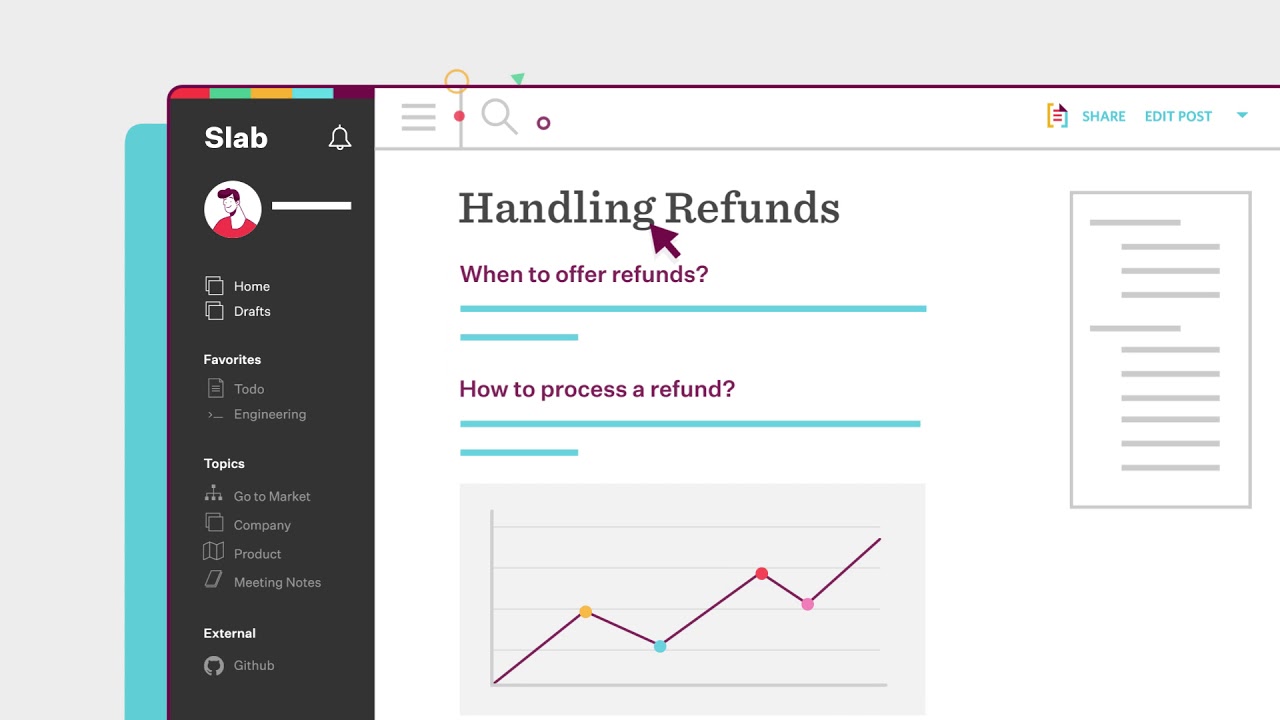
Screenshots of Slab 3 images
Pricing breakdown
| Plan | Price | Best for |
|---|---|---|
| Free | $0 | Up to 10 users, 90 days of version history |
| Startup | $6.67/user/mo | Unlimited users, 365 days of version history, billed annually |
| Business | $12.50/user/mo | Unlimited version history and guests, billed annually |
| Enterprise | Custom quote | 100+ users |
Feature availability
| Feature | Status |
|---|---|
| Free tier | ✓ up to 10 users |
| AI autofix | ✓ listed under AI capabilities |
| Unified search | ✓ |
| Usage analytics | 30 days on Free, longer on paid |
| Verification | ✓ |
Slab feature availability summary: Free tier (✓ up to 10 users), AI autofix (✓ listed under AI capabilities), Unified search (✓), Usage analytics (30 days on Free, longer on paid), and Verification (✓).
Loading reviews…
Tools we considered but excluded
We evaluated more tools than the 8 you see above. These did not make the cut. Saying what we rejected, and why, is the editorial muscle most listicles skip.
- Zendesk: Aimed at customer support; covered in our help center guide
- Softr: No-code app builder with knowledge features; not a knowledge management product first
Honorable mentions
Solid tools that did not crack the main list but are worth tracking, especially for niche use cases.
- Slite: 4.6/5 on G2 across 275 reviews; a simple verified wiki from $10 per member per month
- Nuclino: 4.7/5 on G2 across 30 reviews; a lightweight wiki from $6 per user per month
- BookStack: Open-source, self-hosted wiki for teams that want data ownership
Most companies do not lack knowledge. They lack a way to find the current version. Knowledge management software closes that gap by giving content owners, a review cycle and a way to reach people where they work.
Pick by what is going wrong
- Answers are out of date: Guru or Slab, which build verification in.
- Documentation has no approval trail: Document360.
- Everything lives in Jira and engineering: Confluence.
- Knowledge is scattered across a Microsoft estate: SharePoint.
- You are a startup mixing docs and projects: Notion.
What to check
- Who owns each page, and when is it reviewed?
- Can you see searches that return nothing?
- Do permissions match your org chart?
Our pick
Notion leads as the broadest, most flexible starting point, with Confluence and Guru close behind for Atlassian teams and verified answers. Document360 is the pick when your knowledge is documentation that needs approvals and analytics.
Frequently asked questions
What is the best knowledge management software?
It depends on the job. Notion ranks first here as the broadest, most flexible workspace, with Confluence for Atlassian teams and Guru for verified answers in chat. Document360, at 4.7/5 on G2 across 557 reviews, is the pick for governed documentation.
What is the difference between knowledge management and a knowledge base?
A knowledge base is a place to store articles. Knowledge management adds ownership, verification and delivery so knowledge stays accurate and reaches people. Guru and Bloomfire lean toward the broader definition.
How much does knowledge management software cost?
From vendor pages in November 2026: Confluence and Slab are free up to 10 users, Tettra is $8 per user per month, Notion Plus is $10, and SharePoint is included from $7 per user in Microsoft 365 Business Basic. Document360, Guru and Bloomfire are quote-based.
Do I need AI in knowledge management?
AI search and answers help people find things, but only if the content is accurate. Guru and Document360 list AI features, and Confluence offers Rovo on paid plans.
Which tool is best for a Microsoft 365 company?
SharePoint, since it is included in Microsoft 365. Check how well your teams will maintain the sites.
Can one tool serve staff and customers?
Yes, with trade-offs. Document360 can publish public and private content. Wikis such as Confluence and Notion are weaker as public help centers.
Related helpful reads
Write a review
Posts to the page right away. Keep it real — no links or email addresses.