

Comparing the best Software Documentation Tools for Product and Engineering Teams of 2026 includes 1. GitBook 2. Document360 3. Confluence 4. Mintlify 5. ReadMe 6. Notion 7. Slab 8. ClickHelp.
TL;DR
- GitBook: best all-round for engineers and non-engineers, from $65 per site per month.
- Document360: best for customer-facing product docs. G2 4.7/5 across 557 reviews.
- Confluence: best for internal docs on Atlassian, free up to 10 users.
- Mintlify: best docs-as-code developer docs, Pro $450 per month.
- ReadMe: best when the product is an API, Pro $250 per month.
A desk-research comparison of eight tools for documenting a software product. Rankings rest on G2 ratings and vendor pricing. GitBook is the best all-rounder, Document360 is the pick for customer-facing documentation with approvals and versioning, and Confluence is the default for internal documents.
What are software documentation tools?
Software documentation tools help teams write, organize and publish documentation for a software product: user guides, release notes, developer docs, API references and internal runbooks.
They differ on who writes (engineers in Git or non-engineers in a visual editor), who reads (customers, developers or staff) and how they govern changes.
Best Software Documentation Tools for Product and Engineering Teams comparison: features, pricing and verdicts
| Tool | Best for | Starting price | Free trial | External rating |
|---|---|---|---|---|
Best all-round for teams where engineers and non-engineers both write documentation | $65/site/mo | Free plan | G2 4.7/5 (208 reviews) | |
Best for customer-facing software documentation with approvals, versioning and analytics | Custom quote | Demo | G2 4.7/5 (557 reviews) | |
Best for internal product and engineering documentation on an Atlassian stack | $0 | Free plan and trial | G2 4.1/5 (4,374 reviews) | |
Best for polished developer documentation maintained in Git | $450/mo | Free Starter plan | G2 4.6/5 (19 reviews) | |
Best when the product is an API and documentation needs request logs and analytics | $250/mo | Free Starter plan | G2 4.5/5 (46 reviews) | |
Best for lightweight internal documentation inside a general workspace | $0 | Free plan | G2 4.6/5 (13,979 reviews) | |
Best clean internal wiki with verification and a free plan | $0 | Free plan | G2 4.6/5 (309 reviews) | |
Best for professional technical writers publishing manuals online and in print | See vendor pricing | See vendor site | G2 4.8/5 (67 reviews) |
How we chose these tools
This page is desk research. We read the live G2 listings, vendor pricing pages and published product material, and we did not run hands-on trials of these products. We used US Google results, ChatGPT and Perplexity only to find candidate tools; the ranking rests on G2 ratings, review counts, vendor pricing and product material. Ratings and review counts are as shown on G2 in November 2026 and can change; prices are from each vendor’s pricing page on the same date, and where we could not find a list price we say so. The frame is audience and workflow: customers or staff, Git or visual editor.
Read the full CEOPickz.com research approach, including how desk-research pages and the editorial score work.
Detailed Software Documentation Tools for Product and Engineering Teams reviews
What's great
- Git and GitHub or GitLab sync alongside a visual block editor, per the pricing page
- Preview deployments and interactive API docs listed on the Free plan page
- Both a visual editor and Git sync, so engineers and non-engineers can contribute
Watch-outs
- Priced per site, with extra users at $12 each per month
- Less governance depth than Document360 for approvals and analytics
- Many roundups that praise it are written by GitBook
GitBook is the closest all-rounder. It averages 4.7/5 on G2 across 208 reviews .
Engineers can work through Git while product and support staff use the visual editor. Essential is $65 per site per month and Ultimate is $249, billed annually.
Best for product teams with mixed writers and one public docs site. Wrong when you need formal approvals and customer search analytics.

Screenshots of GitBook 3 images
Pricing breakdown
| Plan | Price | Best for |
|---|---|---|
| Free | $0 | Individuals |
| Essential | $65/site/mo | Public, branded docs sites |
| Ultimate | $249/site/mo | Larger docs programs; extra team members $12/user/mo |
Feature availability
| Feature | Status |
|---|---|
| Free tier | ✓ individuals |
| Github gitlab sync | ✓ |
| Interactive API docs | ✓ |
| Mcp server | ✓ auto-generated |
GitBook feature availability summary: Free tier (✓ individuals), Github gitlab sync (✓), Interactive API docs (✓), and Mcp server (✓ auto-generated).
Loading reviews…
Document360
Best for customer-facing software documentation with approvals, versioning and analyticsWhat's great
- Markdown and WYSIWYG editors with revision history, reusable content and workflow, per the vendor's feature list
- SEO, analytics, import from PDF and Word, and a ticket deflector have dedicated pages on its site
- Public and private content from one documentation platform
Watch-outs
- Quote-based pricing
- Not a docs-as-code tool, so engineers who live in Git may prefer GitBook or Mintlify
- AI premium features are packaged separately
Document360 is the product-documentation pick when non-engineers write and approval matters. It averages 4.7/5 on G2 across 557 reviews .
Its editors support Markdown and WYSIWYG, with version history, approval workflow and analytics on what customers search for. SOC 2 Type II and ISO 27001 are listed on its pricing page.
The trade-off is Git. If your engineers want docs as code in pull requests, GitBook and Mintlify fit that style better.
Best for SaaS teams publishing user guides and release notes to customers. Wrong for engineer-only docs in a repo.
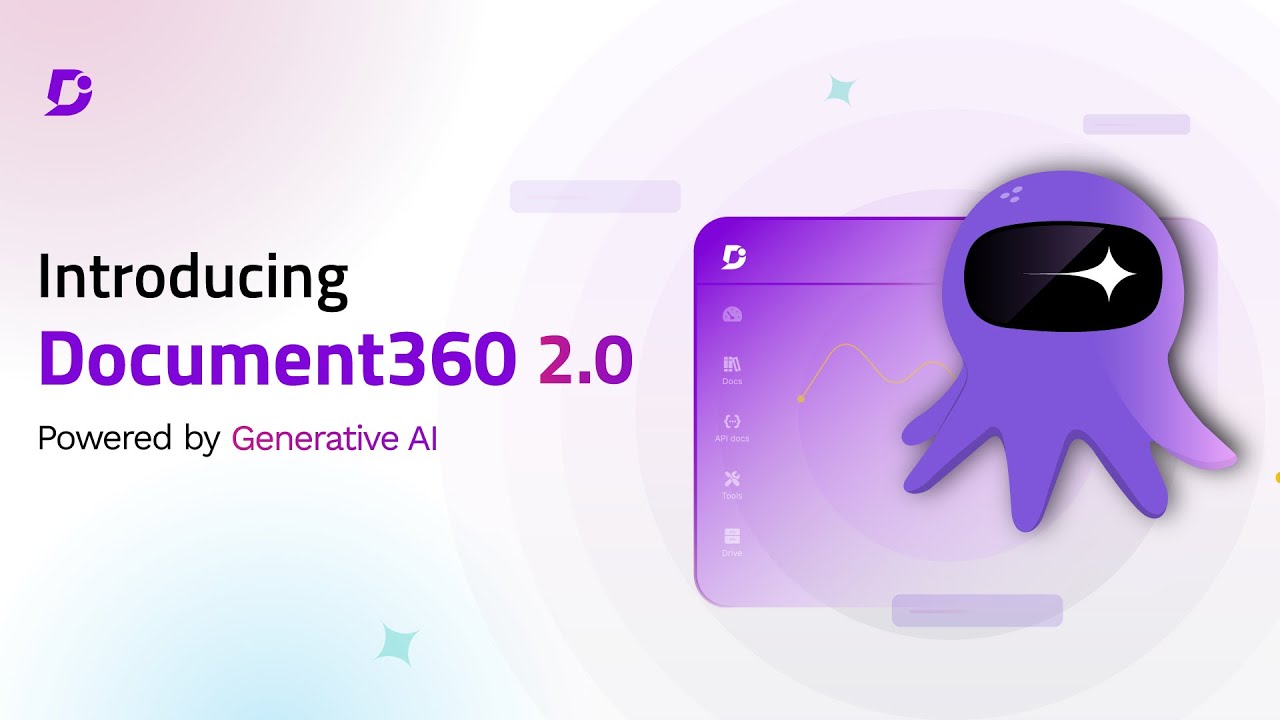
Screenshots of Document360 4 images
Pricing breakdown
| Plan | Price | Best for |
|---|---|---|
| Custom plan | Custom quote | Pricing is built around your setup through a short intake form |
Security & compliance
| Standard | Availability |
|---|---|
| GDPR | Yes |
| Iso27001 | Yes |
| SOC 2 Type II | Yes |
| SSO / SAML | Yes |
Document360 compliance summary: GDPR is yes, iso27001 is yes, SOC 2 Type II is yes, and SSO / SAML is yes.
Feature availability
| Feature | Status |
|---|---|
| Free tier | ✗ Demo / custom quote |
| AI | ✓ AI search, chatbot, writing agent, MCP server |
| Analytics | ✓ |
| Import pdf word | ✓ |
| Mermaid diagrams | ✓ |
| Seo | ✓ |
| Ticket deflector | ✓ |
| Workflow | ✓ |
Document360 feature availability summary: Free tier (✗ Demo / custom quote), AI (✓ AI search, chatbot, writing agent, MCP server), Analytics (✓), Import pdf word (✓), Mermaid diagrams (✓), Seo (✓), Ticket deflector (✓), and Workflow (✓).
Loading reviews…
What's great
- Free for up to 10 users; Standard is $5.78 per user per month
- Pages, spaces, templates and databases, with Jira links
- 4,374 G2 reviews, the biggest base among docs tools here
Watch-outs
- 4.1/5 on G2 is the lowest among the ranked tools
- A workspace, not a polished public docs site
- Spaces can sprawl without an owner
Confluence is the default for internal documentation in Jira shops. It averages 4.1/5 on G2 across 4,374 reviews .
The pricing page lists a free plan for up to 10 users and Standard at $5.78 per user per month, with Rovo AI on paid plans.
Best for engineering-led teams on Atlassian. Wrong for customer-facing docs.

Screenshots of Confluence 2 images
Pricing breakdown
| Plan | Price | Best for |
|---|---|---|
| Free | $0 | Up to 10 users, 2 GB storage |
| Standard | $5.78/user/mo | Rovo AI, advanced permissions, 250 GB storage |
Feature availability
| Feature | Status |
|---|---|
| Free tier | ✓ up to 10 users |
| AI | Rovo on Standard and above |
| Databases | ✓ |
| Storage | 2 GB Free / 250 GB Standard |
Confluence feature availability summary: Free tier (✓ up to 10 users), AI (Rovo on Standard and above), Databases (✓), and Storage (2 GB Free / 250 GB Standard).
Loading reviews…
What's great
- Pull-request workflow with validation comments, as shown in the demo
- Starter is free with 5 editor seats
- An AI agent can draft docs from a Slack request
Watch-outs
- Only 19 G2 reviews
- Pro at $450 per month is the priciest published plan here
- Built for engineers, not non-technical writers
Mintlify is the pick for developer docs kept beside the code. It averages 4.6/5 on G2 across 19 reviews , a small sample.
Pro is $450 per month billed annually.
Best for developer-facing products. Wrong for teams with non-technical writers.

Screenshots of Mintlify 3 images
Pricing breakdown
| Plan | Price | Best for |
|---|---|---|
| Starter | $0 | Individuals and small teams, 5 editor seats |
| Pro | $450/mo | Billed annually ($540 monthly), 10,000 credits a month |
| Enterprise | Custom quote | Larger teams |
Feature availability
| Feature | Status |
|---|---|
| Free tier | ✓ Starter, 5 editor seats |
| AI | Credits-based agent and assistant |
| API playground | ✓ |
| Git workflow | ✓ pull request based |
Mintlify feature availability summary: Free tier (✓ Starter, 5 editor seats), AI (Credits-based agent and assistant), API playground (✓), and Git workflow (✓ pull request based).
Loading reviews…
What's great
- Developer dashboard with API request logs
- Starter is free; Pro is $250 per month billed annually
- Lists LLMs.txt and an MCP server
Watch-outs
- Only 46 G2 reviews
- Ask AI costs $150 per month extra
- Narrower than a general documentation platform
ReadMe suits API-led products. It averages 4.5/5 on G2 across 46 reviews .
Best for products with a public API. Wrong for general product documentation.
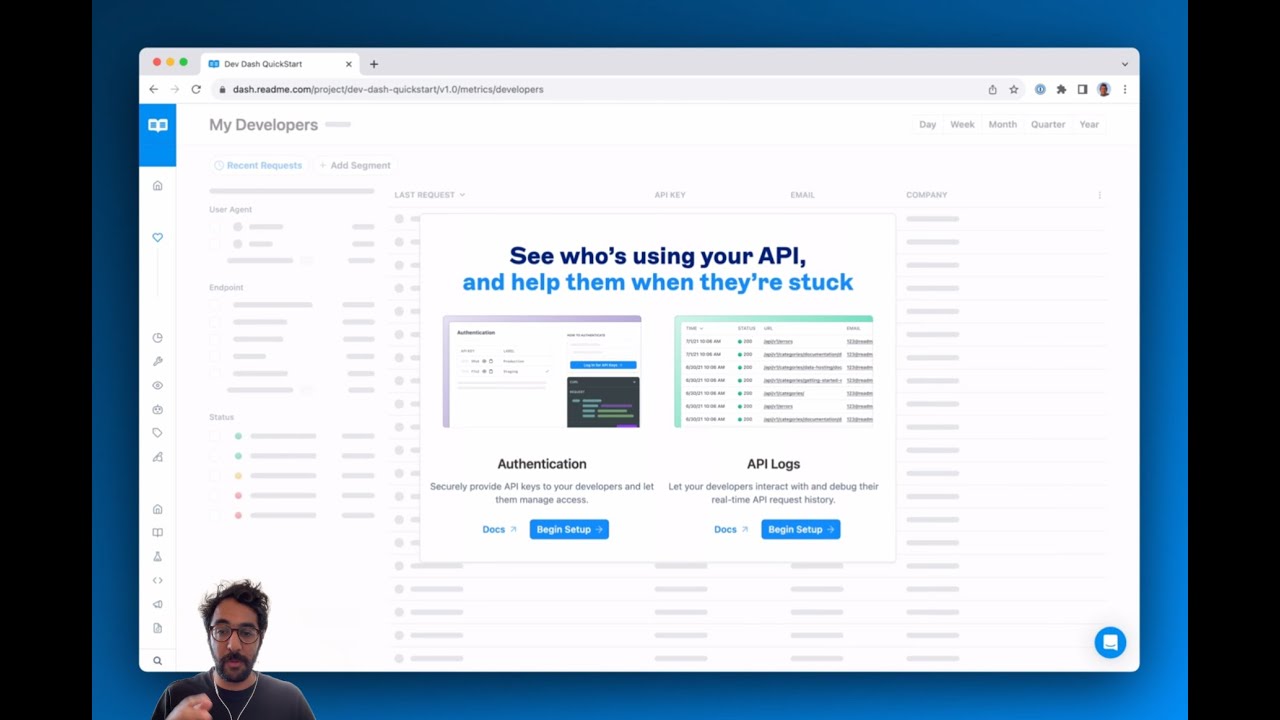
Screenshots of ReadMe 2 images
Pricing breakdown
| Plan | Price | Best for |
|---|---|---|
| Starter | $0 | Getting started, free for everyone |
| Pro | $250/mo | Teams shipping an API, billed annually |
| Enterprise | Contact sales | Larger programs |
Feature availability
| Feature | Status |
|---|---|
| Free tier | ✓ Starter |
| AI | Ask AI add-on, $150/mo |
| API logs | ✓ developer dashboard |
| Llms txt | ✓ |
| Mcp server | ✓ |
ReadMe feature availability summary: Free tier (✓ Starter), AI (Ask AI add-on, $150/mo), API logs (✓ developer dashboard), Llms txt (✓), and Mcp server (✓).
Loading reviews…
What's great
- Free plan; Plus $10 and Business $20 per seat per month
- Databases, wikis and sites in one tool
- 13,979 G2 reviews
Watch-outs
- Not built for versioned, reviewed customer docs
- Per-seat pricing grows across a company
- Structure depends on whoever owns it
Notion is a flexible workspace many teams use as an internal wiki. It averages 4.6/5 on G2 across 13,979 reviews .
Best for startups combining notes and docs. Wrong for governed customer documentation.
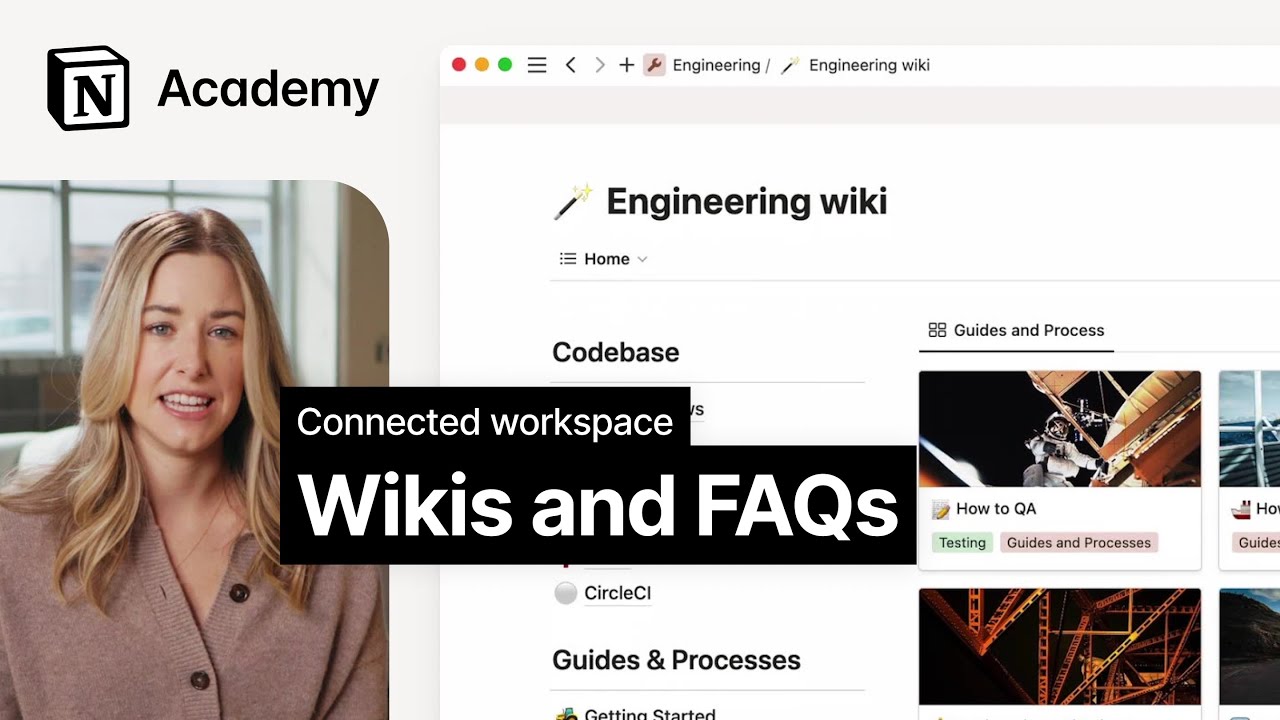
Screenshots of Notion 4 images
Pricing breakdown
| Plan | Price | Best for |
|---|---|---|
| Free | $0 | Individuals |
| Plus | $10/seat/mo | Small teams |
| Business | $20/seat/mo | Teams that want the full AI workspace |
Feature availability
| Feature | Status |
|---|---|
| Free tier | ✓ |
| AI | Trial on Plus, full on Business |
| Custom sites | Plus and above |
| Databases | ✓ |
Notion feature availability summary: Free tier (✓), AI (Trial on Plus, full on Business), Custom sites (Plus and above), and Databases (✓).
Loading reviews…
What's great
- Free for up to 10 users; Startup $6.67 and Business $12.50 per user per month
- Verification and unified search on every plan
- 4.6/5 on G2 across 309 reviews
Watch-outs
- Internal only
- Free plan keeps 90 days of version history
- Smaller base than Notion or Confluence
Slab is a quiet, searchable wiki. It averages 4.6/5 on G2 across 309 reviews .
Best for teams wanting a tidy handbook. Wrong for public documentation.
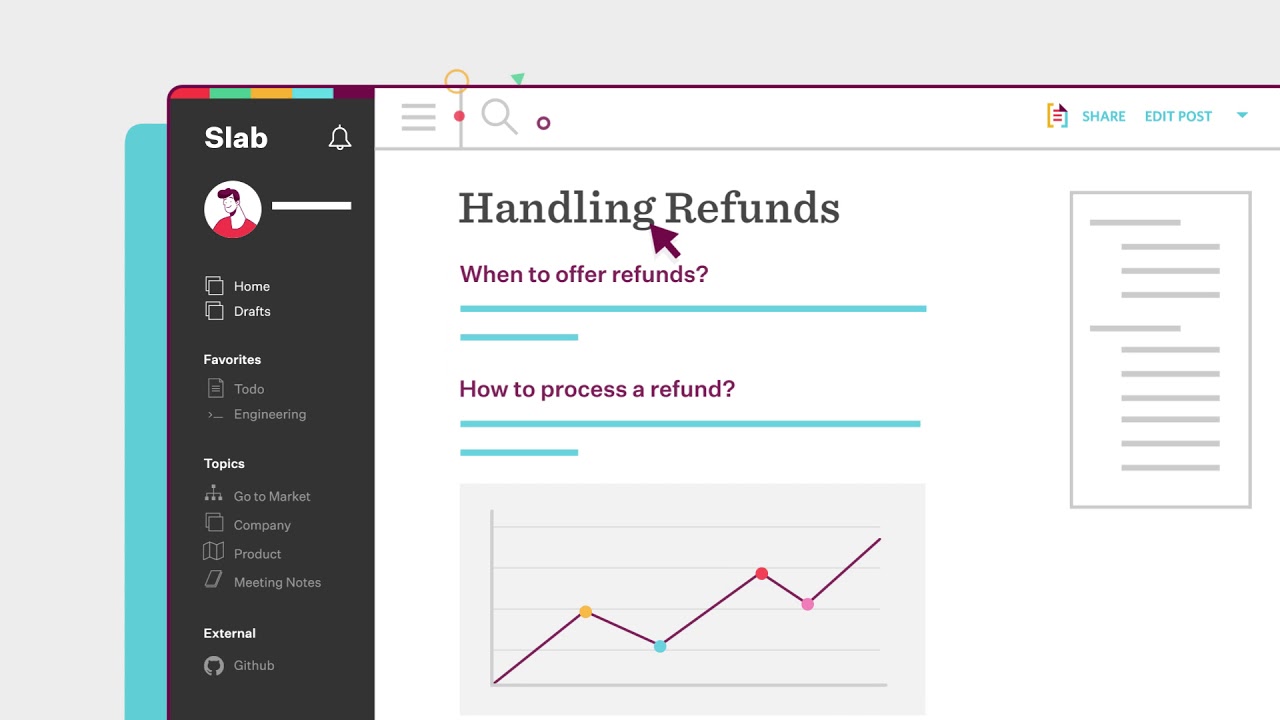
Screenshots of Slab 3 images
Pricing breakdown
| Plan | Price | Best for |
|---|---|---|
| Free | $0 | Up to 10 users, 90 days of version history |
| Startup | $6.67/user/mo | Unlimited users, 365 days of version history, billed annually |
| Business | $12.50/user/mo | Unlimited version history and guests, billed annually |
| Enterprise | Custom quote | 100+ users |
Feature availability
| Feature | Status |
|---|---|
| Free tier | ✓ up to 10 users |
| AI autofix | ✓ listed under AI capabilities |
| Unified search | ✓ |
| Usage analytics | 30 days on Free, longer on paid |
| Verification | ✓ |
Slab feature availability summary: Free tier (✓ up to 10 users), AI autofix (✓ listed under AI capabilities), Unified search (✓), Usage analytics (30 days on Free, longer on paid), and Verification (✓).
Loading reviews…
What's great
- WYSIWYG editor with source and preview tabs, per the demo
- Public or login-protected manuals, with online and printed outputs
- 4.8/5 on G2 across 67 reviews
Watch-outs
- We could not find a list price on the page we checked
- Demo footage looks dated
- Aimed at technical authors more than engineers
ClickHelp is an authoring tool for technical documentation. It averages 4.8/5 on G2 across 67 reviews .
Best for technical writing teams producing manuals. Wrong for docs-as-code teams.

Screenshots of ClickHelp 3 images
Pricing breakdown
| Plan | Price | Best for |
|---|---|---|
| See vendor pricing | Not listed on the page we checked | Check clickhelp.com for current plans |
Feature availability
| Feature | Status |
|---|---|
| Context help | ✓ |
| Online and printed outputs | ✓ |
| Public or protected manuals | ✓ |
| Single sourcing | ✓ |
| Wysiwyg editor | ✓ |
ClickHelp feature availability summary: Context help (✓), Online and printed outputs (✓), Public or protected manuals (✓), Single sourcing (✓), and Wysiwyg editor (✓).
Loading reviews…
Tools we considered but excluded
We evaluated more tools than the 8 you see above. These did not make the cut. Saying what we rejected, and why, is the editorial muscle most listicles skip.
- Read the Docs: Open-source hosting for docs builds; no vendor listing to rate or price
- Sphinx: Open-source documentation generator, covered as a tool rather than a product
Honorable mentions
Solid tools that did not crack the main list but are worth tracking, especially for niche use cases.
- Docusaurus: Free, open-source and Git-native; suited to engineering-led teams
- Adobe RoboHelp: 4.0/5 on G2 across 38 reviews; a help authoring tool for multi-channel publishing
- Swagger UI: Free interactive REST API reference from an OpenAPI spec
Product documentation fails when nobody trusts it. The tool matters less than whether it keeps content current and gets it to the right reader.
Pick by audience
- Customers: Document360, GitBook. You need search, SEO and analytics.
- Developers: Mintlify, GitBook, ReadMe. You need Git and API reference.
- Staff: Confluence, Notion, Slab. You need permissions and a clean structure.
What to check
- Who writes, and do they prefer Git or a visual editor?
- Is there a review step before publishing?
- Can you see what readers searched for and did not find?
Our pick
GitBook leads as the best all-rounder for mixed teams of engineers and non-engineers. Document360 is the pick for customer-facing software documentation with approvals and analytics. Choose Confluence if the documentation is internal and you already run Jira.
Frequently asked questions
What is the best software documentation tool?
GitBook ranks first here as the all-rounder for mixed teams, at 4.7/5 on G2 across 208 reviews. Document360, at 4.7/5 across 557 reviews, is the pick for customer-facing product docs with approvals and analytics.
What is the difference between internal and customer-facing documentation tools?
Customer-facing tools such as Document360 and GitBook publish a public site with search and SEO. Internal tools such as Confluence, Notion and Slab are private wikis for staff.
Do I need a docs-as-code tool?
Only if engineers write the docs and want pull-request review. Mintlify and GitBook support that. Document360 suits non-engineers writing in a visual editor.
How much does software documentation software cost?
From vendor pricing pages in November 2026: Confluence and Slab are free up to 10 users, Notion Plus is $10 per seat, GitBook Essential is $65 per site per month, and Mintlify Pro is $450 per month. Document360 is quote-based.
Which tool is best for a software product with an API?
ReadMe and Mintlify are the usual picks for API-led products. See our API documentation guide.
Can one tool serve customers and employees?
Yes, with trade-offs. Document360 can publish public and private content. Notion and Confluence can publish some pages, but are weaker as public help centers.
Related helpful reads
Write a review
Posts to the page right away. Keep it real — no links or email addresses.