
Comparing the best User Manual Software for Online Help, Guides and Print of 2026 includes 1. Document360 2. Scribe 3. Paligo 4. MadCap Flare 5. ClickHelp 6. Helpjuice 7. Tango 8. ProProfs Knowledge Base.
TL;DR
- Document360: best overall for online user manuals. G2 4.7/5 across 557 reviews.
- Scribe: best for step-by-step visual guides, 4.8/5 across 1,009 reviews.
- Paligo: best for structured, multi-language manuals, from $15,000 a year.
- MadCap Flare: best for print-grade and regulated manuals, $3,150 per author a year.
- ClickHelp: best for technical writers, 4.8/5 across 67 reviews.
A desk-research comparison of eight tools for creating user manuals, split by manual type: online help centers, screenshot guides, and structured technical manuals. Rankings rest on G2 ratings and vendor pricing. Document360 leads for online manuals.
What is user manual software?
User manual software helps teams write, organize and publish product guides, either as online help, step-by-step visual guides, or structured documents that publish to web and print.
The right choice depends on who reads the manual, what format they need, and how often it changes.
Best User Manual Software for Online Help, Guides and Print comparison: features, pricing and verdicts
| Tool | Best for | Starting price | Free trial | External rating |
|---|---|---|---|---|
Best for customer-facing user manuals with versioning, search and approvals | Custom quote | Demo | G2 4.7/5 (557 reviews) | |
Best for fast step-by-step visual manuals captured from the screen | $13/seat/mo | See vendor site | G2 4.8/5 (1,009 reviews) | |
Best for structured, reusable, multi-language manuals | From $15,000/yr | See vendor site | G2 4.6/5 (57 reviews) | |
Best for print-grade and regulated manuals published from a single source | $3,150/author/yr | See vendor site | G2 4.4/5 (491 reviews) | |
Best for technical writers publishing manuals online, in print, and behind a login | See vendor pricing | See vendor site | G2 4.8/5 (67 reviews) | |
Best for a branded, customer-facing help center with a published monthly price | $249/mo | Free trial | G2 4.7/5 (384 reviews) | |
Best for employee instruction guides captured from a browser workflow | $15/user/mo | Free plan | G2 4.7/5 (547 reviews) | |
Best low-cost online manual with a free plan and revision history | $0 | Free plan | G2 4.6/5 (31 reviews) |
How we chose these tools
This page is desk research. We read the live G2 listings, vendor pricing pages and published product material, and we did not run hands-on trials of these products. We used US Google results, ChatGPT and Perplexity only to find candidate tools; the ranking rests on G2 ratings, review counts, vendor pricing and product material. Ratings and review counts are as shown on G2 in November 2026 and can change; prices are from each vendor’s pricing page on the same date, and where we could not find a list price we say so. The frame is manual type: online searchable help, screenshot steps, or structured technical publishing.
Read the full CEOPickz.com research approach, including how desk-research pages and the editorial score work.
Detailed User Manual Software for Online Help, Guides and Print reviews
What's great
- Built for customer-facing online manuals and help centers
- Markdown and WYSIWYG editors, revision history, import from PDF and Word, and a self-service site
- SOC 2 Type II, ISO 27001:2022 and GDPR on the pricing page
Watch-outs
- Quote-based pricing
- Not a structured authoring tool for regulated, multi-format manuals like Paligo or MadCap Flare
- AI premium features are packaged separately
Document360 is the online manual pick for most software and SaaS products. It averages 4.7/5 on G2 across 557 reviews .
It publishes a searchable manual with version history and approvals, and imports existing PDF and Word content.
For print-grade, multi-language, regulated manuals, a structured tool such as Paligo or MadCap Flare fits better.
Best for software user guides and help centers. Wrong for single-source publishing to PDF and print at scale.
Screenshots of Document360 4 images
Pricing breakdown
| Plan | Price | Best for |
|---|---|---|
| Custom plan | Custom quote | Pricing is built around your setup through a short intake form |
Security & compliance
| Standard | Availability |
|---|---|
| GDPR | Yes |
| Iso27001 | Yes |
| SOC 2 Type II | Yes |
| SSO / SAML | Yes |
Document360 compliance summary: GDPR is yes, iso27001 is yes, SOC 2 Type II is yes, and SSO / SAML is yes.
Feature availability
| Feature | Status |
|---|---|
| Free tier | ✗ Demo / custom quote |
| AI | ✓ AI search, chatbot, writing agent, MCP server |
| Analytics | ✓ |
| Import pdf word | ✓ |
| Mermaid diagrams | ✓ |
| Seo | ✓ |
| Ticket deflector | ✓ |
| Workflow | ✓ |
Document360 feature availability summary: Free tier (✗ Demo / custom quote), AI (✓ AI search, chatbot, writing agent, MCP server), Analytics (✓), Import pdf word (✓), Mermaid diagrams (✓), Seo (✓), Ticket deflector (✓), and Workflow (✓).
Loading reviews…
What's great
- Captures a workflow into numbered steps with screenshots, per the demo
- Share by link, embed or export
- 4.8/5 on G2 across 1,009 reviews; Pro Team $13 per seat per month annually, 5-seat minimum
Watch-outs
- Best for software tasks, not physical products
- Not built for versioned, multi-language manuals
- Captures clicks, not explanations
Scribe builds screenshot guides as you work. It averages 4.8/5 on G2 across 1,009 reviews .
Best for software walkthroughs. Wrong for print manuals.

Screenshots of Scribe 3 images
Pricing breakdown
| Plan | Price | Best for |
|---|---|---|
| Pro | $25/seat/mo | From 1 seat, billed annually ($35 monthly) |
| Pro Team | $13/seat/mo | From 5 seats, billed annually ($17 monthly) |
Feature availability
| Feature | Status |
|---|---|
| Capture | Browser, desktop and mobile |
| Pages | ✓ multi-guide pages |
| Share | Link, Smart Embed and Export |
Scribe feature availability summary: Capture (Browser, desktop and mobile), Pages (✓ multi-guide pages), and Share (Link, Smart Embed and Export).
Loading reviews…
What's great
- Component content with taxonomies and reuse tracking, per the demo
- Annual per-author licence; Business from $15,000 per year with 2 authors and 2 languages
- 4.6/5 on G2 across 57 reviews
Watch-outs
- Expensive for small teams
- Steeper learning curve than an online help tool
- Small G2 base
Paligo is a component content system for large manual sets. It averages 4.6/5 on G2 across 57 reviews .
The demo shows a topic list with taxonomies and languages, and image reuse tracking.
Best for companies reusing content across products and languages. Wrong for a small team with one manual.
Screenshots of Paligo 3 images
Pricing breakdown
| Plan | Price | Best for |
|---|---|---|
| Business | From $15,000/yr | Small and medium teams starting with structured content; annual subscription, per-author licensing, 2 authors and 2 languages included |
Feature availability
| Feature | Status |
|---|---|
| Content reuse | ✓ |
| Multi language | ✓ |
| Structured authoring | ✓ component content |
| Taxonomies | ✓ |
Paligo feature availability summary: Content reuse (✓), Multi language (✓), Structured authoring (✓ component content), and Taxonomies (✓).
Loading reviews…
What's great
- Topic-based authoring with multi-channel publishing, per the vendor material
- Flare Desktop is $3,150 per author per year
- 4.4/5 on G2 across 491 reviews
Watch-outs
- Desktop software, so collaboration is heavier than cloud tools
- Per-author annual licence
- Dated feel next to newer tools
MadCap Flare is the long-standing technical authoring tool. It averages 4.4/5 on G2 across 491 reviews .
The vendor video explains topic-based authoring and online help outputs.
Best for technical writers producing PDF and web manuals. Wrong for quick online guides.
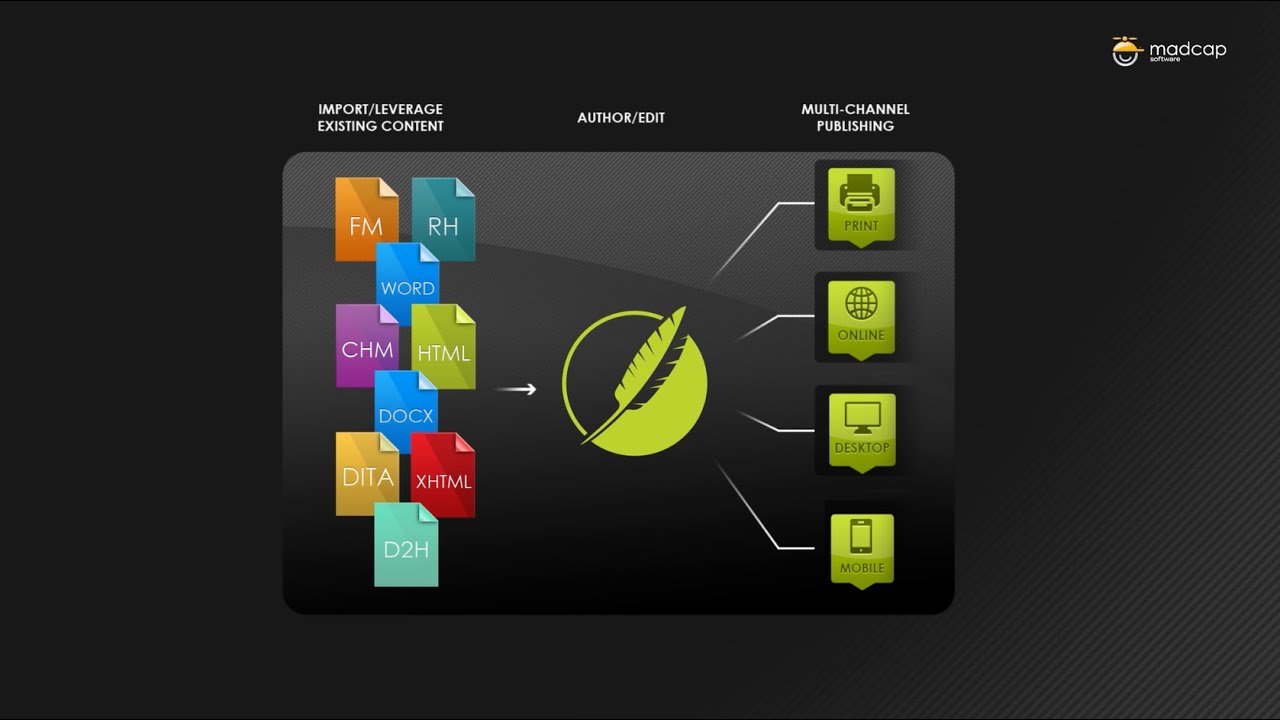
Screenshots of MadCap Flare 2 images
Pricing breakdown
| Plan | Price | Best for |
|---|---|---|
| Flare Desktop | $3,150/author/yr | Per-author annual license, per the pricing page |
Feature availability
| Feature | Status |
|---|---|
| Multi channel publishing | ✓ |
| Pdf output | ✓ |
| Topic based authoring | ✓ |
| Training | Free introductory training |
MadCap Flare feature availability summary: Multi channel publishing (✓), Pdf output (✓), Topic based authoring (✓), and Training (Free introductory training).
Loading reviews…
What's great
- Public or login-protected manuals, per the demo
- WYSIWYG editor with source and preview
- 4.8/5 on G2 across 67 reviews
Watch-outs
- We could not find a list price on the page we checked
- Demo footage looks dated
- Small G2 base
ClickHelp is a cloud authoring tool for manuals. It averages 4.8/5 on G2 across 67 reviews .
Best for technical writing teams. Wrong for teams who want a lightweight editor.

Screenshots of ClickHelp 3 images
Pricing breakdown
| Plan | Price | Best for |
|---|---|---|
| See vendor pricing | Not listed on the page we checked | Check clickhelp.com for current plans |
Feature availability
| Feature | Status |
|---|---|
| Context help | ✓ |
| Online and printed outputs | ✓ |
| Public or protected manuals | ✓ |
| Single sourcing | ✓ |
| Wysiwyg editor | ✓ |
ClickHelp feature availability summary: Context help (✓), Online and printed outputs (✓), Public or protected manuals (✓), Single sourcing (✓), and Wysiwyg editor (✓).
Loading reviews…
What's great
- $249 per month for 30 users
- Vendor builds a custom design
- Localization with AI translation
Watch-outs
- Entry plan priced for a team
- 12 GB storage on the listed plan
- Less suited to print manuals
Helpjuice publishes branded online manuals. It averages 4.7/5 on G2 across 384 reviews .
Best for support teams. Wrong for print-ready manuals.
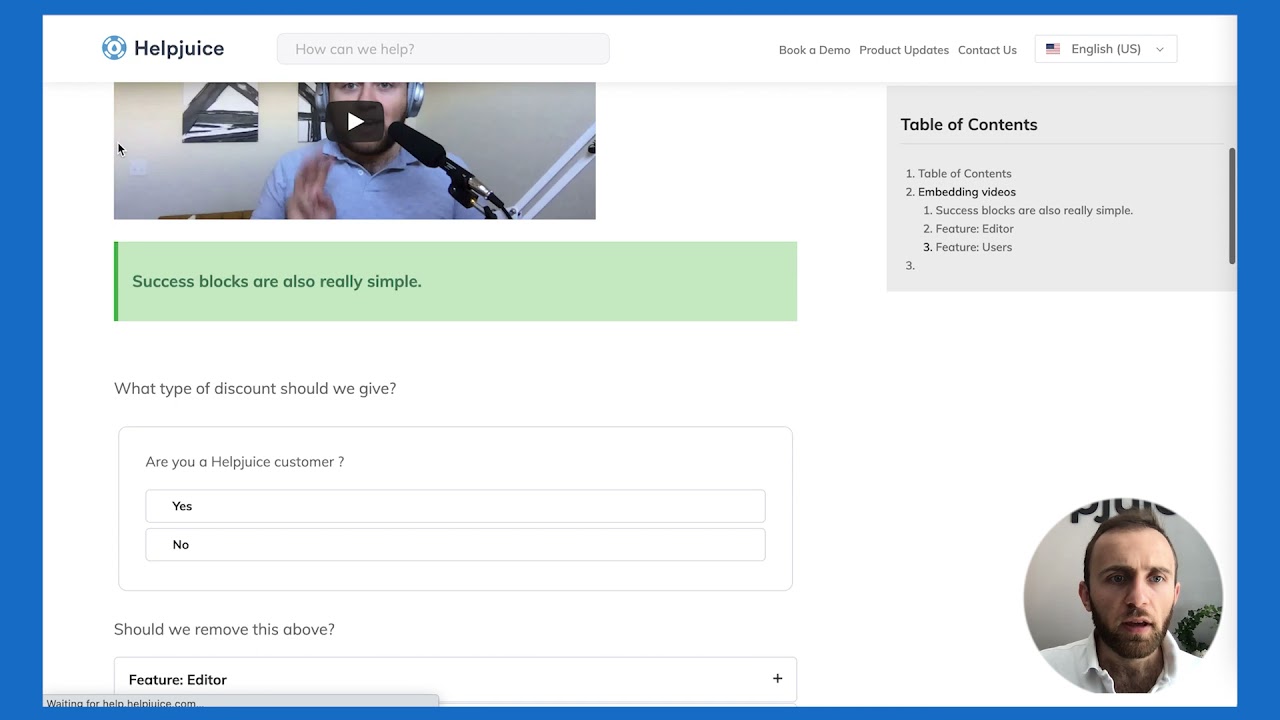
Screenshots of Helpjuice 3 images
Pricing breakdown
| Plan | Price | Best for |
|---|---|---|
| Knowledge Base | $249/mo | Small teams, up to 30 users and 12 GB of storage, per the pricing page |
Feature availability
| Feature | Status |
|---|---|
| Free tier | ✗ Free trial |
| Custom design | ✓ hand-built by vendor |
| File storage | 12 GB |
| Live collaboration | ✓ |
| Localization | ✓ incl. AI article translation |
Helpjuice feature availability summary: Free tier (✗ Free trial), Custom design (✓ hand-built by vendor), File storage (12 GB), Live collaboration (✓), and Localization (✓ incl. AI article translation).
Loading reviews…
What's great
- Free plan; Pro Team $15 per user per month billed annually
- Embeds into Confluence, Notion and Zendesk
- 4.7/5 on G2 across 547 reviews
Watch-outs
- Captures clicks, not explanations
- Pro for 1 to 2 users is $22 monthly
- Overlaps with Scribe
Tango captures a workflow into a guide. It averages 4.7/5 on G2 across 547 reviews .
Best for internal how-to guides. Wrong for customer manuals.

Screenshots of Tango 3 images
Pricing breakdown
| Plan | Price | Best for |
|---|---|---|
| Free | $0 | Create and share your first guides |
| Pro | $22/user/mo | 1 to 2 users |
| Team (3+ users) | $15/user/mo | Billed annually, per the pricing page |
Feature availability
| Feature | Status |
|---|---|
| Free tier | ✓ |
| Capture | ✓ browser extension |
| Embed | Confluence, Guru, Notion, SharePoint and more |
| Export | ✓ |
Tango feature availability summary: Free tier (✓), Capture (✓ browser extension), Embed (Confluence, Guru, Notion, SharePoint and more), and Export (✓).
Loading reviews…
What's great
- Free forever for 25 pages; paid plans from $49 per author per month
- Revision history keeps up to 30 versions
- Pop-up help tips, per the demo
Watch-outs
- Only 31 G2 reviews
- Priced per author, so cost rises with writers
- Older-looking editor in the demo
ProProfs is a budget knowledge base for online manuals. It averages 4.6/5 on G2 across 31 reviews .
Best for small teams. Wrong for large manual sets.
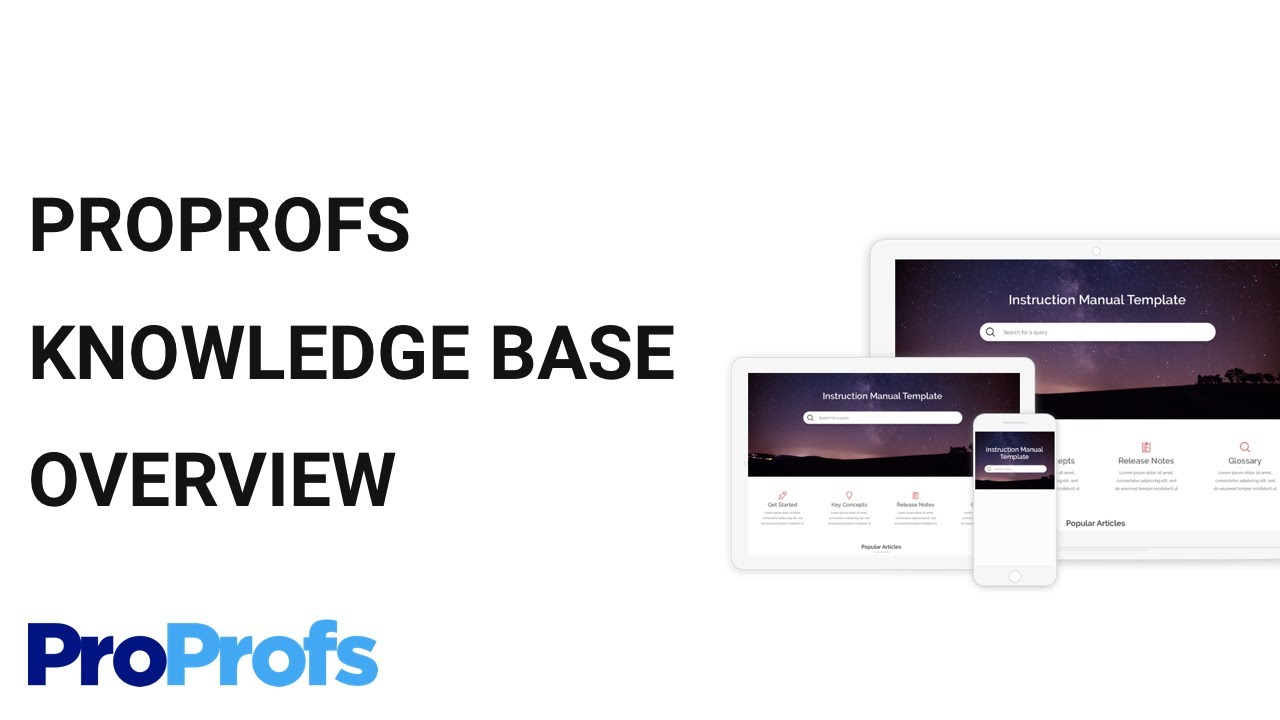
Screenshots of ProProfs Knowledge Base 2 images
Pricing breakdown
| Plan | Price | Best for |
|---|---|---|
| Free | $0 | 25 pages, free forever |
| Paid | $49/author/mo | AI-powered help center; $588 billed annually |
| Higher tiers | $69 and $79/author/mo | Multiple knowledge bases and AI workflows; AI chatbot, SSO and priority support |
Feature availability
| Feature | Status |
|---|---|
| Free tier | ✓ 25 pages |
| Popups | ✓ pop-up help |
| Revision history | ✓ up to 30 versions |
ProProfs Knowledge Base feature availability summary: Free tier (✓ 25 pages), Popups (✓ pop-up help), and Revision history (✓ up to 30 versions).
Loading reviews…
Tools we considered but excluded
We evaluated more tools than the 8 you see above. These did not make the cut. Saying what we rejected, and why, is the editorial muscle most listicles skip.
- Dozuki: Manufacturing-focused, 4.4/5 on G2 across 210 reviews, but outside the software-manual use case here
- Whatfix: In-app guidance rather than manual authoring
Honorable mentions
Solid tools that did not crack the main list but are worth tracking, especially for niche use cases.
- Guidde: 4.8/5 on G2 across 97 reviews; AI-generated video guides
- GitBook: 4.7/5 on G2 across 208 reviews; for developer and software documentation
- HelpDocs: Simple self-service documentation
A user manual is judged by whether a customer can solve a problem without contacting you. Match the tool to the manual type.
Pick by manual type
- Searchable online help: Document360, Helpjuice, ProProfs.
- Step-by-step screenshots: Scribe, Tango.
- Structured, multi-language, print-ready: Paligo, MadCap Flare, ClickHelp.
Pick by reader
- Customers: Document360 or Helpjuice.
- Employees: Scribe or Tango.
- Technical product users: Paligo, MadCap Flare or ClickHelp.
Our pick
Document360 leads for online manuals. For print-grade structured manuals, shortlist Paligo or MadCap Flare.
Frequently asked questions
What is the best user manual software?
Document360 ranks first here, at 4.7/5 on G2 across 557 reviews. Scribe is the pick for step-by-step visual guides.
What is the difference between online user manuals and technical manuals?
Online manuals are searchable help sites for customers. Technical manuals often need structured content, reuse, translation and print output, which Paligo and MadCap Flare handle.
Can I make a user manual with screenshots automatically?
Yes. Scribe and Tango capture a workflow into numbered steps with screenshots.
How much does user manual software cost?
From vendor pages in November 2026: ProProfs has a free 25-page plan and paid plans from $49 per author per month, Helpjuice is $249 per month, MadCap Flare Desktop is $3,150 per author per year, and Paligo Business starts at $15,000 per year. Document360 is quote-based.
Do I need print or PDF output?
If yes, check export quality in a trial. MadCap Flare and Paligo are built for single-source publishing to PDF and web.
Which tool is best for a small team?
ProProfs has a free plan, and Tango and Whale (SOP guide) have free plans for lighter needs.
Related helpful reads
Write a review
Posts to the page right away. Keep it real — no links or email addresses.